- October 2026
Wix Review (2026): Features, Pricing, Pros & Cons
Wix combines AI-powered website creation, flexible visual editing, and built-in business tools. Explore its features, pricing, limitations, and alternatives to decide whether Wix is the right website builder for you.
- Ease of Use Explained
- Pros & Cons Explained
- Features & Pricing
- Best Alternatives
Find out what Wix does best, where it falls short, and whether it’s worth your money.
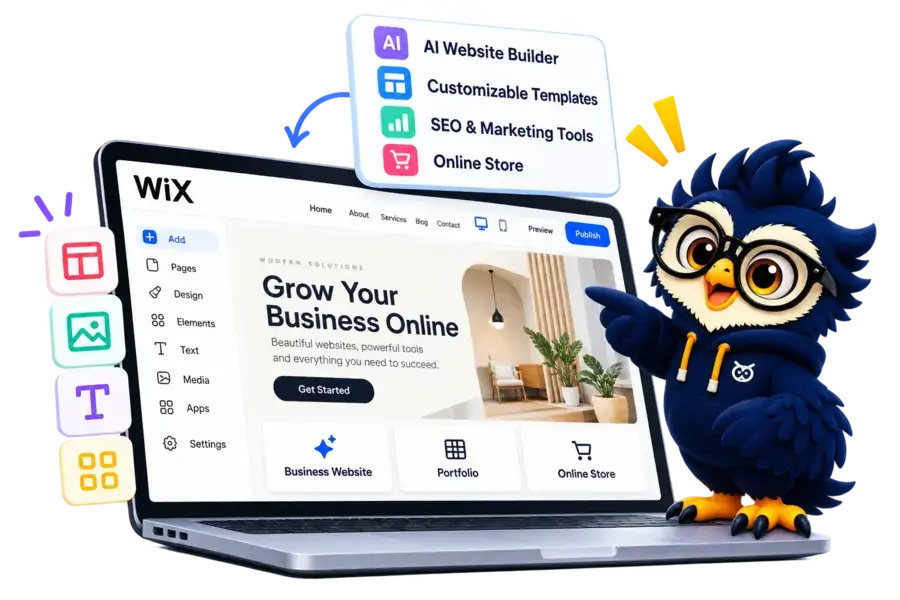
Wix at a Glance
Wix combines AI-powered website creation, visual design tools, and built-in business features in one platform. Here’s a quick look at what it offers and where it fits best.
Main Advantage
Flexible Website Design: Customize layouts, sections, fonts, and visual elements using the editor.
Main Consideration
Plan Costs and Flexibility: Premium features require paid plans, and moving a finished website to another platform can be challenging.
Best For
Small Businesses and Creators
Suitable for business websites, portfolios, blogs, and online stores.
Building Experience
AI and Visual Editing
Generate a website with AI, then refine it using visual editing tools.
Website Management
Built-In Features and Apps
Manage marketing, bookings, customer enquiries, and ecommerce with supported tools.
Website Type
Business, Portfolio & Stores
Build a range of websites using templates and features suited to your project.

Wix Website Builder
Create a website with AI assistance, customizable designs, and integrated business tools.
Disclosure: ElegantEspace is supported by readers like you. We may earn an affiliate commission when you purchase through our links. Commissions do not affect our editors’ opinions or evaluations.
What Is Wix?
Building a professional website no longer requires coding skills or hiring a developer.
Wix is a website builder that combines visual editing, AI-powered website creation, customizable templates, and built-in business tools to help you establish an online presence.
Founded in 2006, Wix has grown into a widely used website-building platform for individuals, entrepreneurs, and businesses.
Whether you want to showcase your services, publish blog posts, build a portfolio, or launch an online store, Wix offers tools to create and manage your website in one place.
But is Wix the right choice for your needs?
In this Wix review, we’ll explore its key features, pricing, design flexibility, SEO capabilities, pros and cons, and alternatives to help you decide whether it’s worth your investment.
What Can You Build With Wix?
Wix supports a wide range of website projects, from simple personal portfolios to business websites and online stores.
Its templates, visual editor, and built-in business tools help you create a website around your specific goals.
Here are some of the most common ways to use Wix.
- Business Websites: Showcase your company, services, contact details, and customer testimonials with a professional online presence.
- Online Stores: Sell physical or digital products, manage inventory, accept payments, and organize product catalogs.
- Blogs and Content Websites: Publish articles, organize posts into categories, and build an audience around your expertise.
- Portfolio Websites: Display creative projects, photography, design work, or professional achievements to attract clients.
- Booking and Service Websites: Let customers explore your services, schedule appointments, and make payments using supported booking tools.
- Landing Pages: Promote a product, campaign, or service with a focused page designed to generate leads or encourage sign-ups.
- Restaurant Websites: Display menus, accept online orders, and manage reservations using supported restaurant tools.
- Membership and Community Websites: Offer members-only content, subscription options, or community features using available Wix solutions.
If you want to attract clients, start with a business website or portfolio. If you plan to publish regularly, consider a blog. For selling products, choose an ecommerce setup with the features your store requires.
Wix provides tools for all these use cases, although some business features require a paid plan or additional setup.
Key Features of Wix
Wix combines website creation, design customization, and business management tools in one platform. Here are the key features that make it worth considering.
AI-Powered Website Builder
Wix lets you create a website by describing your business, goals, and preferred style.
- Generate an initial website structure with AI.
- Customize the design and content to match your brand.
- Refine your website using Wix's editing tools.
Drag-and-Drop Website Editor
Customize your website visually without needing to write code for every design change.
- Adjust page layouts, text, images, and sections.
- Add interactive elements and design components.
- Customize pages to create a distinctive look.
Professional Templates
Wix offers templates for different industries and website types.
- Choose designs for businesses, portfolios, blogs, and online stores.
- Customize colors, fonts, images, and page layouts.
- Use templates as a starting point rather than designing from scratch.
Wix App Market
Extend your website with additional apps and integrations.
- Add tools for marketing, forms, bookings, and customer engagement.
- Connect supported third-party services.
- Expand your website's functionality as your business grows.
Built-In SEO Tools
Wix includes tools to help you optimize your website for search engines.
- Edit page titles and meta descriptions.
- Customize URL structures and image alt text.
- Manage redirects and other supported SEO settings.
- Access SEO guidance and integrations for optimization.
Ecommerce and Online Payments
Wix provides ecommerce tools for businesses that want to sell online.
- Create product pages and manage catalogs.
- Track orders and inventory using supported features.
- Configure payment methods and shipping options.
- Manage promotions and other store settings.
Blogging and Content Management
Publish and organize content directly through Wix.
- Create and edit blog posts.
- Organize articles into categories and tags.
- Add images and other media to your content.
- Manage publishing and content updates.
Business and Marketing Tools
Wix offers additional tools to help businesses manage customer interactions and promote their websites.
- Add contact forms and collect enquiries.
- Set up appointment bookings with supported tools.
- Create email marketing campaigns and promotional content.
- Manage customer relationships using available business features.
- Some features, apps, payment options, and business tools depend on your plan, region, and configuration.
Wix Pricing and Plans
Wix offers a free plan for building a website, along with paid plans that unlock features such as a custom domain, additional storage, marketing tools, and ecommerce capabilities.
The right plan depends on whether you want a simple website, a professional business presence, or a fully functional online store.
Wix Pricing at a Glance
- Free: Create a website and explore the Wix editor without paying, but with Wix branding and a Wix-branded web address.
- Light: Best for personal websites, portfolios, and basic business websites.
- Core: Suitable for businesses that need online payments, bookings, or basic ecommerce features.
- Business: Designed for growing businesses that need more storage, marketing tools, and ecommerce functionality.
- Business Elite: Intended for larger websites that need advanced ecommerce and developer capabilities.
Which Wix Plan Should You Choose?
If you only need to establish an online presence, the Light plan may be sufficient. Choose Core or Business if you need to accept payments, sell products, or manage bookings. Business Elite is worth considering when your business requires more advanced features and room to scale.
Keep in mind that the free plan is best for testing Wix or building a basic website. Connecting a custom domain and removing Wix branding require a paid plan.
Before choosing a subscription, compare the available storage, business tools, ecommerce features, and billing terms to make sure the plan fits your needs.
Accepted Payment Methods
Wix supports several payment methods for purchasing its subscriptions and for accepting payments from customers through your website.
Payment Methods For Wix Subscriptions:
- Credit and debit cards, including Visa, Mastercard, and American Express.
- Apple Pay, where available.
- PayPal
- Additional local payment methods, depending on your region and eligibility.
Payment Methods For Your Website's Customers:
- Credit and debit cards.
- Apple Pay and Google Pay, where supported.
- PayPal
- Buy now, pay later options, such as Klarna and Afterpay, where available.
- Regional payment providers and manual payments, including bank transfers or cash.
Wix Website Builder Pros and Cons
- Beginner-Friendly Editor: Create and customize websites visually without extensive coding knowledge.
- AI Website Creation: Generate an initial website and refine its content and design with AI tools.
- Extensive Template Library: Choose from professionally designed templates for different industries and website types.
- Built-In Business Tools: Manage blogging, bookings, marketing, and online selling through supported features.
- SEO Tools Included: Access tools for metadata, redirects, structured data, and other SEO tasks.
- App Market: Extend your website with additional apps and integrations.
- Hosting and Security Included: Avoid managing separate web hosting and routine infrastructure maintenance.
- Paid Plans for Key Features: Connecting a custom domain and accepting online payments require an eligible paid plan.
- Costs Can Add Up: Premium subscriptions, paid apps, and additional business tools can increase your overall expenses.
- Platform Switching Can Be Difficult: Moving a complete website to another platform may require rebuilding parts of the design and functionality.
- Template Changes Have Limitations: Switching to a different template after building your site can require substantial redesign work.
- Less Server-Level Control: Wix manages the hosting environment, so you have less control over the underlying infrastructure than with self-hosted platforms.
- Some Features Depend on Your Plan: Ecommerce, storage, and business capabilities vary by subscription.
Ready to Build Your Website with Wix?
Create a professional website with Wix using AI-powered tools, customizable templates, and built-in business features. Explore its plans and features to see if it’s the right fit for your needs.
Wix Ease of Use: How Easy Is It to Build a Website?
Wix is designed to make website creation accessible to beginners, freelancers, and small business owners. You can start with an AI-generated website or a template, then customize the design using its visual editor without writing code.
1. Getting Started With Wix
You can begin by creating a Wix account and choosing the type of website you want to build. Depending on the setup option available, Wix can guide you through an AI-assisted creation process or let you select a template.
The AI option helps generate an initial website based on your goals and preferences, while templates give you a ready-made design to customize.
2. Customizing Your Website
Wix’s visual editor lets you modify page layouts, text, images, colors, fonts, and sections. You can also add elements such as buttons, forms, galleries, and other supported features.
The editor offers considerable design flexibility, but beginners may need some time to understand its layout controls and keep pages consistent.
3. Adding Features and Managing Content
You can add supported apps and tools for bookings, contact forms, marketing, blogging, and ecommerce. Wix also provides a dashboard for managing key website settings and business activities.
The exact tools available depend on your website type, plan, and selected apps.
4. Managing Your Website After Launch
Once your website is ready, you can update content, publish new pages, review website performance, and manage supported business features from your Wix account. Hosting is included, so you don’t need to arrange separate web hosting.
Wix Templates and Design Flexibility
Wix offers a large collection of professionally designed website templates for different industries and purposes.
You can start with a ready-made design, generate a website with AI, or begin with a blank layout and build your own design.
Wix’s templates are customizable, so you don’t have to keep the original colors, images, or content.
1. Wide Range of Website Templates
Wix provides templates for business websites, online stores, blogs, portfolios, restaurants, photography, and more.
You can browse by industry or website type to find a design that suits your project.
2. Customize Layouts, Colors, and Fonts
The Wix Editor lets you adjust page layouts, change colors and typography, replace images, and add or remove sections.
You can also include supported features such as contact forms, galleries, booking tools, and online store elements.
This flexibility makes it easier to adapt a template to your brand without coding.
3. Mobile-Friendly Designs
Wix provides tools to adapt your website for mobile screens. You can preview the mobile layout and adjust elements where necessary to improve readability and usability.
However, don’t assume every page will look perfect automatically. Check your headings, images, buttons, and spacing on smaller screens before publishing.
4. A Limitation: Changing Templates Later
One important drawback is that you cannot simply switch an existing Wix Editor website to a completely different template.
You generally need to create a new site and transfer supported content and elements, which can require extra work.
Some features and settings may need to be configured again.
Are Wix Templates Good Enough to Build a Professional Website?
Yes. Wix templates provide a useful starting point for business websites, portfolios, blogs, and online stores.
Their customization options let you create a design that fits your brand without building every page from scratch.
The main consideration is long-term flexibility. Choose your template carefully before building your website, especially if you expect a major redesign later.
Wix SEO Features: Is Wix Good for SEO?
Wix includes built-in SEO tools that help you optimize your website for search engines without needing to manage everything manually.
You can edit important page settings, manage URLs, add structured data, and connect your website to Google Search Console using Wix’s supported setup tools.
1. Customize Page Titles and Meta Descriptions
Wix lets you edit SEO titles and meta descriptions for individual pages. These help search engines understand your content and can influence how your pages appear in search results.
For better results, write unique titles and descriptions that accurately reflect each page and its target keyword.
2. Manage URLs and Redirects
You can customize supported URL structures and use Wix’s URL Redirect Manager to redirect visitors from old URLs to new ones.
This is especially useful when updating pages or changing a URL, helping you avoid unnecessary broken links.
3. Built-In SEO Setup and Guidance
Wix provides an SEO Setup Checklist to guide you through important setup tasks.
Its SEO Assistant can also identify potential issues and recommend improvements to your site’s content, structure, and SEO settings.
Some dashboard tools require an upgraded plan and a connected custom domain.
4. Structured Data and Technical SEO
Wix supports structured data markup, which can give search engines additional information about your pages.
You can also access settings for sitemaps, robots.txt, and indexing instructions, giving you control over several important technical SEO elements.
5. Connect Google Search Console
You can connect your Wix website to Google Search Console to monitor search performance and help identify indexing issues.
Wix provides a guided setup process, but connecting Search Console through its SEO Setup Checklist requires an upgraded site with a connected custom domain.
Is Wix Good for SEO?
Yes, Wix provides the essential SEO tools most small businesses, bloggers, and creators need to optimize their websites.
You can manage on-page SEO, configure technical settings, and monitor search performance without installing a separate SEO plugin.
However, having these tools doesn’t guarantee higher rankings. Your results still depend on content quality, keyword targeting, website performance, backlinks, competition, and overall SEO execution.
If organic traffic is a priority, Wix is a viable option. Compare its workflow and flexibility with alternatives such as WordPress with Elementor before making your final decision.
Wix Ecommerce Features: Can You Build an Online Store?
Wix lets you build an online store without managing a separate ecommerce platform.
With Wix Stores, you can display products, manage inventory, accept payments through supported providers, and handle orders from your dashboard.
1. Product and Inventory Management
You can create product listings, organize products into categories, add images, and offer variations such as different sizes or colors.
Wix also supports digital products and product subscriptions, making it suitable for several types of online businesses.
2. Payment Processing and Secure Checkout
Wix supports multiple payment providers, with availability depending on your country and business requirements. You can configure supported payment methods and customize parts of the checkout experience.
To accept online payments, you need an eligible paid plan. Payment processing fees may also apply, depending on your provider and region.
3. Shipping, Delivery, and Order Management
Wix provides tools to manage orders and configure shipping rules.
Depending on your location and setup, you can offer flat-rate shipping, free shipping, local delivery, or store pickup.
You can also track order status, process refunds, and connect supported fulfillment services from your dashboard.
4. Discounts and Marketing Tools
Wix includes ecommerce marketing features that help you promote products and encourage repeat purchases.
Depending on your setup, you can create coupons, offer discounts, send email campaigns, and use abandoned-cart recovery tools.
You can also connect supported apps and sales channels to extend your store’s reach.
Is Wix Good for Ecommerce?
Wix is a practical option for small and growing online stores that want website design, product management, marketing, and checkout tools in one platform.
However, compare its pricing, payment availability, shipping integrations, and advanced store requirements before committing.
If your business depends heavily on ecommerce operations, it’s worth comparing Wix with Shopify and WooCommerce before choosing.
Final Verdict: Is Wix Worth It?
Wix is an excellent choice for beginners, freelancers, and small businesses that want to build a professional website without coding or managing separate hosting. Its AI website builder, customizable templates, and built-in business tools make it easy to create and manage a website from one platform.
However, if you want greater design freedom, advanced customization, and long-term flexibility, WordPress with Elementor is the better choice.
Choose Wix if you want convenience, ease of use, and an all-in-one website-building solution.
Our verdict: Wix is best for simplicity and convenience, while WordPress with Elementor wins for flexibility and long-term control.
Ready to Build Your Website with Wix?
Create a professional website with Wix using AI-powered tools, customizable templates, and built-in business features. Explore its plans and features to see if it’s the right fit for your needs.
Frequently Asked Questions About Wix
1. Is Wix free to use?
Yes, Wix offers a free plan that lets you create and publish a website.
However, the free plan includes Wix branding and a Wix-branded web address. You’ll need a paid plan to connect a custom domain and access certain premium features.
2. How much does Wix cost per month?
Wix pricing depends on your location, subscription period, and selected plan.
It offers several paid plans for personal websites, business websites, and online stores. Check the current pricing page for the latest rates, included features, and renewal terms.
3. Is Wix good for SEO?
Yes, Wix includes SEO tools for editing page titles, meta descriptions, URLs, redirects, and other important settings.
It also supports technical SEO features and Google Search Console integration.
However, ranking well still depends on content quality, keyword targeting, competition, backlinks, and website performance.
4. Is Wix good for beginners?
Yes, Wix is beginner-friendly because it offers customizable templates, a visual editor, and AI-assisted website creation.
You can build and manage a website without coding. However, learning its advanced customization options may take some time.
5. Is Wix better than WordPress?
Wix is generally easier to set up because hosting and website-building tools are integrated into one platform.
WordPress with Elementor offers greater flexibility through plugins, hosting choices, and customization options, but requires more management.
The better choice depends on your budget, technical skills, and long-term website goals.
User Reviews and Ratings of Wix
There are no reviews yet. Be the first one to write one.
Wix Sites Alternative

Hostinger AI
Best for design flexibility
A visual website builder with extensive templates, drag-and-drop editing, and AI-powered design tools. A good choice if you want more creative control.

Shopify
Best for online stores
Provides dedicated ecommerce tools for managing products, inventory, orders, payments, tracking, analytics, and sales across channels.