- October 2026
Bubble Review (2026): Features, Pricing, Pros & Cons
Bubble is a no-code platform that lets you build web applications using visual design tools, workflows, databases, and integrations without writing traditional code. It is designed for entrepreneurs, startups, and businesses that want to create custom apps, marketplaces, SaaS products, and internal business tools.
- Visual No-Code App Builder
- AI-Powered App Development Tools
- Responsive Layouts and SEO Tools
- Pricing, Pros, Cons, and Alternatives
Discover what Bubble does best, where it falls short, and whether it’s the right platform for your next app idea.
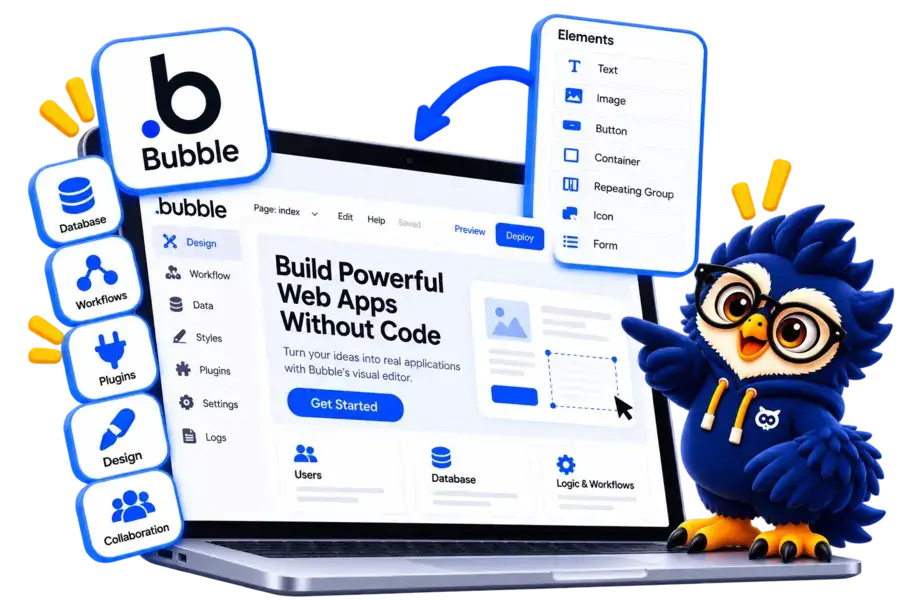
Bubble at a Glance
Bubble is a no-code development platform for building custom web applications with visual design tools, workflows, databases, and integrations.
Main Advantage
No-Code App Development. Build interactive applications without writing traditional code.
Main Consideration
Learning Curve. Advanced workflows, database structures, and application logic can take time to master.
Best For
Startups and Entrepreneurs
Create SaaS products, marketplaces, customer portals, and business applications.
Design Tools
Visual App Editor
Customize layouts, elements, responsive designs, and interactive interfaces.
Integration
APIs and Plugins
Connect external services, payment providers, and other business tools.
Hosting
Built-In Hosting
Deploy and manage your web application through Bubble's platform.

Bubble Website Builder
Build custom web apps with no-code tools, visual workflows, a database, and powerful integration.
Disclosure: ElegantEspace is supported by readers like you. We may earn an affiliate commission when you purchase through our links. Commissions do not affect our editors’ opinions or evaluations.
What Is Bubble?
Bubble is a no-code platform that allows you to build and launch web applications using a visual editor instead of traditional programming.
It combines interface design, database management, workflows, and integrations in one platform, making it possible to create functional applications without building everything from scratch.
Unlike traditional website builders that primarily focus on informational websites, Bubble is designed for applications with interactive features, user accounts, custom business logic, and dynamic data.
With Bubble, you can build SaaS products, online marketplaces, booking platforms, customer portals, and internal business tools.
You can also connect external services through APIs and use AI-powered tools to accelerate parts of the development process.
In this Bubble review, we’ll explore its key features, pricing, ease of use, performance, advantages, limitations, and alternatives to help you decide whether it’s the right platform for your project.
What Can You Build With Bubble?
Bubble lets you build interactive web applications with custom functionality, user accounts, databases, and automated workflows.
It’s particularly useful for projects that require more than a standard business website.
Here are some popular types of applications you can create with Bubble:
- SaaS Applications: Build subscription-based software products with user accounts and custom features.
- Online Marketplaces: Create platforms that connect buyers and sellers or service providers and customers.
- Booking Platforms: Develop appointment scheduling systems, reservation tools, and service booking apps.
- Social Networks: Build community platforms with user profiles, feeds, and interactive features.
- Business Applications: Create dashboards, customer portals, project management tools, and internal systems.
- Ecommerce Applications: Develop custom shopping experiences, product catalogs, and ordering workflows.
- AI-Powered Applications: Integrate AI services to create chatbots, content tools, and intelligent workflows.
- MVPs and Startup Products: Turn an idea into a working application and test it before investing in custom development.
Is Bubble Suitable?
Bubble is ideal for applications that need custom workflows, dynamic data, and interactive functionality. However, projects with highly specialized technical requirements may still need external services or traditional development.
Key Features of Bubble
Bubble offers a range of no-code development tools that help you design, build, and manage interactive web applications without traditional programming.
Visual App Builder
Design application interfaces using a drag-and-drop editor. Customize page layouts, buttons, forms, reusable elements, and interactive components.
Workflow Automation
Create custom workflows that control how your application behaves. Automate actions such as form submissions, user registrations, notifications, and data updates.
Responsive Design
Adjust layouts and elements to create interfaces that work across desktop, tablet, and mobile screen sizes.
Built-In Database
Store and manage application data using Bubble’s database tools. Create data types, define relationships, and display dynamic information throughout your app.
AI-Powered App Building
Use Bubble’s AI-assisted tools to help generate application starting points and accelerate development. You can refine the design and functionality through the visual editor.
Plugins and API Integrations
Extend your application’s functionality with plugins and API connections. Integrate external services for payments, analytics, communication, and other business needs.
User Authentication and Permissions
Build applications with user accounts, login systems, and privacy rules to control access to data and features.
Payment Integrations
Connect supported payment services to build subscription products, marketplaces, and applications that accept payments.
Hosting and Deployment
Deploy your application using Bubble’s hosting infrastructure. Manage publishing and application versions without arranging separate web hosting.
Collaboration Tools
Work on application projects with team members using Bubble’s supported collaboration features and workspace permissions.
Bubble Pricing and Plans
Bubble offers a free plan for building and testing applications, along with paid plans that provide additional capacity, deployment options, and features for growing projects.
Pricing depends on the plan, billing cycle, and application workload.
| Plan Name | Best For | Key Features | Price | |
|---|---|---|---|---|
Free |
Testing and personal projects |
Development version, API connector, 1 app editor, 50K workload units |
$0.00 / month | |
Starter |
Launching an app |
Live deployment, custom domain, recurring workflows, 175K workload units |
$32.00 / month | |
Growth |
Growing apps and small teams |
2 app editors, premium version control, 10 custom branches, 250K workload units |
$119.00 / month | |
Team |
Larger teams and scaling businesses |
5 app editors, sub-apps, 25 custom branches, 500K workload units |
$349.00 | |
Enterprise |
Large organizations |
Custom workload, hosting options, dedicated support, enterprise features |
Custom |
Accepted Payment Methods
Bubble offers paid subscription plans for users who want to launch and scale their applications. Available payment methods and billing options may vary depending on your location and the checkout process.
- Credit Cards: Supported Visa, Mastercard, and other eligible card networks.
- PayPal: Available as a payment option where offered at checkout.
- Other Regional Options: Additional options may be available depending on your region and the payment methods displayed during checkout.
Pros and Cons of Bubble
- No-Code App Development
- Visual Development Tools
- Custom Workflows
- Built-In Database
- AI-Assisted Building
- Extensive Integrations
- Built-In Hosting
- Free Plan Available
- Learning Curve
- Workload-Based Costs
- Platform Dependency
- Limited Code-Level Control
- Performance Optimization Required
- Responsive Design Challenges
- Migration Complexity
- Not Ideal for Every Project
Turn Your App Idea into Reality with Bubble
Turn your idea into a working web application without coding. Start building with Bubble today.
Is Bubble Easy to Use?
Bubble is relatively easy to start with because its visual editor lets you build application interfaces without writing traditional code.
However, learning its advanced features can take time, especially if you’re creating an application with complex workflows, databases, and user permissions.
Here’s what to expect when using Bubble:
- Visual Editor: Build interfaces by adding and arranging elements through a visual interface.
- Beginner-Friendly Start: Use templates and AI-assisted tools to get your initial application structure in place.
- Workflow Learning Curve: Understand how events, conditions, and actions work together to control application behavior.
- Database Management: Learn how to organize data types, relationships, and privacy rules for your application.
- Responsive Design: Adjust layouts and test how your app behaves on different screen sizes.
- Advanced Customization: Plugins and API integrations provide flexibility but may require additional technical knowledge.
Verdict
Bubble is accessible to beginners who are willing to learn, but it isn’t necessarily effortless. Simple applications can be built relatively quickly, while complex products require planning, testing, and practice.
Bubble SEO and Performance
Bubble provides built-in SEO settings and managed hosting to help you optimize web applications for search visibility and user experience.
However, results depend on how you structure your content, configure your app, and manage its technical performance.
SEO Features
- Page Titles and Meta Descriptions: Customize metadata for individual pages to help search engines understand your content.
- Custom URLs: Create descriptive page URLs that are easier for users and search engines to understand.
- Sitemaps and Indexing: Configure sitemap settings and control which pages search engines can access.
- Heading Structure: Organize content using appropriate heading tags to improve page structure and readability.
- Social Sharing Metadata: Customize titles, descriptions, and images displayed when your pages are shared on social platforms.
- Redirects and Canonical URLs: Use supported SEO settings to manage changed URLs and help search engines identify preferred page versions.
Performance and Speed
- Managed Hosting: Bubble handles the underlying hosting infrastructure, so you don't need to manage separate servers.
- Database Optimization: Limit unnecessary data requests and optimize searches to help pages load efficiently.
- Workflow Efficiency: Reduce unnecessary actions and complex processes that consume server resources.
- Responsive Layouts: Design interfaces that adapt to different screen sizes and devices.
- Workload Monitoring: Track workload usage to understand resource consumption and identify opportunities for optimization.
What Are the Limitations?
Bubble is primarily designed for building web applications rather than traditional content-heavy websites.
While it supports SEO essentials, advanced configuration may require technical knowledge, and complex workflows or large data requests can affect performance.
Bubble also uses workload units to measure server resource consumption, which makes efficient app design important as usage grows.
Is Bubble Good for SEO?
Bubble can support SEO-friendly web applications, but it isn’t an automatic shortcut to higher rankings or faster page loads.
It’s a strong option for functional, interactive products, while publishers focused mainly on blogging may prefer a content-focused platform such as WordPress.
Final Verdict: Is Bubble Worth It in 2026?
Bubble is a powerful no-code platform for building custom web applications without traditional programming.
Its visual editor, workflow automation, built-in database, and integration options make it a compelling choice for entrepreneurs, startups, and businesses developing interactive digital products.
However, Bubble has a learning curve, workload-based pricing, and some limitations when it comes to code-level control and platform independence.
Who Should Use Bubble?
- Entrepreneurs and Startups: Build and test minimum viable products (MVPs) without hiring a full development team.
- SaaS Founders: Create subscription-based applications with user accounts, databases, and custom workflows.
- Businesses: Develop internal tools, customer portals, booking systems, and business applications.
- Marketplace Owners: Build platforms that connect buyers, sellers, service providers, or customers.
Who Should Consider Alternatives?
- Bloggers and Publishers: Consider WordPress for content-focused websites.
- Design-Focused Businesses: Consider Webflow for visually polished marketing websites.
- Mobile App Developers: Consider FlutterFlow for mobile-focused development.
- Beginners Building Simple Websites: Consider Wix for a more straightforward website-building experience.
Launch Your App Faster with Bubble
Build and launch your web application without writing traditional code. Bring your idea to life with Bubble.
Frequently Asked Questions About Bubble
1. Is Bubble free to use?
Yes, Bubble offers a free plan that lets you build and test applications. You’ll need a paid plan for features such as deploying a live application with a custom domain.
2. Is Bubble good for beginners?
Bubble is suitable for beginners who want to build applications without coding. However, learning workflows, databases, and advanced customization requires time and practice.
3. Do you need coding skills to use Bubble?
No, you can build applications using Bubble’s visual editor and workflow tools without traditional programming. Some advanced integrations may require technical knowledge.
4. Can you build mobile apps with Bubble?
Bubble primarily supports web applications and offers tools for building native mobile apps.
Check the current mobile development features and plan requirements before starting a project.
5. Is Bubble good for building SaaS applications?
Yes, Bubble supports user accounts, databases, workflows, and integrations that can help you create SaaS products, including subscription-based applications.
6. Can you make money with Bubble?
Yes, you can use Bubble to build paid SaaS products, marketplaces, booking platforms, and other commercial applications.
Your success depends on your product, business model, and ability to attract customers.
7. Is Bubble good for SEO?
Bubble includes SEO settings that help you optimize page titles, metadata, URLs, and other elements.
However, search rankings also depend on content quality, technical implementation, competition, and other SEO factors.
8. Does Bubble include hosting?
Yes, Bubble provides managed hosting for applications built on its platform. Your plan determines the available features and capacity.
9. Is Bubble better than Webflow?
It depends on your goals. Bubble is better suited to interactive web applications with custom workflows and databases, while Webflow is generally better for design-focused websites and marketing pages.
10. Can you migrate away from Bubble?
You can move your data and rebuild your application elsewhere, but transferring the complete application logic and functionality may require significant redevelopment because Bubble applications depend on its platform.
11. Is Bubble worth it in 2026?
Bubble is worth considering if you want to build custom web applications without traditional coding.
Evaluate its learning curve, workload-based pricing, and platform dependency before committing to a large project.
User Reviews and Ratings of Bubble
There are no reviews yet. Be the first one to write one.
Bubble Alternative

Hostinger AI
Best for design flexibility
A visual website builder with extensive templates, drag-and-drop editing, and AI-powered design tools. A good choice if you want more creative control.

Wix
Best for website design
Wix offers an intuitive website builder with customizable templates, drag-and-drop editing, AI-powered design tools, and built-in business features.