- October 2026
Hostinger AI Website Builder Review (2026): Is It Worth It?
Explore Hostinger AI Builder’s features, pricing, ease of use, and limitations to decide whether it’s the right choice for your website.
- Ease of Use Explained
- Pros & Cons Explained
- Features & Pricing
- Best Alternatives
Find out what it does well, where it falls short, and who should consider it.
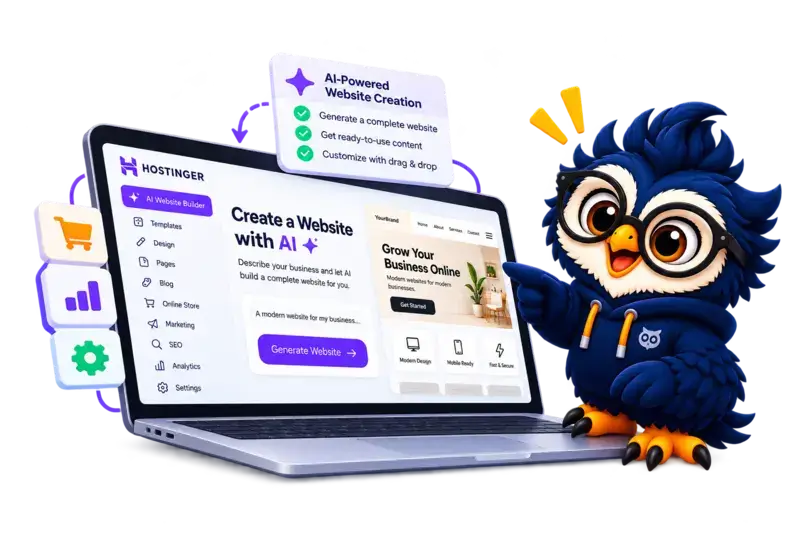
Hostinger AI Website Builder at a Glance
A quick overview of who it’s for, what it offers, and what to consider before buying.
Main Advantage
AI can help speed up the initial website creation process.
Main Consideration
Generated designs may need manual refinement, and advanced customization may be more limited than with a flexible WordPress setup.
Best For
Beginners & Small Businesses
People who want to create a website with AI assistance.
Building Experience
AI-Assisted Creation
Generate a starting design, then refine it with available editing tools.
Hosting
Integrated Platform
Website creation and hosting are managed together, depending on your plan.
Website Type
Business, Portfolio & Store
Suitable for common website projects, subject to available features and plan limits.

Hostinger AI Website Builder
Create a website with AI-assisted tools and built-in hosting.
Disclosure: ElegantEspace is supported by readers like you. We may earn an affiliate commission when you purchase through our links. Commissions do not affect our editors’ opinions or evaluations.
What Is Hostinger AI Website Builder (Formerly Horizons)?
Hostinger AI Website Builder is a website creation platform that helps you build and manage a website without having to code everything from scratch.
Its AI-assisted tools can generate an initial website based on your description, which you can then customize using the available editing features.
You can use it to create websites for small businesses, personal brands, portfolios, blogs, and eligible online stores.
Hosting and other website management tools are integrated into the platform, so you don’t have to set up a separate hosting service.
The main appeal is convenience: AI helps you get started, while visual editing lets you refine the design and content to suit your needs.
However, the generated website is a starting point, not a finished product you should publish without checking.
Hostinger AI Website Builder: Pros and Cons
- AI helps generate an initial website quickly
- Beginner-friendly visual editing
- Hosting and website tools in one place
- Templates help simplify design
- Built-in tools for common website needs
- Suitable for many small business websites
- AI-generated designs may need manual refinement
- Less extensible than WordPress for some projects
- Features vary by plan and building mode
- Advanced customization have limitations
- Moving to another platform can require rebuilding
- Promotional prices rise at renewal
Hostinger AI Builder Prices & Plans – 2026
Before exploring Hostinger AI Builder in detail, I checked its pricing and was pleased to find a free trial that allowed me to try the platform without an upfront commitment. This gave me an opportunity to explore its features before deciding whether a paid plan was worthwhile.
Existing Hostinger hosting customers may also be eligible for five free AI messages per day, making it easier to experiment with the builder. However, if you’re developing a more complex app or need multiple rounds of revisions, you may find the free allowance restrictive.
Hostinger also offers a 30-day money-back guarantee on eligible plans, subject to its terms and conditions. This provides an additional layer of reassurance if the service doesn’t meet your expectations. Before subscribing, check the current pricing, free-message eligibility, and refund policy to understand exactly what’s included
Hostinger AI Builder Plans
- 80% OFF Web Hosting (Includes an Exclusive 10% ElegantEspace coupon + FREE domain)
Accepted Payment Methods
- Major Credit & Debit Cards: Include Visa, MasterCard, American Express, and Discover.
- PayPal: Available in some regions (not always shown by default; usually offered upon request at checkout or via support).
- Bank transfers
- Even crypto payments
Key Features of Hostinger AI Website Builder
These key features help beginners and small businesses build and manage a website without complex technical setup.
1. AI-Powered Website Creation
Generate an initial website using AI based on your business description, website goals, and preferences. You can then customize the generated design to suit your needs.
2. Visual Editor and Customizable Designs
Customize text, images, colors, layouts, and other website elements using the visual editor. Available design options help you personalize your website without writing code.
3. Mobile-Friendly Website Design
Create websites designed to work across desktops, tablets, and smartphones. Preview your pages on different screen sizes to check that the layout and content display correctly.
4. Built-In SEO Tools
Manage essential SEO settings, including page titles and meta descriptions, to help optimize your website for search engines. Remember that these tools alone cannot guarantee higher rankings.
5. E-commerce and Business Tools
Build an online store and manage supported product and business features, depending on your plan. Check the current subscription details for available payment methods and store functionality.
6. Integrated Hosting, Security, and Domain
Manage your website hosting through Hostinger without purchasing separate hosting for your builder website. Eligible plans may also include an SSL certificate, a free domain for the first year, and other website management features.
Want to Build Your Own Website with Hostinger AI?
Try Hostinger AI Builder if you want to turn a written idea into a website or web app. Review the available features and plan limitations to determine whether it fits your project.
My Experience Using Hostinger AI Website Builder
When I used Hostinger AI Website Builder to create a website, my goal was to see how much of the website creation process AI could handle and how much customization would still be required.
Instead of building the entire website manually, I wanted to see how effectively I could use AI to get started and then shape the design according to my requirements.
Getting Started With Hostinger AI Builder
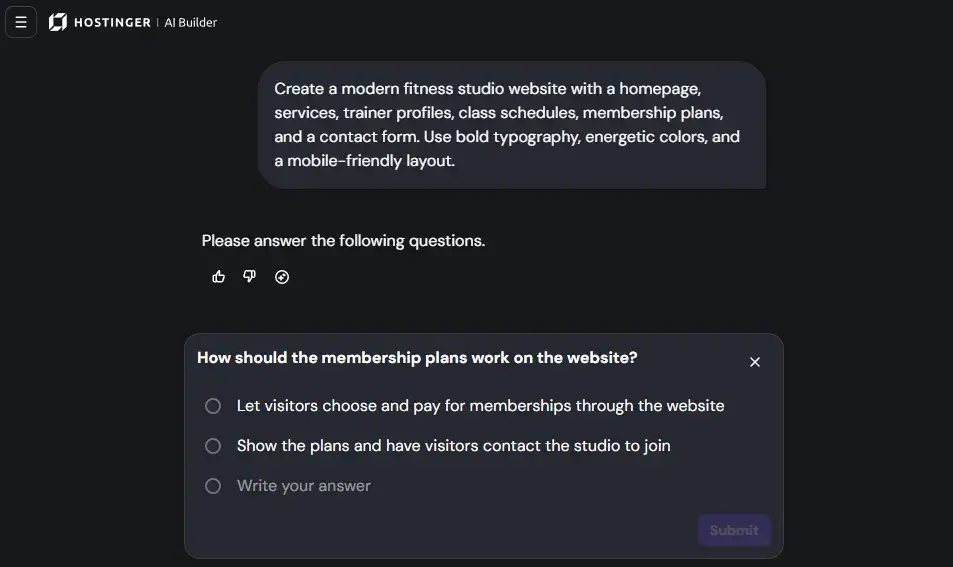
When I first opened the tool, I was greeted with a simple prompt asking, “What would you like to build?” Instead of navigating through a complicated setup process, I could start by describing my idea.
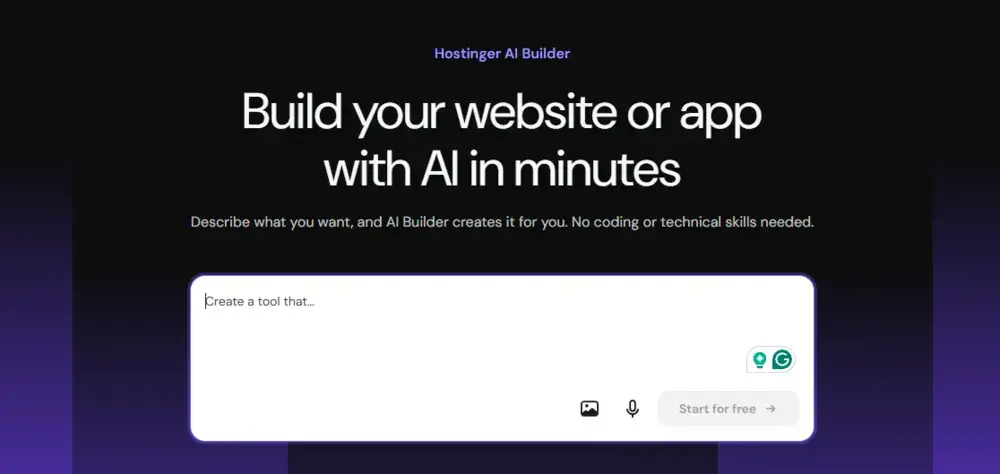
I entered the following prompt:
“Create a modern fitness studio website with a homepage, services, trainer profiles, class schedules, membership plans, and a contact form. Use bold typography, energetic colors, and a mobile-friendly layout.”
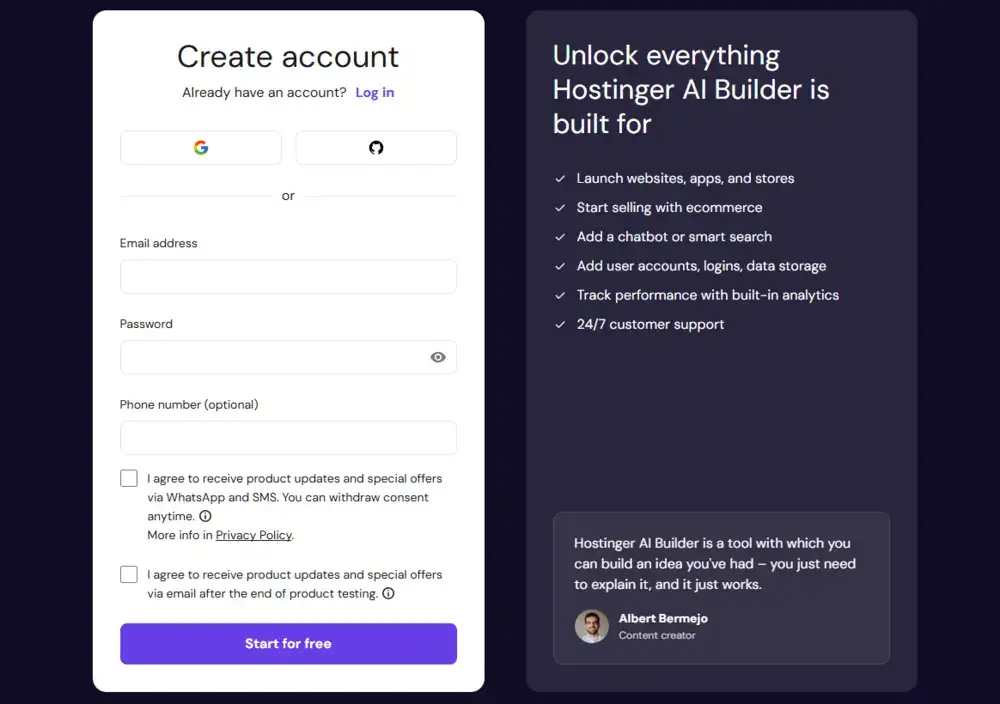
After submitting my prompt, I was asked to sign up before continuing. The interface offered email registration and social sign-in options. Once I completed the signup process, I could access the app-building workspace.
If you already have a Hostinger account, you can get started by logging into your hPanel, going to Websites > Websites list, clicking Add Website, and choosing Hostinger AI Builder.
The Interface and First Build
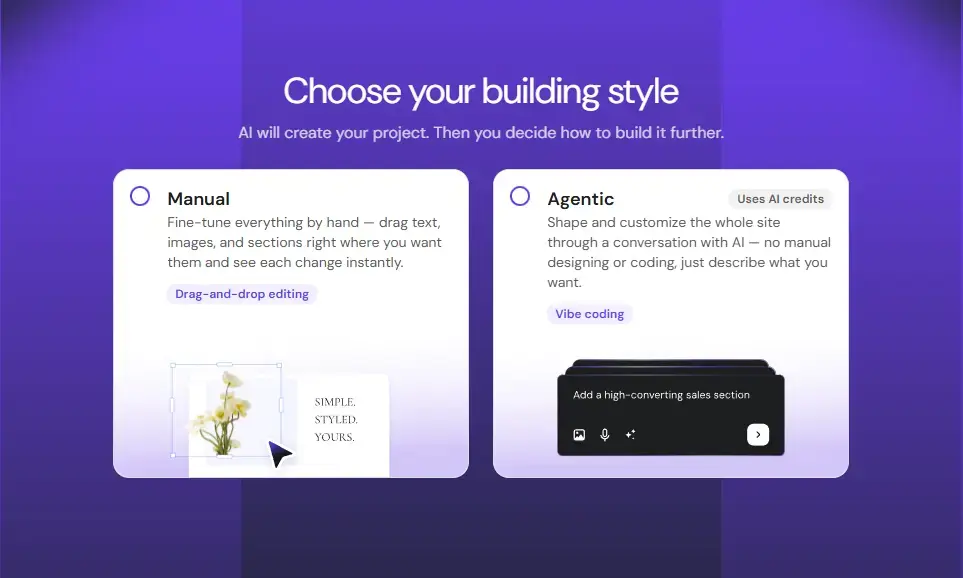
After signing up, I was asked to choose between Manual mode and Agentic mode. To test AI capabilities, I chose Agentic mode
After I chose the agentic mode, Hostinger AI Builder asked a follow-up question about how membership plans should work.
I could choose between allowing visitors to purchase memberships directly through the website or displaying the plans and asking visitors to contact the studio.
This was a useful clarification because it helped define the functionality needed for the project before the website was generated.
The Website Hostinger AI Generated
After I answered the follow-up question about online membership payments, Hostinger AI Builder generated the initial version of my fitness studio website, branded as VOLT Fitness Studio.
The first thing I noticed was its visual design.
The website used a dark navy background, electric-blue accents, bold typography, and a large fitness image in the hero section. The headline, “Your Next Level. Starts Here.”, gave the homepage a clear message, while the prominent membership and class buttons directed visitors toward the main actions.
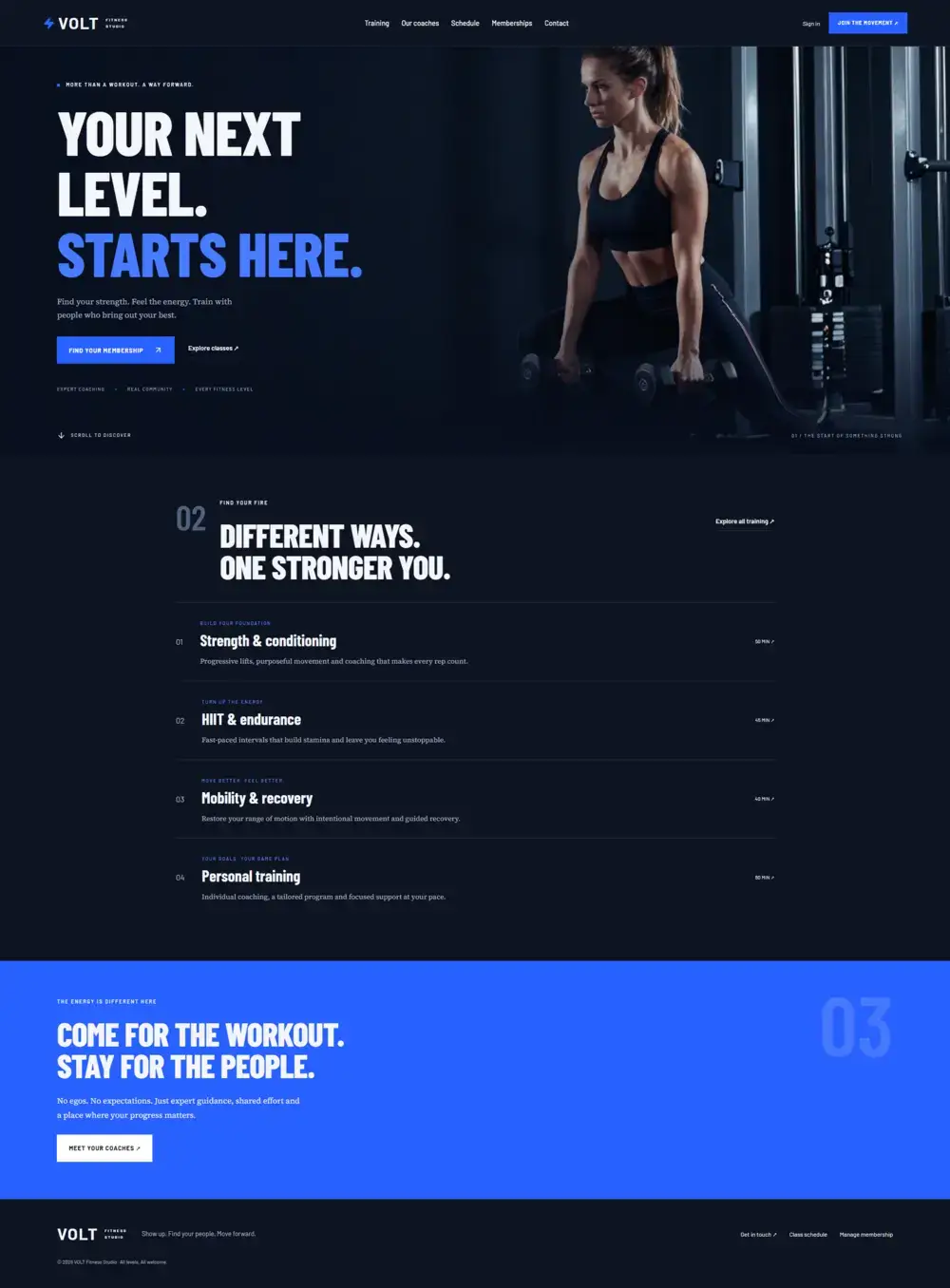
After reviewing the design, I tested the website’s pages and navigation, along with the signup, login, and account creation processes. Everything worked as expected during my testing.
This was an important part of the experience because the website offered more than an attractive frontend. I could navigate through the site and use the account-related features generated for the project.
Editing The Website With Hostinger AI Builder
After generating the website, I wanted to see how easily I could make changes to the design.
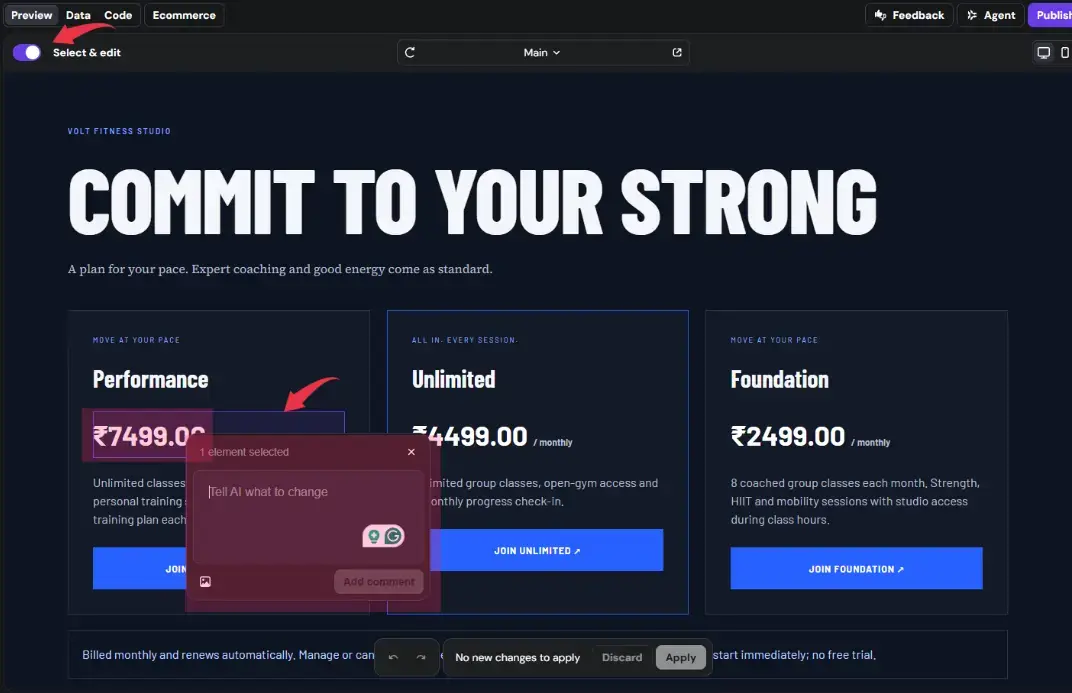
To do so:
- Turn on Select & Edit.
- Click the element you want to change.
- Enter your instructions in the AI assistance box.
- Click Apply to update the changes.
Testing The Membership Purchase Process
Next, I tested the membership flow. When I selected a membership plan, the website prompted me to create an account before proceeding.
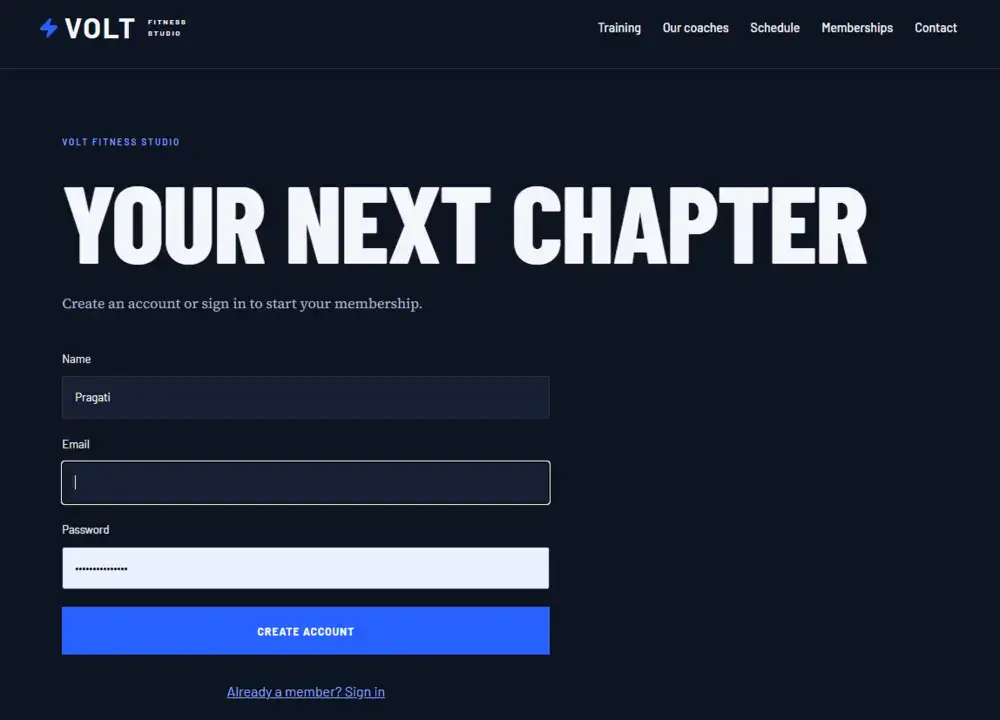
After completing the signup process, I was taken to the checkout page, where I could proceed with the membership purchase and activation.
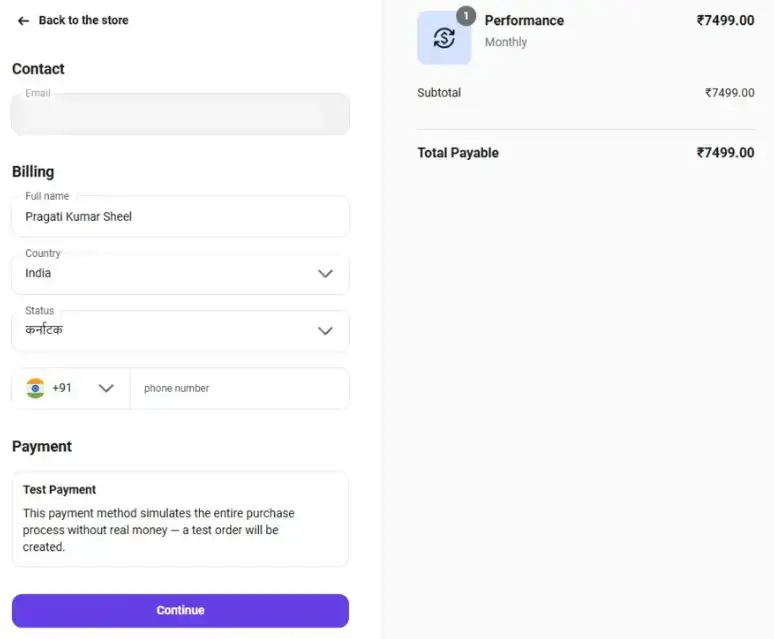
The flow worked as expected during my test, from selecting a membership plan to account creation and reaching checkout.
This was encouraging because it showed that the generated website included a connected membership journey rather than simply displaying pricing cards.
Setting Up Payments and Ecommerce
After testing the membership process, I explored the Ecommerce dashboard to see what else I could manage.

The Ecommerce dashboard includes options for managing:
- Products: Add and manage your products or membership plans.
- Orders: Track customer orders.
- Customers: Manage customer information.
- Subscriptions: Manage recurring memberships.
- Discounts: Create and manage promotional offers.
- Payments and shipping: Configure payment methods and shipping options where applicable.
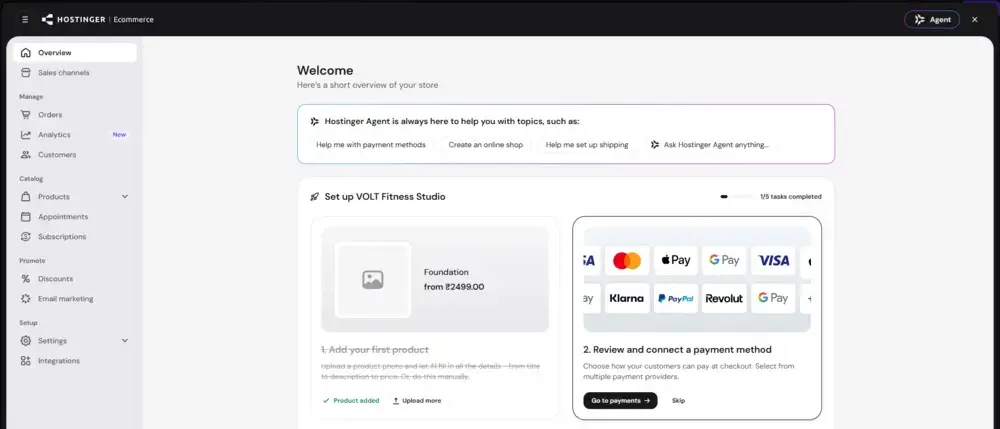
Having these tools in one place makes store management more convenient.
To accept real payments, click the Payment Settings button in the Ecommerce dashboard to configure your preferred supported payment gateway.
Publishing Your Website

Once you’re happy with how your website looks and everything is set up the way you want, just hit Publish to make it live.
Who Should Use Hostinger AI Website Builder?
Choose Hostinger AI Website Builder for its ease of use, offering a quick, code-free way to create professional websites with customizable templates.
It combines AI-powered design with reliable hosting services, ensuring a seamless and efficient website development experience.
Use Hostinger AI if...
You want to create a professional website without coding or managing separate hosting services.
Its AI tools generate an initial design that you can customize using the visual editor.
With hosting and essential website tools in one place, it’s a convenient option for beginners, freelancers, and small businesses.
But if you need...
A ton of innovative and constantly evolving features – use Wix.
Need more control with beautiful templates and generous customization options – use WordPress + Elementor.
Advanced ecommerce features to support online store growth – use Shopify.
Final Verdict on UX
Overall, I found Hostinger AI Builder easy to use, even when testing features beyond basic website creation.
The AI-assisted editing tool made it simple to update website elements, while the built-in dashboard helped me manage memberships, customers, and other settings.
Beginners may need some time to explore all the options, but the overall experience felt straightforward and convenient.
Final Verdict on Hostinger AI Builder
After testing Hostinger AI Builder, I found it a practical option for beginners who want to create a website without dealing with code. It generated a complete fitness studio website from a simple prompt, and I was able to edit the design, explore different pages, and test the membership flow.
Its biggest advantage is the combination of AI-powered website creation and built-in management tools. However, you’ll still need to configure certain settings, such as payment gateways, before using those features for real transactions.
If you want a simple way to build and manage a website without starting from scratch, Hostinger AI Builder is worth considering. Just make sure its available features and pricing fit your needs before choosing a plan.
Build Your Own Website with Hostinger AI
Try Hostinger AI Builder if you want to turn a written idea into a website or web app. Review the available features and plan limitations to determine whether it fits your project.
Hostinger AI FAQ
1. Is Hostinger AI Builder good for beginners?
Yes, it lets beginners create and customize websites without coding.
2. Can I create an online store with Hostinger AI Builder?
Yes, it offers tools to manage products, orders, customers, and discounts.
3. Can I edit my website after AI generates it?
Yes, you can edit website content and design using its built-in editing tools and AI assistance.
4. Can I use Hostinger AI Builder to create a membership website?
Yes, you can build membership-related websites, but some features may require additional setup.
5. How much does Hostinger AI Builder cost?
Hostinger AI Real User Review
There are no reviews yet. Be the first one to write one.
Hostinger Website Builder Alternative

Wix
Best for design flexibility
A visual website builder with extensive templates, drag-and-drop editing, and AI-powered design tools. A good choice if you want more creative control.

Shopify
Best for online stores
Provides dedicated ecommerce tools for managing products, inventory, orders, payments, tracking, analytics, and sales across channels.