- October 2026
Framer Review (2026): Features, Pricing, Pros & Cons
Framer is a visual website builder that helps you design, customize, and publish modern websites without writing code for most design tasks. Known for its interactive animations, responsive layouts, and design-focused editor, Framer is particularly popular with designers, startups, and businesses building professional websites.
- Visual Website Design
- Interactive Animations and Effects
- Responsive Layouts and SEO Tools
- Pricing, Pros, Cons, and Alternatives
Discover what Framer does best, where it falls short, and whether it’s the right website builder for your needs.
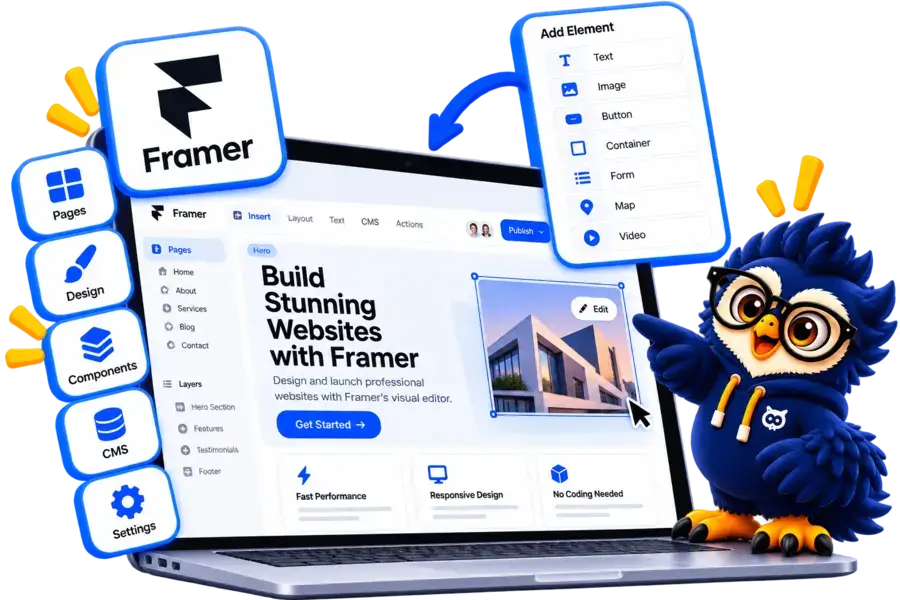
Framer at a Glance
Framer is a design-focused website builder that lets you create, customize, and publish modern websites using a visual editor.
Main Advantage
Advanced Design Flexibility: Create visually engaging websites with responsive layouts, animations, and interactive effects.
Main Consideration
Limited Ecommerce Capabilities: Framer is better suited to marketing websites and portfolios than complex online stores.
Best For
Designers and Startups
Ideal for portfolios, landing pages, startup websites, and business marketing sites.
Design Tools
Visual Website Editor
Customize layouts, typography, colors, components, and animations without coding for most routine tasks.
Integration
Third-Party Tools
Connect supported analytics, marketing tools, forms, and other services to extend your website's functionality.
Hosting
Built-In Website Publishing
Publish your website using Framer's hosting infrastructure, with custom domains available on eligible plans.

Framer Website Builder
Design modern websites with visual editing, interactive animations, responsive layouts, and built-in publishing tools.
Disclosure: ElegantEspace is supported by readers like you. We may earn an affiliate commission when you purchase through our links. Commissions do not affect our editors’ opinions or evaluations.
What Is Framer?
Framer is a visual website builder that lets you design and publish responsive websites using an interactive, design-focused editor. It combines visual design tools, animations, reusable components, and website publishing features in one platform.
Unlike WordPress-based builders such as Elementor, Framer includes hosting and website publishing, so you don’t need to arrange separate web hosting for a standard Framer site.
You can use Framer to create business websites, landing pages, startup websites, portfolios, and marketing pages without coding every element from scratch.
Framer also offers CMS features for managing dynamic content, along with SEO tools and integrations to support website growth.
In this Framer review, we’ll explore its features, pricing, ease of use, performance, pros and cons, and alternatives to help you decide whether it’s the right fit for your website.
What Can You Build With Framer?
Framer offers flexible design tools for creating modern websites, from simple portfolios to professional business and marketing sites.
Here are some common ways to use Framer:
- Business Websites: Build professional websites to showcase services, company information, and contact details.
- Landing Pages: Create focused pages for product launches, marketing campaigns, and lead generation.
- Portfolios: Showcase creative projects, design work, case studies, and professional achievements.
- Startup Websites: Present products, explain features, and attract potential customers with modern layouts.
- Blogs and Content Websites: Publish articles and manage dynamic content using Framer's CMS.
- Product and SaaS Websites: Create product pages, feature showcases, and conversion-focused marketing websites.
Is Framer Suitable for Your Website?
Framer is a strong choice if visual design, responsive layouts, and interactive effects are your priorities.
However, businesses that need complex ecommerce functionality, advanced membership systems, or extensive backend features may need integrations or a different platform.
Key Features of Framer
Framer combines visual website design, content management, and publishing tools to help you create modern websites without coding every element from scratch.
Visual Website Editor
- Design pages using a visual editing interface.
- Customize layouts, typography, colors, and spacing.
- Preview your design as you work.
Responsive Design
- Create layouts that adapt to different screen sizes.
- Adjust elements for desktop, tablet, and mobile.
- Fine-tune spacing and positioning across breakpoints.
Animations and Interactions
- Add scrolling effects, transitions, and interactive elements.
- Create engaging navigation and page interactions.
- Enhance the visitor experience with motion effects.
Templates and Components
- Start with professionally designed templates.
- Reuse components across different pages.
- Customize layouts to match your brand.
Content Management System (CMS)
- Organize and publish structured content.
- Create blogs, case studies, and dynamic pages.
- Manage repeated content through collections.
Built-In SEO Tools
- Edit page titles and meta descriptions.
- Customize supported URL settings and social sharing information.
- Manage redirects and other SEO settings where supported.
Website Hosting and Publishing
- Publish websites using Framer's hosting infrastructure.
- Connect a custom domain on eligible plans.
- Manage website updates through the platform.
AI-Powered Tools
- Use supported AI features to assist with website creation and content.
- Speed up parts of the design process.
- Feature availability may depend on your plan and current product offering.
Collaboration and Sharing
- Share projects with teammates and collaborators.
- Work together on website design.
- Manage access based on available collaboration features and plan limits.
Integrations and Extensions
- Connect supported analytics and marketing tools.
- Embed external content and compatible services.
- Extend functionality through integrations and third-party tools.
Framer Pricing and Plans
Framer offers a free plan for exploring its design tools and paid plans for publishing professional websites.
Paid plans add features such as custom domains, higher content limits, and advanced website management tools.
| Plan Name | Best For | Page Limit | Key Features | Price | |
|---|---|---|---|---|---|
|
Free |
Testing and personal projects |
– |
Framer subdomain, 500 AI credits to try, 1 GB bandwidth |
$0.00 / month |
|
|
Basic |
Portfolios and small websites |
30 |
Custom domain, 2 CMS collections, built-in SEO, 50 GB bandwidth |
$10.00 / month |
|
|
Pro |
Professional websites and growing teams |
150 |
10 CMS collections, staging, site redirects, branching with previews, 100 GB bandwidth |
$30.00 / month |
|
|
Enterprise |
Large organizations |
Custom |
Custom limits, unlimited editors, enterprise security, uptime guarantee, SSO |
Custom |
Accepted Payment Methods
Framer supports online payments for its paid subscription plans. The payment methods available may depend on your country and the checkout options presented when purchasing a plan.
Payment Methods for Framer Subscriptions:
- Credit Cards: Supported Visa, Mastercard, and other eligible card networks.
- PayPal: Available as a payment option where offered at checkout.
- Other Regional Options: Additional options may be available depending on your region and the payment methods displayed during checkout.
Framer Pros and Cons
- Modern Visual Website Editor
- Advanced Design Flexibility
- Interactive Animations and Effects
- Responsive Layout Controls
- Built-In Hosting and Publishing
- Integrated CMS
- Built-In SEO Tools
- Free Plan Available
- Limited Ecommerce Capabilities
- Learning Curve for Advanced Designs
- Paid Plans Required for Custom Domains
- Extra Costs for Add-Ons
- Less Flexible for Complex Web Applications
- Some Features Have Usage Limits
Turn Your Website Ideas into Reality with Framer
Create a stunning website with Framer’s powerful design tools, smooth animations, and flexible layouts. Whether you’re building a portfolio, launching a startup, or promoting your business, Framer gives you the creative freedom to bring your vision to life.
Framer Ease of Use: Is It Beginner-Friendly?
Framer offers a visual editor that makes website design accessible without requiring coding skills for most routine tasks.
However, its design-focused interface may take some time to learn if you’re new to website building.
1. Visual Website Editing
Framer lets you arrange page elements, customize layouts, and adjust typography, colors, and spacing through its visual editor. You can preview your changes while designing.
2. Templates and Components
You can start with ready-made templates and reusable components instead of building every page from scratch. Customize them to match your brand and website goals.
3. Responsive Design
Framer provides controls for adapting layouts to different screen sizes. You can adjust elements and spacing to create a consistent experience across desktop, tablet, and mobile devices.
4. Learning Curve
Basic pages are relatively straightforward to create, but advanced layouts, animations, CMS collections, and responsive behavior may require practice.
Is Framer Easy to Use?
Framer is a good option for users who value visual design and creative control.
Beginners can build attractive websites with practice, but users who prefer a simpler, more guided setup may find other website builders easier to learn.
Framer SEO and Performance: Is It Good for SEO?
Framer includes built-in SEO settings and performance features to help you create search-friendly websites.
However, search rankings and loading speed still depend on your content, design choices, and overall optimization.
1. SEO Settings
- Customize page titles and meta descriptions.
- Set page URLs and social sharing information.
- Add alternative text to images.
2. Sitemap and Indexing
- Generate a sitemap to help search engines discover website pages.
- Configure indexing settings for supported pages.
- Connect your website to Google Search Console to monitor search visibility.
3. Responsive Design
Framer lets you adapt layouts for mobile, tablet, and desktop screens. A responsive website helps visitors navigate your content across different devices.
4. Website Performance
Framer provides managed hosting and performance optimizations, but heavy animations, large images, and complex page layouts can still affect loading speed.
Is Framer Good for SEO?
Yes. Framer offers useful SEO controls and responsive design tools for marketing websites, portfolios, and content-driven sites.
However, it doesn’t guarantee higher rankings. You still need useful content, relevant keywords, internal links, and a well-optimized website.
Is Framer Worth It in 2026? Final Verdict
Framer is a strong choice for designers, startups, and businesses that want modern, visually engaging websites without coding every element from scratch.
Its visual editor, responsive layouts, animations, and built-in hosting make it particularly useful for portfolios, landing pages, and marketing websites.
However, Framer has limitations for complex ecommerce projects and advanced web applications. Paid plans and add-ons can also increase costs as your website grows.
Who Should Choose Framer?
- Designers: Want creative control over website layouts and animations.
- Startups: Need polished marketing websites and landing pages.
- Freelancers: Want to showcase portfolios and client projects.
- Businesses: Need modern websites with built-in publishing tools.
Who Should Consider Alternatives?
- Online Store Owners: May prefer Shopify for dedicated ecommerce tools.
- Content Publishers: May prefer WordPress for extensive publishing flexibility.
- Advanced Website Builders: May prefer Webflow for more complex design and CMS requirements.
Ready to Design Your Website with Framer?
Bring your ideas to life with Framer’s intuitive visual editor, interactive animations, and modern responsive layouts. Explore its features and plans to create a professional website that stands out.
Frequently Asked Questions About Framer
1. Is Framer free to use?
Yes. Framer offers a free plan for designing and publishing websites on a Framer subdomain. Paid plans are available for custom domains and additional features.
2. Is Framer good for beginners?
Framer is suitable for beginners who want visually appealing websites, although its advanced design controls and animations may take time to learn.
3. Does Framer require coding?
No. You can design and publish websites visually without coding for most routine tasks. Custom functionality may require code or integrations.
4. Is Framer good for SEO?
Yes. Framer provides SEO settings, sitemap support, and other tools to help optimize websites. Rankings still depend on content quality, competition, and your overall SEO strategy.
5. Can I build an online store with Framer?
Framer can support product pages and ecommerce integrations, but it isn’t a full-featured ecommerce platform. Businesses with complex selling needs may prefer Shopify.
6. Does Framer include hosting?
Yes. Framer includes managed hosting for published websites. Custom domains require an eligible paid plan.
7. Is Framer better than Webflow?
It depends on your needs. Framer emphasizes visual design and interactive websites, while Webflow offers more extensive controls for complex layouts and CMS-driven projects.
8. Can I use my own domain with Framer?
Yes. You can connect a custom domain with an eligible paid website plan. Domain registration may cost extra if you don’t already own one.
9. Is Framer suitable for blogging?
Yes. Framer’s CMS supports blogs and other structured content. However, WordPress may be a better fit for publishers who need extensive editorial workflows and customization.
10. Is Framer worth it in 2026?
Framer is worth considering if you prioritize modern design, animations, and responsive layouts.
Evaluate its pricing and feature limits before choosing it for a larger or more complex project.
User Reviews and Ratings of Framer
There are no reviews yet. Be the first one to write one.
Framer Alternative

Hostinger AI
Best for design flexibility
A visual website builder with extensive templates, drag-and-drop editing, and AI-powered design tools. A good choice if you want more creative control.

Wix
Best for website design
Wix offers an intuitive website builder with customizable templates, drag-and-drop editing, AI-powered design tools, and built-in business features.