- October 2026
Elementor Review (2026): Features, Pricing, Pros & Cons
Elementor is a popular WordPress website builder that lets you design custom pages using a visual drag-and-drop editor. In this review, we’ll explore its features, pricing, ease of use, performance, and limitations to help you decide whether it’s the right choice for your website.
- Visual Drag-and-Drop Editing
- Flexible Design Customization
- Free and Paid Plans
- Pros, Cons, and Alternatives
Discover what Elementor does well, where it falls short, and whether it’s worth using for your WordPress website.
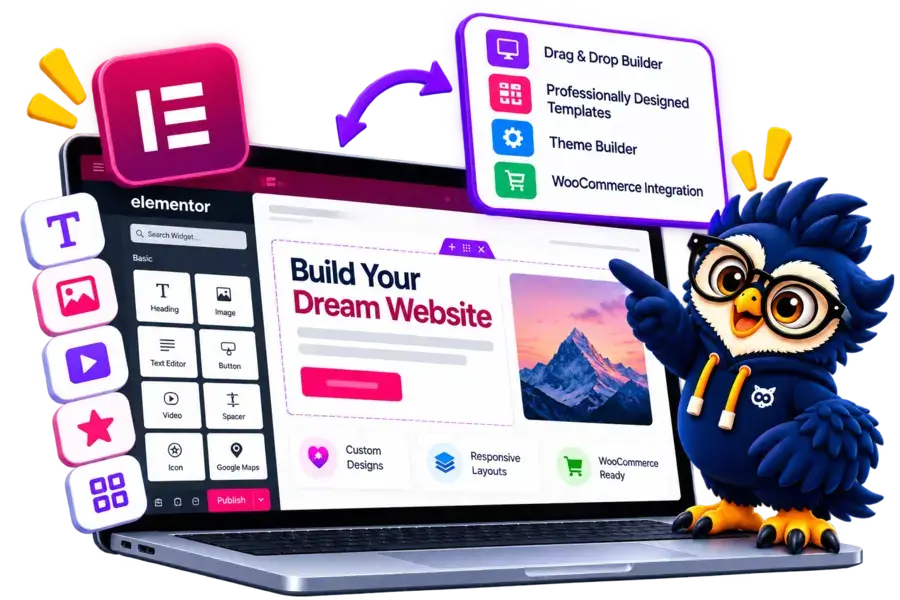
Elementor at a Glance
Elementor is a visual website builder for WordPress that lets you design pages and customize website layouts without writing code for most routine tasks. Here’s a quick overview of what it offers.
Main Advantage
Visual Design Flexibility: Create custom page layouts using drag-and-drop editing and customizable design elements.
Main Consideration
WordPress Required: You'll need a WordPress website and hosting. Some advanced design features require a paid plan.
Best For
WordPress Website Owners
Suitable for bloggers, freelancers, businesses, agencies, and online store owners.
Design Tools
Visual Page Editor
Customize page layouts, typography, colors, images, and responsive settings.
Extensions
Widgets and Integrations
Extend your website with Elementor features, compatible plugins, and third-party integrations.
Scalability
Small to Large Businesses
Build everything from simple landing pages to complex websites, depending on your plan, plugins, and technical requirements.

Elementor Website Builder
Create custom WordPress pages with drag-and-drop editing, flexible design controls, and ready-made templates.
Disclosure: ElegantEspace is supported by readers like you. We may earn an affiliate commission when you purchase through our links. Commissions do not affect our editors’ opinions or evaluations.
What Is Elementor?
Elementor is a visual website builder plugin for WordPress that lets you create and customize website pages using a drag-and-drop editor, without needing to write code for most design tasks.
It offers customizable widgets, ready-made templates, responsive design controls, and layout tools to help you build anything from landing pages and business websites to blogs and online stores.
Elementor offers a free version with essential page-building tools, while its paid plans unlock additional design capabilities and advanced features. Because it works with WordPress, you’ll also need a WordPress website and web hosting.
In this Elementor review, we’ll explore its key features, pricing, ease of use, performance, pros and cons, and alternatives to help you decide whether it’s right for your website.
What Can You Build With Elementor?
Elementor gives WordPress users the flexibility to create different types of websites and pages using its visual editor, customizable layouts, and design tools.
Here are some common ways to use Elementor:
- Business Websites: Create professional websites for agencies, consultants, freelancers, and local businesses.
- Blogs and Content Websites: Customize page layouts, headers, footers, and other design elements for content-focused websites.
- Landing Pages: Build focused landing pages for lead generation, promotions, and marketing campaigns.
- Online Stores: Design WooCommerce product pages, shop layouts, and other parts of an online store using compatible Elementor features.
- Portfolios: Showcase projects, creative work, services, and professional achievements.
- Membership and Course Websites: Design pages for online courses, memberships, and educational content using compatible WordPress plugins.
Is Elementor Suitable for Your Website?
Elementor is a strong option if you want greater visual control over a WordPress website without coding every page from scratch.
However, some advanced layouts and features require Elementor’s paid plans, WooCommerce, or additional plugins.
Key Features of Elementor
Elementor offers a range of tools for designing, customizing, and managing WordPress websites. Its visual editor and flexible design options make it easier to build pages without coding every element from scratch.
Drag-and-Drop Editor
- Design pages visually using an intuitive editor.
- Add and rearrange elements without manually writing code.
- Preview design changes while editing.
Widgets and Design Elements
- Add headings, images, videos, buttons, forms, and other elements.
- Customize spacing, colors, typography, and alignment.
- Access additional widgets through compatible extensions.
Website Templates and Kits
- Start with pre-designed page templates and website kits.
- Customize layouts to match your brand.
- Reduce the time needed to build pages from scratch.
Theme Builder
- Design headers, footers, archive pages, and other supported theme areas.
- Customize templates beyond individual page content.
- Access advanced Theme Builder capabilities with eligible paid features.
Responsive Design Controls
- Adjust layouts for desktop, tablet, and mobile screens.
- Customize spacing, sizing, and visibility for different devices.
- Preview designs at different screen widths.
WooCommerce Builder
- Customize product pages, shop layouts, and other supported store templates.
- Create a more consistent shopping experience.
- Requires WooCommerce and the relevant Elementor features or plan.
Forms and Marketing Integrations
- Create contact forms and lead-generation forms with supported features.
- Connect compatible marketing services and integrations.
- Extend functionality with third-party plugins when needed.
AI-Powered Tools
- Use supported AI features to help generate or refine text, code, and design elements.
- Speed up parts of the website creation process.
- Availability and usage limits depend on the feature and plan.
Popups and Dynamic Content
- Build promotional popups and targeted content with supported features.
- Display dynamic information using compatible data sources.
- Advanced functionality may require a paid plan or additional plugins.
Custom CSS and Advanced Styling
- Fine-tune layouts and visual details beyond standard controls.
- Apply custom styling where supported.
- Some advanced customization options require paid features or coding knowledge.
Elementor Pricing and Plans
Elementor offers a free version and paid plans with additional design tools, customization options, and website-building features.
The right choice depends on whether you’re creating a basic website, building an online store, or managing multiple client websites.
| Plan Name | Best For | Websites | Key Features | Price | |
|---|---|---|---|---|---|
|
Essential |
Basic websites |
1 |
Theme Builder, essential Pro widgets, basic form tools |
$5.00 / month |
|
|
Solo |
Professional or ecommerce websites |
1 |
Popup Builder, custom CSS, dynamic content, ecommerce features |
$7.00 / month |
|
|
Advanced |
Professionals managing multiple sites |
3 |
Advanced design tools, dynamic content, ecommerce features |
$9.00 / month |
|
|
Expert |
Freelancers and web designers |
25 |
Pro features for multiple client websites |
$17.00 / month |
|
|
One |
Creators wanting an all-in-one toolkit |
1 |
Pro editor, AI credits, image optimization, accessibility and site-management tools |
$15.00 / month |
|
|
Agency |
Agencies managing many websites |
Unlimited |
Pro features, larger AI credit allowance, centralized site management |
$36.00 / month |
Accepted Payment Methods
Elementor supports several payment methods for purchasing its subscription plans. Available options depend on your location, currency, and checkout settings.
Payment Methods for Elementor Subscriptions:
- Credit Cards: Supported Visa, Mastercard, and other eligible card networks.
- PayPal: Available as a payment option where offered at checkout.
- Other Regional Options: Additional options may be available depending on your region and the payment methods displayed during checkout.
Elementor Pros and Cons
- Beginner-Friendly Visual Editor
- Drag-and-Drop Page Building
- Flexible Design Customization
- Ready-Made Templates
- Responsive Design Controls
- WooCommerce Integration
- Free Version Available
- Extensive Plugin Ecosystem
- Advanced Features Require a Paid Plan
- Can Affect Page Loading Speed
- Learning Curve for Advanced Tools
- Some Features Need Additional Plugins
- Hosting and Maintenance Are Separate
Ready to Build Your Website with Elementor?
Create a professional WordPress website with Elementor’s visual drag-and-drop editor, customizable templates, and flexible design tools. Explore its plans and features to see if it’s the right fit for your website.
Elementor Ease of Use: Is It Beginner-Friendly?
Elementor makes website design more accessible with its visual drag-and-drop editor. You can build and customize WordPress pages without writing code for most routine design tasks.
1. Visual Page Editing
Elementor lets you add elements, adjust layouts, and customize page content through a visual interface.
You can see your design as you work, making it easier to arrange page sections and refine the overall appearance.
2. Templates and Ready-Made Layouts
You can start with pre-designed templates and website kits instead of building every page from scratch. Customize their text, images, colors, and layouts to match your brand.
3. Customization and Flexibility
Elementor provides control over typography, spacing, backgrounds, responsive layouts, and other design settings.
However, advanced layouts and custom functionality may require technical knowledge or additional plugins.
4. Learning Curve
Elementor provides control over typography, spacing, backgrounds, responsive layouts, and other design settings.
However, advanced layouts and custom functionality may require technical knowledge or additional plugins.
Is Elementor Easy to Use?
Yes, Elementor is beginner-friendly for visual page design, especially if you want more control over your WordPress website without coding every element.
However, you’ll still need to manage WordPress hosting, updates, plugins, and website maintenance.
Elementor SEO and Performance: Is It Good for SEO?
Elementor works with popular WordPress SEO plugins to help you optimize page content and improve your website’s technical SEO.
However, search rankings and loading speed depend on more than the page builder alone.
1. SEO Plugin Compatibility
Elementor integrates with plugins such as Yoast SEO, Rank Math, and All in One SEO to help manage metadata and other SEO settings.
2. Mobile-Friendly Design
You can adjust layouts, typography, spacing, and element visibility for different screen sizes.
A well-designed mobile experience helps visitors navigate your website more easily.
3. Page Speed Optimization
Elementor provides performance features designed to improve loading speed, including optimized image loading and caching options.
Results still depend on your hosting, theme, plugins, and page design.
4. SEO Limitations
Elementor doesn’t automatically guarantee higher rankings or fast-loading pages.
You still need quality content, descriptive image alt text, sensible heading structures, optimized images, and a reliable hosting setup.
Is Elementor Good for SEO?
Yes. Elementor is a suitable choice for SEO-focused WordPress websites because it works with established SEO plugins and provides responsive design and performance tools.
However, achieving strong rankings requires a broader SEO strategy and ongoing performance optimization.
Is Elementor Worth It in 2026? Final Verdict
Elementor is a strong choice for WordPress users who want greater control over website design without coding every page from scratch.
Its visual editor, customizable templates, and extensive design tools make it suitable for blogs, business websites, landing pages, and online stores.
However, advanced features require a paid plan, and you’ll need to manage WordPress hosting, updates, and plugins separately. Poorly optimized pages can also affect website performance.
Who Should Choose Elementor?
- Beginners: Want to design WordPress pages visually.
- Bloggers: Need more control over page layouts.
- Businesses: Want customized, professional-looking websites.
- Freelancers and Agencies: Build websites for multiple clients.
Who Should Consider Alternatives?
- Budget-Conscious Users: Prefer the native WordPress block editor.
- Performance-Focused Developers: Want a leaner setup with greater technical control.
- Non-WordPress Users: Prefer a hosted website builder such as Wix.
Bring Your Website Vision to Life with Elementor
Design a stunning WordPress website with Elementor’s intuitive visual editor, professionally designed templates, and powerful customization tools. Discover Elementor’s features and plans to create a website that fits your goals.
Frequently Asked Questions About Elementor
1. Is Elementor free to use?
Yes. Elementor offers a free WordPress plugin with essential page-building tools. Paid plans unlock additional design features and advanced functionality.
2. Is Elementor good for beginners?
Yes. Its visual drag-and-drop editor makes designing WordPress pages easier without requiring coding skills for most routine tasks.
3. Does Elementor work without WordPress?
No. The Elementor page builder plugin requires WordPress. You’ll need a WordPress website and hosting to use it.
4. Is Elementor good for SEO?
Yes. Elementor works with popular WordPress SEO plugins and provides responsive design controls. However, rankings depend on your content, technical SEO, site performance, and overall SEO strategy.
5. Can I build an online store with Elementor?
Yes. Elementor supports WooCommerce integration, allowing you to customize product pages and store layouts with the appropriate features and plan.
6. Does Elementor slow down websites?
It can affect loading speed depending on your page design, widgets, plugins, theme, and hosting. Optimizing images and limiting unnecessary elements can help improve performance.
7. Is Elementor better than Divi?
It depends on your needs. Elementor offers a visual editor and a broad widget ecosystem, while Divi provides its own visual builder and design tools. Compare their features, pricing, and workflows before choosing.
8. Do I need Elementor Pro?
No. The free version is sufficient for basic page design. A paid plan is useful if you need advanced widgets, Theme Builder features, popups, or other premium capabilities.
9. Can I use Elementor with any WordPress theme?
Elementor works with many WordPress themes, although compatibility and available customization options vary. A lightweight, compatible theme is a sensible starting point.
10. Is Elementor worth buying in 2026?
Elementor is worth considering if you want extensive visual design control over a WordPress website. Start with the free version and upgrade if its premium features meet your needs.
User Reviews and Ratings of Elementor
There are no reviews yet. Be the first one to write one.
Elementor Alternative

Hostinger AI
Best for design flexibility
A visual website builder with extensive templates, drag-and-drop editing, and AI-powered design tools. A good choice if you want more creative control.

Wix
Best for website design
Wix offers an intuitive website builder with customizable templates, drag-and-drop editing, AI-powered design tools, and built-in business features.