
- October 2026
How To Choose The Right Website Builder For Your Needs
Choosing a website builder can be confusing with so many options available. Learn how to compare pricing, features, design flexibility, and SEO tools to find the right platform for your website.
- Beginner Friendly
- Practical Examples
- Easy Comparisons
- No Technical Jargon
Everything you need to compare website builders and choose the right one with confidence.
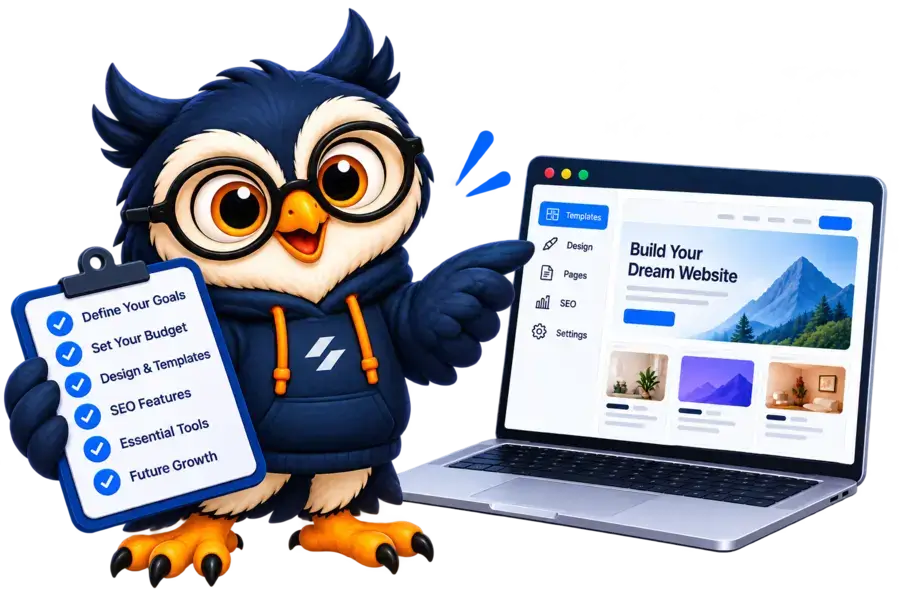
Helping beginners build websites since 2017
Reading Time
10 min
Category
Website Builders
Difficulty
Beginner-Friendly
Disclosure: ElegantEspace is supported by readers like you. We may earn an affiliate commission when you purchase through our links. Commissions do not affect our editors’ opinions or evaluations.
Table of Content
- Introduction
- Define What You Want to Build
- Choose a Website Builder
- Compare the Best Website Builders
- Total Cost Before Choosing
- Website Builder SEO Features
- Check Design Flexibility and Mobile Performance
- Integrations, Security, and Support
- What Happens If You Switch Later
- Test the Website Builder
- Conclusion
- FAQs
Introduction
Choosing the right website builder can make the difference between a website that’s easy to manage and one that becomes frustrating as your needs grow.
With so many platforms offering ready-made templates, drag-and-drop editors, AI-powered tools, and built-in features, deciding where to start isn’t always easy.
The best website builder for you depends on what you want to create, how much you’re willing to spend, your technical skills, and the features you’ll need as your website grows.
A simple portfolio website has very different requirements from a business website, a content-rich blog, or an online store.
In this guide, you’ll learn how to evaluate website builders based on ease of use, design flexibility, SEO capabilities, pricing, essential features, and long-term scalability.
We’ll also cover common mistakes to avoid and provide a practical checklist to help you compare your options.
By the end, you’ll have a clear framework for choosing a website builder that fits your needs, budget, and future goals.
Define Your Website's Purpose
Choosing a website builder can feel overwhelming when every platform promises to make website creation easy. Some focus on beginners, others offer advanced design control, and some are built specifically for online stores.
So, how do you know which one is right for you?
The answer depends on what you want to build, your budget, and how much control you need over your website. Choosing the right platform from the beginning can save you time, money, and the hassle of switching later.
In this guide, we’ll walk you through the most important things to consider, compare popular website builders, and help you find the right option for your needs.
1. Define What You Want to Build
Before comparing website builders, decide what your website needs to accomplish. Different platforms have different strengths, and the best choice for a blogger may not be the best choice for an online store.
Here’s where to start.
01. Blogging Website
Look for flexible content management, SEO tools, category organization, and easy publishing.
02. Business Website
Prioritize professional templates, service pages, contact forms, and lead-generation features.
03. Online store
Choose a platform with product management, secure payment processing, inventory tools, and order tracking.
04. Portfolio Website
Focus on attractive layouts, image galleries, project pages, animations, parallax effects, and design customization.
05. Landing Page
Look for simple editing tools, lead capture forms, analytics, and features that help convert visitors into customers.
06. Membership Website
Check for member accounts, restricted content, appointment scheduling, availability management, & payment integrations.
Quick tip:
List your three most important website requirements before comparing platforms. This will make your decision much easier.
For example, if you’re starting an affiliate website, you’ll probably need a reliable blogging system, comparison tables, and strong SEO controls. If you’re opening an online store, product management and payment options will matter much more.
2. Choose a Website Builder That Matches Your Skills
Not every website builder is equally easy to use. Some let you build pages by dragging and dropping elements, while others provide more advanced controls that take time to learn.
If you’re a beginner, look for a platform with ready-made templates, a straightforward editor, and minimal technical setup.
Platforms such as Wix and Squarespace offer integrated website-building experiences that can simplify getting started.
If you want more control over your website’s structure, content, and functionality, WordPress is worth considering. It offers extensive customization through themes and plugins, although you’ll generally need to arrange hosting separately when using self-hosted WordPress.
For more advanced visual design, Webflow provides detailed layout and interaction controls, but its editor may take longer to master.
The important thing is to choose a platform that matches your skills without unnecessarily limiting what you can build.
3. Compare The Best Website Builders For Your Needs
Not every website builder is designed for the same purpose. Some are ideal for beginners, while others offer advanced design tools, AI-powered creation, or dedicated e-commerce features.
Here’s a quick comparison to help you narrow down your options.
| Website Builder | Best For | Main Advantage | |
|---|---|---|---|
|
WordPress + Elementor |
Blogs and business websites |
Flexible design and customization |
|
|
Wix |
Beginners and small businesses |
Easy visual editing |
|
|
Squarespace |
Portfolios and creative businesses |
Professional templates |
|
|
Shopify |
Online stores |
Dedicated e-commerce tools |
|
|
Webflow |
Custom business websites |
Advanced design control |
|
|
Hostinger AI Website Builder |
Beginners who want AI assistance |
AI-powered website creation |
Which Website Builder Should You Choose?
Not every website builder is designed for the same purpose. Some are ideal for beginners, while others offer advanced design tools, AI-powered creation, or dedicated e-commerce features.
Here’s a quick comparison to help you narrow down your options.
- Want flexibility? Choose WordPress with Elementor to customize your website using themes, plugins, and visual editing tools.
- Want simplicity? Consider Wix for an accessible, all-in-one website-building experience.
- Care about design? Squarespace is worth considering for its professionally designed templates.
- Want to sell products? Shopify is built around managing online stores.
- Want advanced design control? Webflow provides detailed control over layouts and interactions.
- Want AI to help build your website? Hostinger AI Website Builder can help you get started with an AI-assisted workflow.
Still unsure? Explore our detailed Best Website Builders in 2026 comparison to find the right platform for your project.
You can also read our individual reviews to explore each platform’s features, pricing, advantages, and limitations before making a decision.
4. Check the Total Cost Before Choosing
A website builder’s advertised price doesn’t always tell you how much your website will cost.
Depending on the platform, you may also need to pay for a domain name, premium templates, apps, business email, or additional functionality.
Before purchasing a plan, check:
- Subscription fees: Compare monthly and annual pricing, including renewal rates.
- Domain costs: Check whether a custom domain is included and what it costs to renew.
- Premium features: Find out whether essential tools require an upgrade or paid extension.
- E-commerce fees: Consider payment processing and any applicable transaction fees.
- Maintenance: Account for backups, updates, technical assistance, or professional services where needed.
For example, a hosted website builder may include hosting and maintenance in its subscription. Self-hosted WordPress may offer greater flexibility, but hosting and some additional tools will usually cost extra.
Neither approach is automatically cheaper. The right choice depends on the features you need and the amount of work you’re comfortable managing.
5. Make Sure It Has the SEO Features You Need
If you want people to discover your website through Google, check the platform’s search engine optimization capabilities before choosing it.
A website builder doesn’t guarantee rankings, but it should give you the tools needed to manage important on-page SEO and technical SEO elements.
Look for these features:
- Custom page titles and meta descriptions.
- Editable page URLs.
- Image alt text.
- XML sitemap support.
- Canonical URL controls.
- Redirect management.
- Mobile-friendly page layouts.
- Integration with analytics and Google Search Console.
These controls are particularly useful if you plan to publish articles, target multiple keywords, or build a large content library.
WordPress offers extensive SEO customization through plugins and other tools. However, platforms such as Wix, Squarespace, Shopify, and Webflow also support many essential SEO tasks.
What matters most: Choose a platform that supports your SEO strategy and makes it practical to publish, optimize, and maintain high-quality content.
6. Check Design Flexibility and Mobile Performance
Your website should look professional, reflect your brand, and work well on smartphones as well as desktop computers.
Start by checking the platform’s templates and customization options. Can you adjust colors, fonts, spacing, and page layouts? Can you create the sections you need without struggling against the editor?
Then check the mobile experience.
Make sure text is readable, buttons are easy to tap, navigation is clear, and images fit the screen properly. If possible, preview your actual pages on different devices before publishing.
Website speed matters, too. Large images, unnecessary animations, and excessive third-party scripts can slow down even a well-designed website.
Use tools such as Google PageSpeed Insights to evaluate page performance and identify potential improvements.
Remember that speed depends on several factors, including the platform, hosting infrastructure, template, images, and integrations.
7. Check Integrations, Security, and Support
A website may start small, but you might eventually need email marketing, appointment booking, payment gateways, analytics, or customer relationship management tools.
Before choosing a builder, confirm that it supports the integrations you expect to use. Check whether they are included, available through official extensions, or require separate subscriptions.
You should also understand how the platform handles hosting, security, backups, and maintenance.
Hosted builders generally manage much of the underlying infrastructure for you. With self-hosted WordPress, your responsibilities depend on your hosting provider and configuration, so check the arrangements for updates, backups, security monitoring, and recovery.
Finally, review customer support. Look at the available support channels, documentation, and assistance included in your chosen plan.
A useful rule: If your website is important to your business, make sure you understand how you’ll get help when something goes wrong.
8. Consider What Happens If You Switch Later
Your needs may change as your website grows. You might want to add new features, change hosting providers, or move to another platform.
That’s why it’s worth checking the website builder’s export and migration options before you sign up.
Find out whether you can export your pages, blog posts, images, and other important data. Also check whether the design and functionality can be transferred or would need to be recreated.
Self-hosted WordPress generally provides more control over website files and databases, although themes, plugins, and configurations can still make migration complicated.
Hosted builders can simplify day-to-day management, but moving a complete website to another platform may require more rebuilding.
If you expect your website to become a long-term business asset, don’t overlook portability.
9. Test the Website Builder Before Paying
You’ve narrowed down your options. Now it’s time to see how they work in practice.
Use a free plan, trial, or demo when available, and try creating a few basic pages.
- Build a homepage using a template.
- Create an about or service page.
- Add a contact form.
- Preview the website on mobile.
- Test the features most important to your project.
If you’re creating a blog, try publishing an article and editing its SEO settings. If you’re opening an online store, explore product management and payment configuration.
Pay attention to how easy it is to make changes. If a simple task feels unnecessarily complicated, consider whether you’ll enjoy managing the website over the long term.
A short test can help you avoid choosing a platform that looks good in advertisements but doesn’t suit your workflow.
Final Verdict: Which Website Builder Should You Choose?
The right website builder depends on what you want to create and how you plan to grow.
Start by identifying your essential features, compare the total cost, and test your preferred platform before committing.
You don’t need a platform with every possible feature. You need one that helps you build a website that serves your visitors and supports your goals.
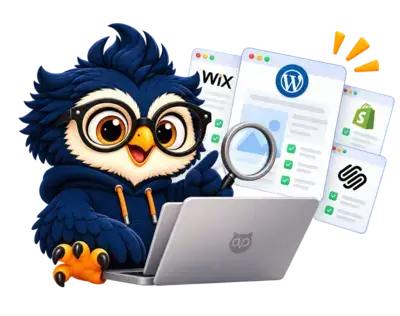
Find the Best Website Builder for You
Compare top website builders, explore their features, and find the right platform for your website and budget.
Frequently Asked Questions About Website Builders
1. Which website builder is best for beginners?
Wix and Squarespace are worth considering if you want visual editing tools and integrated website management.
WordPress is another option if you want more customization and are comfortable arranging hosting and maintenance.
2. Which website builder is best for SEO?
WordPress offers extensive customization, while Wix, Squarespace, Shopify, and Webflow also provide useful SEO tools.
The best choice depends on your technical requirements, content strategy, and how effectively you optimize your website.
3. Can I build a website without coding?
Yes. Most popular website builders offer templates and visual editors that allow you to create and publish websites without writing code.
Some advanced customizations may still require technical help.
4. Is a free website builder enough?
A free plan may be suitable for testing an idea or creating a basic personal website.
A professional website may require a custom domain, additional features, or a paid plan. Check the limitations before deciding.
5. Can I change my website builder later?
Yes, but transferring your content, design, and functionality may take work.
Check export options and migration limitations before choosing your initial platform.
- Introduction
- Define What You Want to Build
- Choose a Website Builder
- Compare the Best Website Builders
- Total Cost Before Choosing
- Website Builder SEO Features
- Check Design Flexibility and Mobile Performance
- Integrations, Security, and Support
- What Happens If You Switch Later
- Test the Website Builder
- Conclusion
- FAQs

