- October 2026
Kinsta Review
We tested Kinsta’s performance, uptime, security, pricing, and support to give you an honest, data-driven review and help you decide if its premium WordPress hosting is right for your website.
- Tested
- Independent Review
- Fact Checked
- Performance Verified
Built on independent testing, transparent research, and editorial reviews trusted by thousands of readers.
Our Expert Verdict on Kinsta
Our expert summary after evaluating Kinsta’s performance, pricing, security, support, and overall value.
- EDITOR RATING
4.9 /5
Excellent
Based on 10+ tests
Best For
- Business Websites
- High-Traffic WordPress Sites
- WooCommerce Stores
- Agencies & Growing Businesses
Editorial Verdict
Kinsta is a premium managed WordPress host built for website owners who prioritize performance, security, and expert support over low-cost hosting. Its isolated container infrastructure, global CDN and edge caching, built-in application performance monitoring, automatic backups, and managed security provide a strong foundation for business and high-traffic WordPress websites. The main drawback is its higher price compared with budget hosts, so Kinsta makes the most sense when performance and reliability justify the premium.
High-Performance Infrastructure
Global CDN & Edge Caching
WAF, DDoS protection, SSL
24/7 Expert Support Available
30 Day-Money Back Guarantee
Kinsta offers a 30 days money-back guarantee under its terms.
Editorial Disclosure: This page contains affiliate links. If you purchase through our links, we may earn a commission at no extra cost to you. Our reviews remain independent and unbiased.
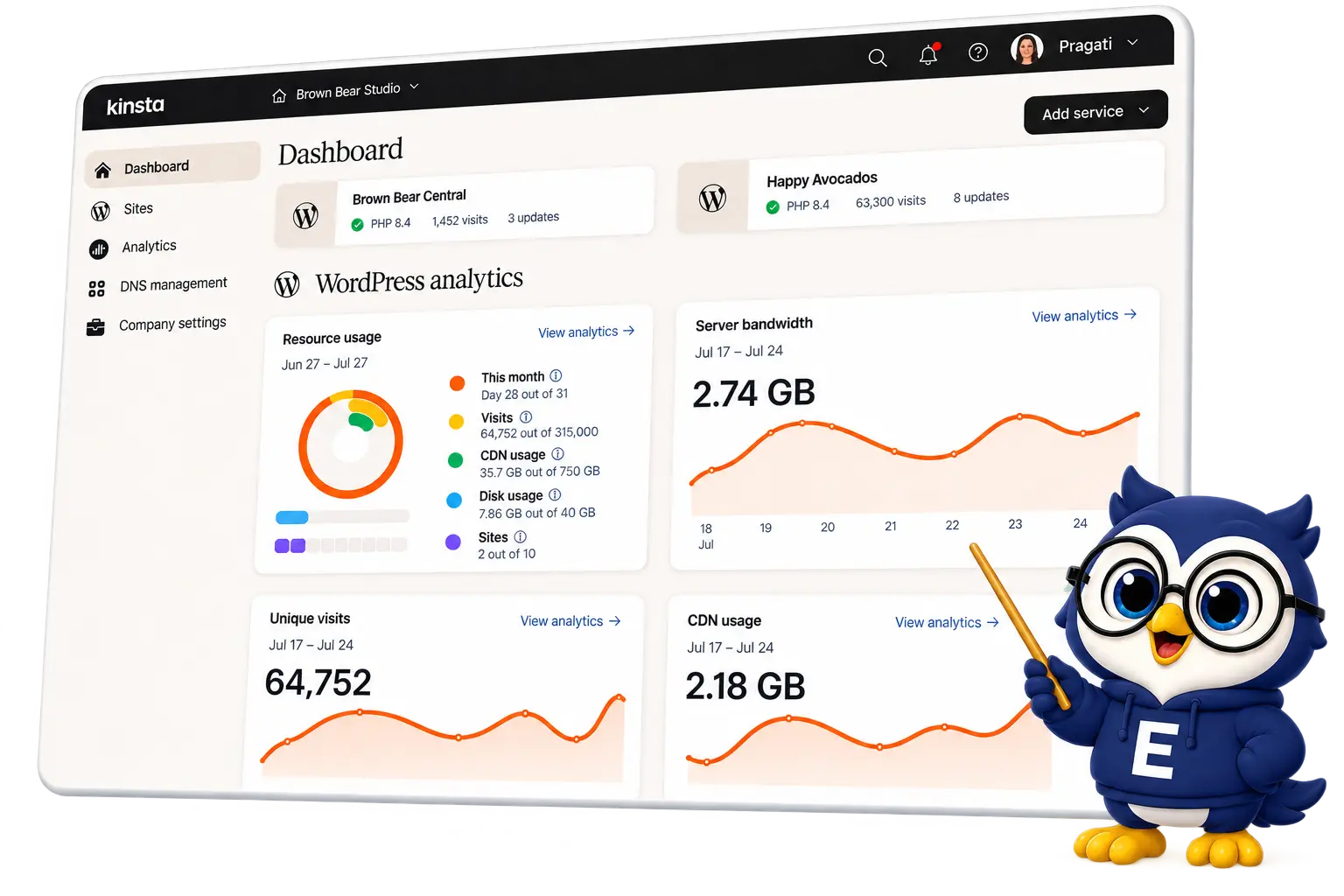
Kinsta Hosting At A Glance
Kinsta is a premium managed WordPress hosting provider built on the Google Cloud Platform, designed for businesses, bloggers, and professionals who need high performance, reliability, and scalability.
On top of that, Kinsta provides automatic security updates, daily backups, one-click restore points, built-in caching, enterprise-grade security, and a staging environment with just one click.
While many companies now offer managed WordPress hosting, Kinsta continues to stand out with its performance, simplicity, and customer-first approach.
In this detailed review, we tested Kinsta’s hosting performance, including speed, uptime, features, support, and pricing to determine whether it is worth the investment.
| Key Detail | Kinsta |
|---|---|
| Hosting Type | Managed WordPres Hosting |
| Control Panel | MyKinsta |
| Web Server | NGINX |
| Starting Price | $30/month* |
| Storage | 10 GB to Unlimited |
| Free Domain | Not Included |
| Free SSL | Included |
| Support | 24/7 Expert Support |
| Uptime Guarantee | 99.9%* |
| Money-Back Guarantee | 30 Days* |
Kinsta is especially popular among businesses, professionals, and high-traffic websites because it offers premium managed WordPress hosting, exceptional performance, and expert-level support.
Get Premium WordPress Hosting with Kinsta (Free CDN & SSL included)
Kinsta Pros and Cons
- Google Cloud premium infrastructure
- High-performance architecture (NGINX + cloud)
- Top-notch security
- Daily backups included
- Advanced yet easy-to-use MyKinsta dashboard
- Industry-leading uptime (99.99%)
- Free website migration
- Staging environment
- Excellent customer support
- Easily scalable for high-traffic websites
Why These Features Stand Out
- Kinsta is built on Google Cloud’s premium network, ensuring high reliability, faster global delivery, and enterprise-level performance.
- Kinsta uses a modern stack with Nginx, container technology, and optimized resources to deliver faster loading speeds and better handling of traffic spikes.
- Kinsta includes advanced security features like firewalls, DDoS protection, and continuous monitoring to keep your website safe from threats.
- Automatic daily backups ensure your data is always protected, allowing you to restore your website easily in case of any issue.
- The MyKinsta dashboard is clean, powerful, and gives you full control over your website, performance, and settings without complexity.
- Kinsta offers extremely reliable uptime, ensuring your website stays online and accessible almost all the time.
- Kinsta provides free professional migration, making it easy to switch your website from another hosting provider without downtime.
- You can create a staging version of your website to test changes, updates, or designs before making them live.
- Kinsta offers 24/7 support from WordPress experts who can quickly resolve technical issues and guide you effectively.
- Kinsta can handle traffic growth effortlessly, making it ideal for websites that expect increasing visitors or sudden spikes.
- Premium pricing
- No email hosting
- WordPress-only hosting
- Restricted plugins for performance and security
Potential Drawbacks Explained
- Kinsta is more expensive than shared hosting providers, which may not be suitable for beginners or low-budget users.
- Kinsta does not provide email hosting, so you will need to use third-party services like Google Workspace for email.
- Kinsta is designed exclusively for WordPress, so it is not suitable if you want to host other types of websites or applications.
- Kinsta restricts certain plugins that can negatively impact performance or security, which may limit flexibility for some users.
When To Use Kinsta Web Hosting?
Kinsta isn’t your typical budget host — it’s built for businesses, creators, and developers who need speed, reliability, and premium support. You should consider Kinsta if:
- You run a high-traffic website – Blogs, eCommerce stores, or membership sites that need fast load times and zero downtime.
- You want hands-off management – With automatic backups, updates, and top-notch support, Kinsta takes care of the technical side.
- You value enterprise-level security – Includes DDoS protection, hack fixes, firewalls, and proactive monitoring.
- You expect growth – Easily scale resources when traffic spikes, without worrying about server management.
- You prefer a modern dashboard – The MyKinsta panel is more intuitive and user-friendly than old-school cPanel.
In short: Choose Kinsta if you want a premium, stress-free WordPress hosting experience that prioritizes speed, scalability, and world-class support.
When Not To Use Kinsta Web Hosting?
While Kinsta is powerful, it’s not the best fit for everyone. You may want to skip Kinsta if:
- You’re on a tight budget – Kinsta is premium hosting, so it costs more than shared or budget-friendly hosts.
- You run a small/personal site – For hobby blogs or low-traffic sites, Kinsta’s advanced features may be overkill.
- You prefer full control – Since it’s managed hosting, you won’t handle server tweaks yourself — the Kinsta team does.
- You don’t use WordPress – Kinsta is WordPress-only. If you use Joomla, Drupal, or custom-built sites, you’ll need another host.
In short: Kinsta isn’t meant for budget users, DIY server admins, or non-WordPress websites. It shines best for serious WordPress projects that demand performance and reliability.
Kinsta Hosting Services & Features
Kinsta provides a wide range of hosting solutions and tools tailored to WordPress users, web applications, and databases. Their products include:
Core Hosting Services
- Managed WordPress Hosting – Premium hosting built on Google Cloud, ideal for high-performance, high-traffic WordPress websites.
- Web Application Hosting – Scalable hosting environment designed to run custom apps with reliability and speed.
- Managed Database Hosting – Fully managed database hosting where Kinsta handles infrastructure, backups, and scaling.
Tools & Features
- MyKinsta Dashboard – An intuitive control panel to manage sites, monitor performance, and access support.
- Content Delivery Network (CDN) – Global CDN integration for faster content delivery and reduced latency.
- Staging Environments – Safe testing spaces to experiment with site changes before deploying live.
- Automatic Backups – Daily and on-demand backups to ensure your data is always protected and recoverable.
Kinsta doesn’t just provide managed hosting; it offers an ecosystem of tools and services designed for speed, security, and scalability.
Whether you’re running a blog, a SaaS app, or a large enterprise site, Kinsta’s products are built to support growth and performance.
Performance Tests
When choosing a web host, performance matters as much as pricing. A slow or unreliable host can hurt user experience, SEO, conversions, and revenue. To give you real insights, I tested Kinsta for speed, load handling, and uptime.
To evaluate Kinsta’s real-world performance, I monitored the website during testing and analyzed its loading speed, server response, and overall stability. Here’s what I found.
Kinsta Hosting Speed Test
Website speed has a direct impact on both user experience and SEO rankings. While many factors can influence speed, including your theme, plugins, CDN, and visitor location, I wanted to see how well Kinsta performs in a real WordPress setup.
For the test:
- I created a WordPress site on Kinsta.
- Installed the Astra theme.
- Published dummy content.
- Ran a speed test using Pingdom.

Result:
Our test site loaded in just 369ms.
This shows that Kinsta was capable of delivering very fast loading speeds in our test environment.
Kinsta’s current infrastructure also includes NGINX FastCGI page caching, Cloudflare-powered CDN services, and edge caching, which can serve cached content closer to visitors.
Kinsta Load Test
Speed is one thing, but can Kinsta handle traffic spikes? To find out, I used K6 (formerly Load Impact) to simulate increasing numbers of visitors.
For the test:
- The test scaled up to 100 virtual users.
- The green line shows active users.
- The blue line shows response times.

Result:
Even with 50+ simultaneous visitors, the average response time was only 94ms.
This indicates that Kinsta maintained low response times under the tested load and handled the simulated traffic well.
Kinsta Uptime Test
Nobody wants downtime, especially on a business website. During my monitoring period:

Our monitoring recorded >99.99% uptime during the test period.
Kinsta currently provides a 99.9% SLA-backed uptime guarantee for its standard hosting plans, with SLA credits available when the guarantee is not met, subject to the terms of the SLA. Custom plans can offer guarantees up to 99.99%.
Kinsta Hosting Last 10 months Uptime Results
- September 2026 uptime: 100%
- August 2026 uptime: 100%
- July 2026 uptime: 100%
- June 2026 uptime: 100%
- May 2026 uptime: 100%
- April 2026 uptime: 99.99%
- March 2026 uptime: 100%
- February 2026 uptime: 100%
- January 2026 uptime: 99.99%
- December 2025 uptime: 100%
Performance Test Summary
| Metric | Result | Verdict |
|---|---|---|
| Page Load Speed | 369ms (Pingdom Test) | Excellent |
| Uptime | >99.99% | Excellent |
| Load Test | 94ms | Excellent |
Hosting Pricing & Plans – 2026
Kinsta offers premium managed WordPress hosting plans designed for individual websites, businesses, agencies, and high-traffic WordPress projects.
Plans are available for single or multiple WordPress sites, with pricing based on monthly visits or server bandwidth, depending on the plan.
Unlike budget hosting providers, Kinsta does not offer traditional shared hosting. Its focus is entirely on premium managed WordPress hosting.
For Single Sites
Best for businesses, blogs, or stores – Powerful hosting for one high-performing site.
| Plan Name | Storage | Bandwidth | Visits | Number of sites | Price | |
|---|---|---|---|---|---|---|
|
Single 20 GB |
10 GB |
20 GB |
35,000 |
1 |
$30 |
|
|
Single 40 GB |
10 GB |
40 GB |
65,000 |
1 |
$42 |
|
|
Single 65 GB |
10 GB |
65 GB |
1,25,000 |
1 |
$75 |
|
|
Single 125 GB |
10 GB |
125 GB |
3,15,000 |
1 |
$142 |
|
|
Single 250 GB |
15 GB |
250 GB |
5,00,000 |
1 |
$242 |
|
|
Single 500 GB |
15 GB |
500 GB |
7,50,000 |
1 |
$313 |
|
|
Enterprise |
15+ GB |
750+ GB |
12,50,000+ |
1 |
$521 |
For Multiple Sites
Best for site owners with 2+ sites – One plan, multiple installs, easy management.
| Plan Name | Storage | Bandwidth | Visits | Number of sites | Price | |
|---|---|---|---|---|---|---|
|
WP 2 Bandwidth |
20 GB |
40 GB |
70,000 |
2 |
$59 |
|
|
WP 5 Bandwidth |
30 GB |
65 GB |
1,25,000 |
5 |
$96 |
|
|
WP 10 Bandwidth |
40 GB |
125 GB |
3,15,000 |
10 |
$188 |
|
|
WP 20 Bandwidth |
50 GB |
250 GB |
5,00,000 |
20 |
$284 |
|
|
WP 40 Bandwidth |
60 GB |
500 GB |
7,50,000 |
40 |
$375 |
|
|
Enterprise |
100+ GB |
750+ GB |
12,50,000+ |
60+ |
$563 |
For Agencies
Best for site owners with 2+ sites – One plan, multiple installs, easy management.
Accepted Payment Methods
Kinsta accepts the following payment methods:
- Credit & Debit Cards: Visa, Mastercard, Maestro, American Express, Discover
- Wire Transfer: Available for annual plans
- ACH: Available for annual plans
Kinsta does not currently accept PayPal or checks. Payments are processed through Stripe.
What Can You Expect From Each Kinsta Plan?
What makes Kinsta unique is that all service plans come with the same core features. You don’t have to upgrade just to unlock essentials like security, performance, or support — they’re included by default.
The main differences between plans lie in the amount of storage, the number of WordPress sites you can host, and the level of traffic each plan can handle.
Features Included in Every Kinsta Plan
- 24/7 expert customer support (chat only, but fast and highly rated)
- WordPress-optimized architecture for speed and reliability
- Staging environment to safely test your site before going live
- Free premium migrations (1, 2, or 3 depending on your plan)
- Unlimited basic migrations from other hosts via plugin
- 30-day money-back guarantee
- Automatic database optimization
- Daily automatic backups + manual backup points
Refund Policy
Try Kinsta risk-free for 30 days. If it isn’t the right fit, Kinsta offers a money-back guarantee under its terms.
How Do Kinsta Hosting Overages Work?
Kinsta keeps your website running if you exceed your plan’s monthly limits, but additional charges may apply. For visit-based plans, Kinsta currently charges $0.50 per 1,000 additional visits.
| Additional Visits | Overage Cost |
|---|---|
| 1,000 | $0.50 |
| 5,000 | $2.50 |
| 15,000 | $7.50 |
| 27,000 | $13.50 |
Kinsta also offers bandwidth-based plans, where server bandwidth overages are charged at $0.50 per additional GB. CDN bandwidth overages are currently $0.05 per additional GB.
Kinsta sends usage alerts at 80% and 100% of the plan limit, and for visit-based plans, another notification is sent when usage exceeds the allowance by 10%.
Kinsta Hosting Technical Details
Kinsta is a managed WordPress hosting provider powered by the Google Cloud Platform. Its infrastructure is built for speed, scalability, and reliability.
Key Technical Highlights
- Server locations: 35+ global data centers across the US, Europe, Asia, and beyond.
- Server technology: Google Cloud’s premium-tier network, Linux-based servers, and Nginx web server.
- PHP version: Supports multiple versions, including the latest stable release for maximum performance and compatibility.
- Database technology: Kinsta uses MariaDB, a fork of the popular MySQL database management system, to store WordPress data.
- Caching technology: Built-in Nginx reverse proxy caching, object caching, and compatibility with popular WordPress caching plugins.
- CDN integration: Kinsta offers integration with popular Content Delivery Networks (CDN), such as Cloudflare and KeyCDN, to help speed up website loading times for visitors around the world.
Why Businesses Choose Kinsta
Kinsta’s robust infrastructure attracts serious entrepreneurs, bloggers, and established businesses that demand reliability and speed.
Some well-known companies powered by Kinsta include:
- UbiSoft
- Buffer
- Intuit
- Tripadvisor
- Drift
- General Electric
The Shift to Kinsta
More and more business owners are migrating from traditional hosts to Kinsta because of its:
- Blazing-fast performance
- Enterprise-level infrastructure
- Excellent 24/7 support
Simply put: Kinsta is fast, secure, and built to scale.
Kinsta Hosting Real User Review
Premium Service & Server
I am really happy with the service provided by kinsta hosting. They are really good at managing WordPress hosting.

Kinsta Hosting FAQ
1. What type of hosting does Kinsta provide?
Kinsta offers managed WordPress hosting powered by Google Cloud Platform. This means everything from performance optimization to security and backups is handled for you.
2. Does Kinsta offer shared hosting?
No. Unlike shared hosting, Kinsta provides dedicated resources on Google Cloud’s premium tier network, ensuring faster speeds and better reliability.
3. How fast is Kinsta hosting?
Kinsta delivers page load times under 1 second, 99.99% uptime, and an excellent TTFB (Time to First Byte) under 200ms on average.
4. Can I use Kinsta for non-WordPress websites?
Kinsta is designed specifically for WordPress. If your site isn’t built on WordPress, Kinsta may not be the right fit.
5. Does Kinsta include free SSL certificates?
Yes. Every plan comes with free SSL from Let’s Encrypt, plus advanced options for custom SSLs.
6. How does Kinsta handle security?
Kinsta includes DDoS detection, hardware firewalls, daily backups, malware scanning, and automatic fixes for hacked sites.
7. Is CDN included with Kinsta?
Yes. Kinsta offers free Cloudflare CDN integration, ensuring your site loads quickly worldwide.
8. Does Kinsta offer email hosting?
No. Kinsta is strictly a WordPress hosting provider and doesn’t include email hosting. You’ll need to use services like Google Workspace or Zoho Mail.
9. Can I migrate my website to Kinsta for free?
Yes. Kinsta provides free expert migrations on all plans, making it easy to move from your current host.
10. What kind of support does Kinsta provide?
Kinsta offers 24/7 live chat support from WordPress experts—no outsourced teams, just specialists ready to help.
11. Can I Ask for Additional Storage in Case I Need Any (or PHP Workers, Installs, Etc.)
If you need additional disk space, they have a disk space add-on that allows you to increase the storage space of your hosting plan with a few simple clicks.
12. Can I Use a Caching Plugin?
Kinsta doesn’t allow caching plugins because they already have four types of cache, which are all automatically done at the software or server level.
13. Can They Increase the Default Cache Expiration Time?
Their page cache is set to expire every 1 hour by default. However, you can contact them if you need to increase this duration.
14. How Does Kinsta Handle Caching for WooCommerce and EDD?
They already have server-level caching rules in place for popular eCommerce solutions such as WooCommerce and Easy Digital Downloads.
By default, certain pages that should never be cached, such as cart, my-account, and checkout, are excluded from caching. Users automatically bypass the cache when the woocommerce_items_in_cart or edd_items_in_cart cookie is detected to ensure a smooth and in-sync checkout process.
15. Can I Use My SSL Certificated Purchased From My Domain Registrar?
Yes, you definitely can. This requires regenerating the CSR and Private Key from your SSL provider or domain registrar.
As each registrar is slightly different, you have to check their documentation or opening up a ticket with their support team. Once you have it, you can install the SSL certificate in the MyKinsta dashboard.
Conclusion
Kinsta is a top-tier managed WordPress hosting provider known for its outstanding speed, security, and developer-friendly environment. Powered by Google Cloud’s premium network, it delivers excellent uptime, fast page load times, and advanced features like free migrations, daily backups, and staging environments.
The only drawback is its higher pricing, which may not suit beginners or those running very small sites. However, if you’re looking for premium hosting with world-class performance and support, Kinsta is one of the best investments you can make for your WordPress site.
- Google Cloud Platform infrastructure
- Free CDN & SSL included
- Daily backups
- 30-day money-back guarantee