
- October 2026
Best Website Builders in 2026: Find the Right One for You
Compare the best website builders for blogs, business websites, portfolios, and online stores. Explore their features, pricing, pros, and cons to find the right fit.
- Top Platforms Compared
- Pros & Cons Explained
- Features & Pricing
- Recommendations by Need
Find a website builder that fits your goals, skills, and budget.
Our Top Picks at a Glance
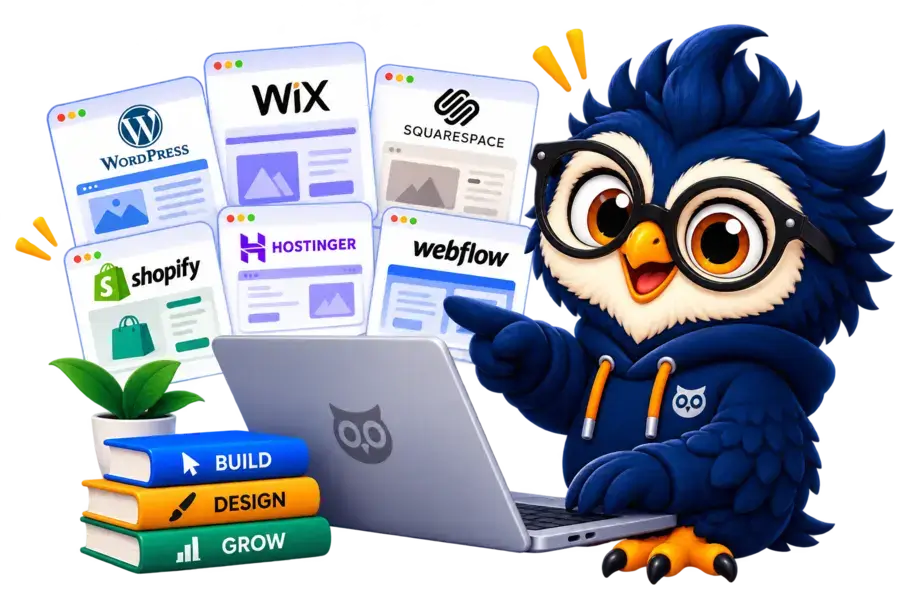
Not sure which website builder to choose? Here are our top picks for different website needs, so you can quickly find a platform worth exploring.

Hostinger AI Website Builder
Best For AI Website Creation
Create a website with AI-assisted tools and built-in hosting.

Wix
Best For Beginners
Build business websites and personal projects with a visual editor.

WordPress + Elementor
Best For Flexibility
Customize blogs and business websites with themes and visual editing.

Squarespace
Best For Portfolios
Create polished websites with professionally designed templates.

Shopify
Best For Online Stores
Manage products, orders, and online selling from one platform.

Webflow
Best For Flexibility
Build custom layouts with detailed visual design tools.
How We Evaluate Website Builders
At ElegantEspace, we evaluate website builders based on their usability, design capabilities, features, SEO tools, pricing, and suitability for different types of websites.
01. Ease Of Use
We assess how easily you can build, edit, and manage a website, even without coding skills.
02. Design Flexibility & Templates
We compare template quality, customization options, and responsive design controls.
03. Features & Functionality
We evaluate built-in tools, integrations, and features for different website types.
04. SEO Capabilities
We check essential SEO tools for metadata, URLs, sitemaps, and search visibility.
05. Pricing & Overall Value
We compare subscription costs, renewals, and potential expenses for essential features.
06. Performance, Security & Reliability
We review hosting, security features, backups, and available performance tools.
07. E-commerce & Business Tools
We assess tools for selling products, managing orders, accepting payments, and growing a business.
08. Support & Integrations
We consider available support, integrations, and how easily a website can adapt as needs change.
Disclosure: ElegantEspace is supported by readers like you. We may earn an affiliate commission when you purchase through our links. Commissions do not affect our editors’ opinions or evaluations.
Hostinger AI Website Builder
Best for Beginners
From $2.99/mo
From $2.99/mo
Want to create a website without spending hours designing pages or writing code? Hostinger AI Website Builder is worth considering.
It lets you describe your website idea and uses AI to generate an initial design that you can customize before publishing.
Whether you’re building a small business website, a portfolio, a blog, or an online store, Hostinger combines website creation, hosting, and other essential tools in one platform.
This makes it a convenient option for beginners who want to get online without managing multiple services.
Key Features
- AI-powered website creation: Describe your website idea and let AI generate an initial design.
- Visual editing: Customize text, images, colors, and layouts without coding.
- Ready-made templates: Choose from a library of website designs and adapt one to your needs.
- Built-in hosting and domain: Manage your website and hosting through one platform, with domain offers depending on the plan.
- SEO tools: Access features that help you manage your website's search visibility.
- E-commerce functionality: Create an online store with product and order management, subject to plan availability.
- AI assistance: Use available AI tools to help with content creation and website improvements.
Hostinger also offers different building modes, including visual editing and AI-assisted conversational creation. The features available depend on the mode and plan you select.
Pros and Cons
- Beginner-friendly setup
- AI helps generate an initial website
- Hosting and website tools are integrated
- Templates help speed up design
- Suitable for several common website types
- Less flexibility than a fully customized WordPress setup for some projects
- AI-generated content and layouts need human review
- Some features require higher-tier plans
- Migration may require rebuilding parts of the website
- Advanced requirements should be checked before committing
Who Should Use Hostinger AI Website Builder?
- Want to launch a website without coding.
- Need a simple website for a small business or personal brand.
- Prefer AI-assisted design over building every page from scratch.
- Want hosting and website creation managed in one place.
- Are comfortable working within a hosted website-building platform.
However, if you need extensive plugin customization, complex publishing workflows, or more control over your hosting environment, compare it with WordPress + Elementor before deciding.
Hostinger AI Website Builder Pricing
Hostinger offers different plans with varying website limits and features. Introductory offers, billing periods, and renewal rates can change, so check the current pricing before purchasing.
Don’t compare plans by the promotional monthly price alone. Review the total upfront payment, renewal cost, included domain period, AI credit allowance where applicable, and whether the features you need are included.
Our Verdict
Hostinger AI Website Builder is a practical option for beginners who want to create a website quickly with help from AI.
Its combination of visual editing, AI-assisted creation, and integrated hosting can simplify the process of getting online.
It’s not automatically the best choice for every project, though. If your website requires extensive customization or a large content-management system, WordPress may offer more flexibility.
Wix Website Builder
Best Drag & Drop Website Builder
From $2.50/mo
From $2.50/mo
If you want to build a professional website without dealing with code, Wix is one of the best website builders to consider. Its visual editor, ready-made templates, and built-in business tools make it suitable for beginners, freelancers, and small businesses.
Wix also offers AI-powered website creation. You can describe the type of website you want, generate an initial design, and refine it using AI assistance or hands-on editing. This makes it easier to get started without designing every page from scratch. Explore Wix’s official website builder.
Whether you’re creating a business website, portfolio, blog, booking website, or online store, Wix brings many essential website management tools together in one platform.
Key Features
- AI website builder: Generate an initial website from a description of your business, goals, and design preferences.
- Drag-and-drop editing: Customize page layouts, text, images, colors, and other design elements visually.
- Ready-made templates: Choose from a wide range of website designs for different industries and purposes.
- Built-in SEO tools: Manage page titles, meta descriptions, indexing settings, and other essential SEO elements.
- Business and marketing tools: Access features for contact management, email marketing, analytics, and customer engagement.
- E-commerce functionality: Create an online store, manage products, process orders, and accept payments with an eligible plan.
- Apps and integrations: Extend your website's functionality using available apps and connected services.
- Booking and service management: Let customers schedule appointments or book services directly through your website.
Wix’s newer AI-powered creation experience also combines AI assistance with manual editing, giving you more control over the finished design. Available tools and features can vary by editor and subscription plan
Pros and Cons
- Beginner-friendly visual website editor
- AI-assisted website creation speeds up the initial setup
- Wide selection of templates for different industries
- Built-in tools for SEO, marketing, bookings, and online selling
- Hosting and website management are handled in one platform
- Can support a website as its business requirements grow
- Advanced features and online payments may require a paid plan
- Costs can increase as you add premium apps or business features
- Design flexibility and workflows depend on the editor and tools you use
- Moving a complete website to another platform can require rebuilding parts of it
- Some advanced customizations may require technical knowledge or specialist help
Who Should Use Wix AI Powered Website Builder?
Wix is a good choice if you:
- Are building your first website and want an approachable visual editor
- Need a professional website for a small business, consultancy, or personal brand
- Want to create a portfolio, service website, or appointment-booking site
- Prefer built-in business tools instead of managing multiple separate services
- Want AI assistance to speed up website creation
- Plan to sell products or services without building a fully custom e-commerce system
However, Wix may not be the best fit if you need extensive control over your hosting environment, a highly customized WordPress publishing setup, or a platform that gives you greater control over your website’s underlying infrastructure. In those cases, compare it with WordPress + Elementor.
Wix Website Builder Pricing
Wix offers a free plan for creating and experimenting with a website.
However, a professional website typically benefits from a paid plan, particularly if you want to connect a custom domain, remove Wix branding, or accept online payments.
Paid plans differ in storage, marketing capabilities, e-commerce features, and the number of collaborators you can add. Prices also vary by location, billing period, and promotional offer.
Before choosing a plan, consider the following:
- Whether a custom domain is included and for how long
- The total upfront payment and renewal price
- Whether online payments and e-commerce features are included
- Whether you need paid apps or additional business tools
- Whether the plan provides enough storage and collaboration options
Our Verdict
Wix is a strong all-around website builder for beginners and small businesses that want to create a professional website without managing hosting or coding. Its visual editor, AI-assisted creation, templates, and integrated business tools make the process relatively straightforward.
Its biggest advantage is convenience. You can create and manage much of your online presence from one platform instead of piecing together multiple services.
However, that convenience comes with trade-offs. Subscription costs, reliance on Wix’s platform, and limitations when moving to another system deserve consideration before you commit.
WordPress + Elementor
Best Website Builder for Flexibility
From $5.00/mo
From $5.00/mo
If you want more control over your website’s design, content, and functionality, WordPress + Elementor is an excellent option to consider.
This combination lets you build customized websites visually while retaining access to WordPress’s extensive themes, plugins, and publishing features.
WordPress is the content management system (CMS) that powers your website, while Elementor is a visual page builder that lets you design pages using a drag-and-drop editor.
Together, they can support everything from business websites and portfolios to blogs, affiliate websites, and online stores. Explore WordPress’s features.
Unlike an all-in-one hosted website builder, WordPress typically requires you to arrange your own web hosting and manage aspects such as updates, backups, security, and performance.
In return, you get greater freedom to customize your website and choose the tools that suit your needs.
Key Features
- Drag-and-drop website design: Use Elementor's visual editor to create page layouts, arrange elements, and customize typography, colors, spacing, and backgrounds without writing code.
- Customizable themes and templates: Start with a ready-made design or build your own layouts. Elementor's Hello theme offers a lightweight starting point for custom designs.
- Flexible content management: Use WordPress to publish blog posts, create pages, organize categories, and manage your website's content.
- Extensive plugin ecosystem: Add features such as contact forms, SEO tools, analytics, membership systems, booking functionality, and e-commerce through compatible plugins.
- Responsive design controls: Adjust layouts for desktop, tablet, and mobile devices to improve the experience across screen sizes.
- Website-wide design customization: Depending on your Elementor plan, you can customize elements such as headers, footers, templates, and other parts of your website.
- SEO flexibility: Combine WordPress's publishing features with SEO plugins, customizable URLs, metadata controls, and performance optimization tools.
- E-commerce capabilities: Build an online store using WooCommerce and compatible extensions, with Elementor offering additional design controls depending on your setup and plan.
- AI-assisted design: Elementor offers AI tools for supported tasks such as generating layouts, text, images, and code, depending on the product and subscription.
Elementor offers both a free version and paid plans. The features available for theme building, dynamic content, forms, custom code, and e-commerce depend on the plan you choose.
Pros and Cons
- Extensive design flexibility and customization options
- Suitable for blogs, business websites, affiliate sites, and online stores
- Access to thousands of WordPress themes and plugins
- Strong content management and publishing capabilities
- Greater control over hosting and website data than many closed hosted builders
- Can expand as your website's needs become more advanced
- Free WordPress software and a free Elementor version are available
- Requires more setup and ongoing maintenance than many all-in-one builders
- Hosting, premium themes, plugins, and Elementor upgrades can add to the total cost
- Too many poorly chosen plugins or heavy page layouts can affect performance
- You are responsible for arranging appropriate backups, updates, and security measures
- Some advanced designs and functionality require technical knowledge
- Learning the WordPress dashboard and Elementor editor takes time.
Who Should Use WordPress + Elementor?
WordPress + Elementor is a good choice if you:
- Want extensive control over your website's appearance and layout.
- Are building a blog, affiliate website, or content-focused business.
- Need custom landing pages, service pages, or lead-generation forms.
- Want to expand your website using plugins and integrations.
- Need more control over SEO, content organization, and publishing workflows.
- Plan to grow your website and add new features over time.
- Are comfortable managing hosting and routine website maintenance, or have someone who can help.
However, if you want the simplest possible setup with hosting, templates, and maintenance handled in one place, Wix or Hostinger AI Website Builder may be easier to manage.
WordPress + Elementor offers more flexibility, but that flexibility comes with additional responsibility.
WordPress + Elementor Pricing
WordPress software is free to download and use, and Elementor has a free version. However, building a complete website may involve several separate costs.
Your total cost depends on the hosting provider, domain registration, Elementor plan, theme, and any premium plugins or services you need.
Before choosing your setup, consider these expenses:
- Web hosting: The service that stores your website and makes it available online.
- Domain name: Your website's address, usually renewed annually.
- Elementor Pro or another paid plan: May be worthwhile if you need advanced design tools or additional functionality.
- Premium themes and plugins: Optional purchases for specific features or design requirements.
- Maintenance and security: You may need paid backup, security, or optimization services, depending on your hosting setup and requirements.
You can start with free tools and upgrade as your needs grow. However, don’t choose a setup based only on the lowest initial price. Consider renewal rates, performance, support, and the features you’ll actually use.
Our Verdict
WordPress + Elementor is one of the strongest options for people who want flexibility, customization, and room to grow.
WordPress provides the content management foundation, while Elementor makes it easier to design professional-looking pages without coding every element manually.
Its biggest advantage is the ability to shape your website around your goals instead of being limited to a fixed set of built-in features.
That makes it particularly appealing for bloggers, affiliate marketers, agencies, freelancers, and businesses with evolving requirements.
The trade-off is that you’ll need to manage more of the technical side, including hosting, updates, backups, and performance.
Squarespace Website Builder
Best for Portfolios and Creative Businesses
From $5.00/mo
From $5.00/mo
If you want a website that looks polished without spending hours adjusting every design detail, Squarespace is worth considering.
Its professionally designed templates, visual editing tools, and built-in business features make it a strong option for photographers, designers, artists, freelancers, and creative businesses.
Squarespace combines website creation, hosting, blogging, and online selling in one platform.
You can start with a professionally designed layout, customize it to match your brand, and publish your website without managing a separate hosting service.
It also offers AI-assisted design and content tools to help you get started. Explore Squarespace’s website builder.
Whether you’re showcasing a creative portfolio, promoting your services, publishing a blog, or selling products online, Squarespace provides a streamlined way to establish your online presence.
Key Features
- Professionally designed templates: Choose from polished designs for portfolios, businesses, blogs, restaurants, and online stores.
- Visual website editor: Use the Fluid Engine editor to arrange content, adjust layouts, and customize your pages visually.
- Portfolio and gallery tools: Showcase photography, design projects, artwork, and other creative work in organized layouts.
- Built-in blogging: Publish articles, organize content, and create a blog without installing a separate content management system.
- E-commerce functionality: Sell physical products, digital products, services, and other offerings, with features depending on your plan and configuration.
- Built-in SEO tools: Customize page titles and descriptions, manage URLs, use automatically generated sitemaps, and access other SEO features.
- Marketing tools: Promote your business through available email marketing, social content, and customer engagement features.
- Appointment scheduling: Offer bookings and manage appointments through Squarespace's scheduling tools, which may require a separate subscription.
- AI-assisted creation: Use available AI tools to help generate website content and develop a design that fits your brand.
- Integrated hosting and security: Manage your website and hosting from one platform, with SSL available for connected domains.
Squarespace’s main advantage is that many essential website features are available within one ecosystem. However, specific capabilities depend on the subscription, integrations, and additional services you choose.
Pros and Cons
- Stylish templates suited to portfolios and creative brands.
- Beginner-friendly visual editing experience.
- Hosting and website management are integrated.
- Built-in blogging and essential SEO features.
- Supports online stores, service businesses, and appointment booking.
- Consistent design tools help maintain a professional brand identity.
- Requires less technical maintenance than a self-hosted WordPress website.
- Less freedom to customize the underlying platform than self-hosted WordPress.
- Advanced features may require higher-tier plans or separate subscriptions.
- Total costs can increase with scheduling, marketing, or other add-on services.
- Moving to another platform may require rebuilding parts of the website.
- Some advanced customizations may be difficult without coding.
- The design-focused approach may be more than you need for a very simple website.
Who Should Use Squarespace?
Squarespace is a good choice if you:
- Are a photographer, designer, artist, or creative professional who needs a polished portfolio.
- Want a professional website for a consultancy, agency, or small business.
- Prefer visually appealing templates instead of designing every page from scratch.
- Need a website that combines service information, galleries, blogging, and contact forms.
- Want to sell products or services without assembling a large collection of plugins.
- Prefer an integrated platform with hosting and website management handled in one place.
However, if your priority is extensive plugin customization, complex content management, or greater control over your hosting environment, WordPress + Elementor may be a better fit.
If you need a store with extensive retail and commerce workflows, Shopify could be the better choice.
Squarespace Pricing
Squarespace uses paid website subscriptions, with different plans offering different features for website creation, commerce, marketing, and business growth. Pricing and included features can vary by billing cycle, location, and current offers.
Before choosing a plan, consider these costs and limitations:
- Subscription fees: Compare the total cost for monthly and annual billing.
- Domain registration: Check whether a domain promotion is included and what renewal costs apply.
- E-commerce features: Confirm that your plan supports the products, payments, and selling features you need.
- Transaction and payment fees: Review the applicable fees for your plan and payment processor.
- Additional services: Budget separately for tools such as appointment scheduling, email marketing, or other paid features if required.
Squarespace can be convenient because hosting is included, but that does not automatically make it the cheapest option.
Compare the total cost of the features you’ll use rather than choosing based on the introductory price alone.
Our Verdict
Squarespace is a strong website builder for people who value polished design, straightforward editing, and integrated business tools.
Its templates and portfolio features make it particularly appealing to photographers, designers, artists, freelancers, and businesses that want to present their work professionally.
Its biggest advantage is convenience combined with visual quality.
You can create an attractive website, publish content, and manage many essential business functions without piecing together multiple services.
Shopify
Best for Online Stores
From $15.00/mo
From $15.00/mo
If your main goal is to sell products online, Shopify is one of the strongest website builders to consider.
Unlike general-purpose website builders, Shopify is designed specifically for e-commerce, helping you create an online store, manage inventory, process orders, and handle day-to-day selling from one dashboard.
You can choose a professionally designed theme, customize your storefront, add products, configure payments, and set up shipping without building an online store from scratch.
Shopify also supports selling through eligible social media platforms and online marketplaces, making it useful for businesses that want to reach customers beyond their own website. Explore Shopify’s official platform.
Whether you’re launching a new product brand, starting a dropshipping business, selling handmade products, or expanding an existing retail business online, Shopify provides a dedicated set of tools for managing your store.
Key Features
- Online store builder: Create a storefront using customizable themes, product pages, collections, menus, and responsive layouts.
- Product and inventory management: Organize products, track stock, manage variants, and handle orders from your Shopify dashboard.
- Secure checkout and payment options: Configure supported payment providers and manage the checkout experience. Available payment methods depend on your country and setup.
- Multiple sales channels: Sell through your online store and connect eligible social commerce platforms and marketplaces to reach more customers.
- Shipping and order management: Manage orders and configure shipping options. Available shipping integrations and rates vary by location and plan.
- Marketing tools: Create discount codes, run email campaigns, recover eligible abandoned checkouts, and manage customer relationships.
- E-commerce apps and integrations: Extend your store with apps for reviews, subscriptions, marketing, fulfillment, customer support, and other business needs.
- Sales analytics and reports: Monitor orders, revenue, and other store performance metrics to understand how your business is performing.
- International selling tools: Use supported localization and market features to serve customers in different regions, subject to plan and payment requirements.
- In-person selling: Connect online and physical retail operations using Shopify's point-of-sale tools, with some advanced features requiring an additional subscription.
- Built-in hosting and SSL: Run your store without purchasing separate web hosting or managing a server yourself.
Shopify also offers AI-powered commerce tools and an app ecosystem that can help merchants manage parts of their store and business workflows. The exact features available depend on your plan, region, and installed apps.
Pros and Cons
- Designed specifically for online stores and e-commerce operations.
- Beginner-friendly store setup and product management.
- Hosting and essential store infrastructure are included.
- Supports inventory, order management, and multiple sales channels.
- Large app ecosystem for extending store functionality.
- Built-in analytics and marketing features.
- Can support businesses as their sales operations grow.
- Offers tools for businesses selling online and in person.
- Requires an ongoing subscription to run a full online store.
- Paid apps, premium themes, and additional services can increase costs.
- Third-party payment provider fees may apply, depending on your plan and payment setup.
- Advanced storefront or checkout customization may require higher-tier plans or development work.
- Less suited to websites that primarily need complex publishing or non-commerce functionality.
- Moving to another platform can require migrating products, customer data, orders, and design elements.
Who Should Use Shopify?
Shopify is a good choice if you:
- Want to launch an online store without building an e-commerce system from scratch.
- Plan to sell physical products, digital products, or other eligible offerings.
- Need tools for managing products, inventory, orders, and customers.
- Want to sell through multiple channels, including your own store and supported marketplaces.
- Run a retail business and want to connect online sales with in-person selling.
- Expect your store to grow and need an ecosystem of e-commerce integrations.
- Prefer a managed platform instead of maintaining hosting and store software yourself.
However, Shopify may be more than you need if you only want a simple business website, portfolio, or blog with a few product listings.
For those projects, Wix, Squarespace, or WordPress + Elementor with WooCommerce may be more appropriate.
Shopify Pricing
Shopify offers several subscription plans for businesses at different stages, from new entrepreneurs to larger retailers.
The plans differ in staff accounts, reporting, payment-related fees, and advanced commerce capabilities.
Your total cost can include more than the monthly subscription. Before choosing a plan, consider:
- Subscription fees: Compare monthly billing with annual billing and check the renewal price after any introductory offer.
- Payment processing: Review the card processing rates and any third-party transaction fees applicable to your business.
- Themes and apps: Free options are available, but premium themes and paid apps can add recurring costs.
- Domain name: Check the cost of registering or renewing your custom domain.
- Shipping and fulfillment: Account for shipping services, packaging, fulfillment, and any integrations your business needs.
- Point-of-sale tools: If you sell in person, check whether you need additional hardware or a paid POS subscription.
Don’t choose a plan based only on its introductory price.
Estimate your subscription, payment processing, app, and fulfillment costs together to understand what running your store will actually cost.
Our Verdict
Shopify is one of the strongest choices for businesses that want to focus on selling online.
Its combination of storefront design, product management, checkout, inventory, marketing, and sales-channel integrations makes it a practical option for both new merchants and growing retail brands.
Its biggest advantage is that e-commerce is at the center of the platform. Instead of assembling a store from multiple separate systems, you can manage many essential selling tasks from one place.
The trade-off is cost and specialization.
Subscriptions, paid apps, and payment-related fees can add up, and Shopify may not offer the flexibility you need for a website that is primarily focused on content or highly customized publishing.
Webflow
Best for Design Control
From $15.00/mo
From $15.00/mo
If you want to create a visually distinctive website with custom layouts, animations, and responsive designs, Webflow is worth considering.
It combines a visual design environment with website publishing and content management tools, giving designers and businesses more control over how their websites look and behave.
Unlike simpler drag-and-drop builders, Webflow gives you detailed control over layout, spacing, typography, and responsive styling.
It also lets you create interactions and animations visually, making it appealing to designers who want to build polished websites without writing every line of code.
Webflow is particularly suitable for agency websites, SaaS landing pages, creative portfolios, and business websites where design plays an important role.
Its CMS also supports content-driven websites that publish articles, projects, case studies, and other structured content.
Key Features
- Visual website design: Build custom layouts and control styling through a visual canvas without manually writing all the underlying code.
- Responsive design controls: Adjust layouts and styling for different screen sizes to create a consistent experience across desktop, tablet, and mobile.
- Interactions and animations: Create animated elements, scroll effects, and interactive experiences using Webflow's visual tools.
- Content management system: Organize structured content such as blog posts, projects, team profiles, and case studies using CMS collections.
- Customizable templates: Start with a professionally designed template or create a custom website from scratch.
- SEO controls: Manage important settings such as page titles, meta descriptions, URL structures, redirects, and other technical SEO elements, depending on your plan.
- Built-in hosting: Publish your website through Webflow's hosting infrastructure without arranging a separate web hosting provider.
- Custom code support: Extend your website with custom HTML, CSS, JavaScript, and supported integrations when the built-in tools are not enough.
- Collaboration tools: Work with team members, clients, and content editors using available workspace and permission features.
- AI-assisted tools: Use available AI features to help generate website sections, copy, and other supported elements, depending on your plan and credits.
Webflow is especially useful when design precision matters.
However, its extensive controls also mean that beginners may need more time to learn the platform compared with simpler website builders.
Pros and Cons
- Detailed visual control over layouts and styling.
- Powerful tools for custom website designs and animations.
- Responsive design controls for different devices.
- Built-in CMS for structured content and publishing.
- Hosting and website publishing are integrated.
- Useful for agencies, designers, and marketing teams.
- Supports custom code and integrations for additional flexibility.
- Includes a free Starter option for exploring the platform.
- Has a steeper learning curve than beginner-focused builders.
- Advanced design work can take time to learn and maintain.
- Paid site plans are required for custom-domain publishing and additional features.
- CMS, hosting, and workspace requirements can make plan selection confusing.
- Advanced e-commerce needs may be better served by a dedicated commerce platform.
- Moving a website to another platform can require rebuilding dynamic features, forms, and CMS functionality.
Who Should Use Webflow?
Webflow is a good choice if you:
- Are a designer who wants greater control over website layouts and styling.
- Run a web design agency and build websites for clients.
- Need a polished website for a SaaS business, startup, or digital brand.
- Want to create custom animations and interactive visual experiences.
- Need a content-driven website with structured CMS collections.
- Prefer visual development over writing all your website code manually.
- Are comfortable investing time in learning a more advanced design tool.
However, Webflow may not be the best option if you want the simplest possible website-building experience or need an extensive plugin ecosystem.
Beginners may find Wix easier to learn, while WordPress + Elementor may suit projects that need a broad range of plugins and greater control over hosting.
Webflow Pricing
Webflow offers a free Starter option and several paid plans.
The appropriate plan depends on whether you need a simple static website, a CMS-driven site, custom-domain publishing, or advanced collaboration features.
One important detail is that Webflow Site plans and Workspace plans serve different purposes.
A Site plan covers website-specific features and hosting, while a Workspace plan provides additional staging, collaboration, and team capabilities.
Not every user needs to pay for both, so check which features your project requires.
Before choosing a plan, consider:
- Custom-domain publishing: Check which paid Site plan supports your publishing requirements.
- CMS requirements: Confirm the number of CMS items and collections included if you plan to publish articles or case studies.
- Hosting and bandwidth: Compare the limits and included hosting features for your expected traffic.
- Workspace requirements: Check whether you need additional staging sites, collaboration tools, or code export.
- E-commerce features: Review the available commerce plans and their product, sales, and transaction-fee conditions if you intend to sell online.
- Additional tools: Account for optional features or services that may carry separate costs.
Our Verdict
Webflow is a strong website builder for people who want detailed visual control without manually coding every part of a website.
Its design tools, responsive styling, animations, and CMS make it particularly appealing to designers, agencies, and businesses that need a distinctive online presence.
Its biggest advantage is the balance between visual development and customization. You can create sophisticated layouts and interactions while managing your website through an integrated platform.
The main trade-off is complexity. Webflow takes more time to learn than beginner-focused builders, and its plan structure requires careful consideration.
Frequently Asked Questions About Website Builders
1. What is the best website builder in 2026?
The best website builder depends on your needs.
Wix is a strong option for beginners.
Hostinger AI for AI-assisted website creation.
WordPress + Elementor for flexibility.
Squarespace for portfolios.
Shopify for online stores
Webflow for advanced design control.
2. Which website builder is best for beginners?
Wix is a good choice for beginners because of its visual editor, templates, and built-in tools.
Hostinger AI Website Builder is another option if you want AI to help generate your initial website design.
3. Can I build a website for free?
Yes. Platforms such as Wix, WordPress.org, and Webflow offer free ways to get started, although their limitations differ.
A custom domain, hosting, premium features, or removing platform branding may require payment.
4. Is WordPress better than a website builder?
WordPress can offer greater customization, content management flexibility, and plugin options.
Hosted builders such as Wix and Squarespace are generally easier to manage because hosting and many essential features are integrated
5. Which website builder is best for an online store?
Shopify is a strong choice for businesses focused on e-commerce because it includes tools for products, inventory, orders, payments, and sales channels.
Wix, Squarespace, and WordPress with WooCommerce & Elementor are alternatives for different store requirements.
6. Which website builder is best for SEO?
WordPress offers extensive SEO customization through its publishing features and plugins.
However, Wix, Squarespace, Shopify, and Webflow also provide important SEO tools. Rankings depend on content quality, technical setup, competition, and your overall SEO strategy.
7. Can I switch website builders later?
Yes, but switching platforms may require migrating content, images, products, and other data, and rebuilding parts of your design.
Check export options, URL redirects, and migration requirements before committing to a platform.
8. How much does a website builder cost?
Costs vary by platform, plan, and required features.
Consider subscription fees, domain registration, hosting where applicable, premium apps, and payment processing charges.
Check renewal prices as well as introductory offers before choosing.

