- October 2026
Zoho Sites Review (2026): Features, Pricing, Pros & Cons
Discover Zoho Sites’ features, pricing, design tools, and limitations to decide whether it’s the right website builder for your needs.
- Ease of Use Explained
- Pros & Cons Explained
- Features & Pricing
- Best Alternatives
Find out what Zoho Sites does well, where it falls short, and who should consider it.
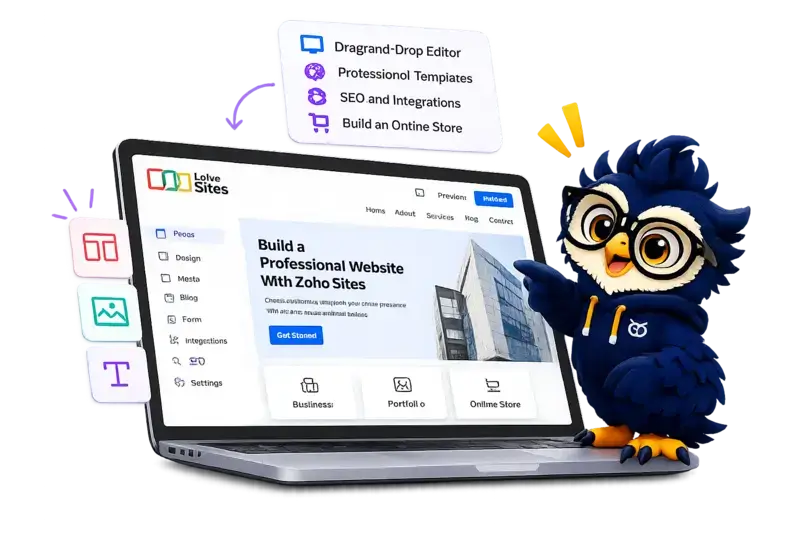
Zoho Sites at a Glance
Zoho Sites combines visual website building with business-focused tools. Here’s what stands out before we look at its features, pricing, and limitations.
Main Advantage
An easy-to-use website builder with customizable templates and built-in business tools.
Main Consideration
Design flexibility and advanced features may be more limited than with some competing builders like Elementor.
Best For
Beginners & Small Businesses
Create professional websites without extensive coding or development skills.
Building Experience
AI Assisted Creation
Generate a starting design, then refine it with available editing tools.
Website Management
Built-In Business Tools
Manage website content and connect with other Zoho services.
Website Type
Business, Portfolio & Store
Suitable for common website projects, subject to available features and plan limits.

Zoho Sites
Build and manage a website with visual editing tools and integrated business features.
Disclosure: ElegantEspace is supported by readers like you. We may earn an affiliate commission when you purchase through our links. Commissions do not affect our editors’ opinions or evaluations.
What Is Zoho Sites?
Zoho Sites is an AI-powered website builder that helps you create, customize, and manage websites without starting from a blank page.
Its latest platform goes beyond traditional drag-and-drop editing, combining AI website generation, visual design controls, structured content management, and business integrations in one place.
Instead of manually designing every page, you can describe your business and the website you want to build.
Zoho Sites can generate the website structure, navigation, page layouts, written content, images, and styling. You can then refine the result using its visual editor or continue making changes with AI assistance.
What Can You Build With Zoho Sites?
Zoho Sites supports more than basic business websites. Its newer capabilities make it suitable for several types of projects:
- Business websites: Present your company, showcase services, collect leads, and connect enquiries with your CRM.
- Landing pages: Create focused pages for marketing campaigns, product launches, and promotions.
- Blogs and content hubs: Publish articles, news, and resource libraries with structured content management.
- Directories and catalogs: Organize products, properties, events, services, or other listings using Collections.
- Dynamic websites: Generate multiple pages from a reusable layout and structured data, making larger websites easier to maintain.
- Member and partner portals: Create restricted-access spaces for communities, affiliates, dealers, or business partners.
These use cases reflect Zoho Sites’ current feature set, although the exact capabilities available to you depend on the plan and configuration.
Key Features of Zoho Sites
Zoho Sites combines AI-powered website creation with visual editing, dynamic content management, and business integrations. Here are the key features that make it worth considering.
AI-Powered Website Generation
Create a website by describing your business and requirements in a prompt.
- Generate website layouts, navigation, and page content.
- Get an initial design without starting from a blank page.
- Customize the generated website to match your brand.
AI-Assisted Editing With Ask Zia
Use natural-language instructions to make supported website changes.
- Update website content and styling with AI assistance.
- Refine existing pages without rebuilding them.
- Switch to the visual editor when you want more direct control.
Visual Drag-and-Drop Editor
Customize your website using visual editing tools instead of writing code for every change.
- Adjust layouts, colors, typography, and spacing.
- Add and customize website elements.
- Preview responsive layouts.
- Use custom CSS for additional styling where supported.
Collections and Dynamic Pages
Manage structured content and use it to create multiple pages from reusable layouts.
- Organize listings, services, team members, or events in Collections.
- Generate individual pages from a shared layout.
- Update structured content without manually editing every page.
Responsive Design and Templates
Build websites that adapt to different screen sizes.
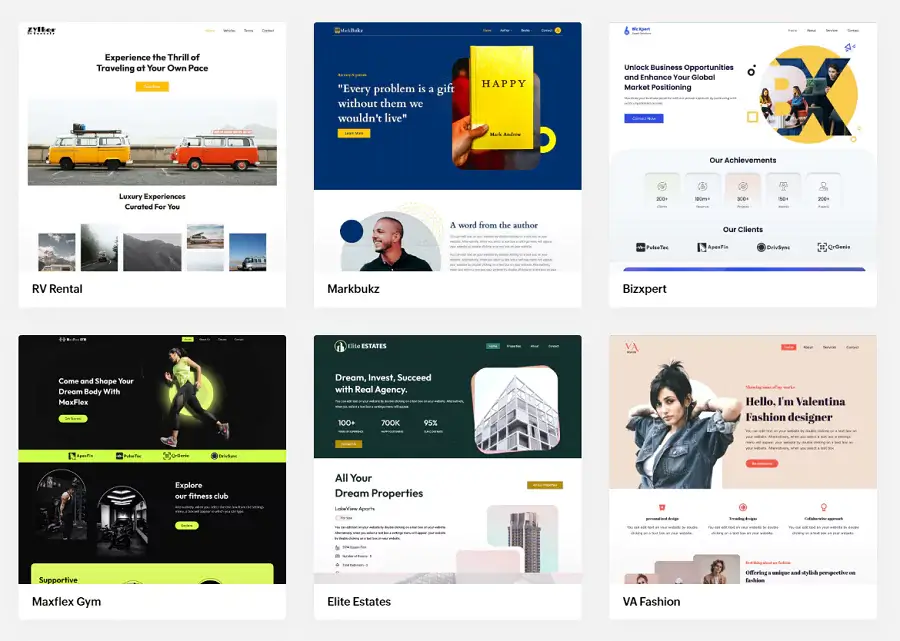
- Start with available templates and prebuilt sections.
- Customize the design to match your brand.
- Preview how pages appear on desktop, tablet, and mobile.
Zoho Integrations and MCP Support
Connect your website with compatible business applications and AI tools.
- Integrate with supported Zoho services.
- Connect compatible AI tools through MCP.
- Use supported integrations to simplify website-related workflows.
Forms and Lead Generation
Collect enquiries and connect website visitors with your business.
- Add contact and enquiry forms.
- Collect information from potential customers.
- Connect forms with supported Zoho applications, including Zoho CRM.
Custom Widgets and Developer Extensions
Extend your website when the standard editor isn’t enough.
- Build custom React-based widgets using supported development tools.
- Add specialized components to your website.
- Explore available extensions through the Zoho Sites Marketplace.
Zoho Sites Pricing and Plans
Zoho Sites offers four paid plans, ranging from a simple one-page website to larger websites with more content, forms, and storage.
The main difference is how much room each plan gives you to build and manage your website.
The paid plans usually include:
- Hosting
- AI credits
- SSL
- Premium templates
- Domain connection
- SEO tools
- Business integrations
Accepted Payment Methods
- Major Credit & Debit Cards: Include Visa, MasterCard, American Express, and Discover.
- PayPal: Available in some regions (not always shown by default; usually offered upon request at checkout or via support).
- Bank transfers
Zoho Sites Pros and Cons
- Beginner-Friendly Editor: Build and customize pages visually without extensive coding.
- Hosting Included: Publish your website without purchasing separate hosting.
- Zoho Ecosystem Integration: Connect with supported Zoho apps for business workflows.
- Responsive Website Designs: Create websites that adapt to different screen sizes.
- AI-Powered Website Creation: Generate an initial website structure and refine it with supported AI tools.
- Less Flexibility Than WordPress: Advanced layouts and functionality may require extra customization.
- Plan-Based Limits: Page counts, storage, bandwidth, and other allowances vary by subscription.
- Not Ideal for Every Online Store: Businesses with complex ecommerce requirements should evaluate the available commerce features carefully.
- Smaller Extension Ecosystem: Users who rely on a wide range of third-party plugins may prefer a more extensible platform.
Who Should Use Zoho Sites?
Zoho Sites is best suited to people and businesses that want to build a professional website without managing a complicated technical setup.
Its visual editor, built-in hosting, and connections with supported Zoho apps make it particularly useful for service-based businesses and teams already using the Zoho ecosystem.
Zoho Sites Is Best For
- Small Business Owners: Create a professional website to showcase services, share business information, and generate leads without hiring a developer.
- Freelancers: Build a portfolio, promote your services, and give potential clients an easy way to contact you.
- Coaches and Consultants: Create service pages, landing pages, and enquiry forms to attract potential clients.
- Agencies: Build business websites for clients using visual editing tools and reusable page layouts.
- Beginners: Get started with website creation without needing extensive coding knowledge.
- Existing Zoho Users: Connect your website with supported Zoho applications to bring your website and business workflows closer together.
Who Should Avoid Zoho Sites?
Although Zoho Sites works well for many business websites, it may not be the right fit if you need extensive customization, advanced functionality, or greater control over your website.
Consider an alternative if you need:
- Advanced Customization: Full control over your website's code, architecture, and functionality.
- Complex eCommerce: Advanced online store features, extensive product options, or a highly customized checkout experience.
- Extensive Plugin Support: A large ecosystem of third-party plugins to extend your website.
- Advanced Membership Features: Custom user roles, complex access rules, or specialized membership workflows.
- Content-Heavy Blogging: More advanced publishing workflows, editorial tools, and content management flexibility.
What Should You Use Instead?
Is Zoho Sites Good For SEO?
Yes, Zoho Sites offers useful SEO tools for businesses that want to improve their visibility in search results.
It covers many essential optimization tasks, making it a practical option for business websites and smaller content projects.
SEO Features In Zoho Sites
- Meta Titles and Descriptions: Customize page metadata to help search engines understand your content.
- XML Sitemaps: Help search engines discover your website's pages.
- Robots.txt and Indexing Controls: Manage which parts of your website search engines can crawl.
- Structured Data: Add schema markup to help search engines interpret your content.
- 301 Redirects: Redirect old URLs when pages move or change.
- SEO Reports and Analytics: Review optimization opportunities and monitor website traffic.
Zoho Sites also offers AI-assisted SEO metadata generation in its new website-building experience. Actual feature availability may depend on the platform version you’re using.
Real Use Cases
Zoho Sites is a practical choice for businesses that need a professional online presence without managing a complex technical setup.
Its suitability depends on the size of your project, the features you need, and how much flexibility you expect.
Where Zoho Sites Works Well
- Consultant Websites: Showcase expertise, services, client testimonials, and contact information.
- Coaching Websites: Promote coaching programs, explain your services, and collect enquiries.
- Agency Websites: Present services, portfolios, case studies, and lead-generation forms.
- Small Business Websites: Share business details, service offerings, opening hours, and contact information.
- Real Estate Websites: Create property listings and property-focused landing pages using suitable layouts and content features.
- Portfolio Websites: Display creative work, projects, and professional achievements.
- Local Service Businesses: Attract potential customers with service pages, enquiry forms, and business information.
- Startup Launch Pages: Introduce a new product, explain its value, and collect early interest.
Where Another Platform May Be a Better Fit
- Large Affiliate Blogs: WordPress offers extensive publishing tools, SEO plugins, and affiliate marketing integrations.
- News and Editorial Websites: WordPress provides a more mature ecosystem for complex publishing workflows and multiple contributors.
- Marketplace Platforms: Projects requiring multiple sellers, custom transactions, and complex user roles often need a more extensible platform or custom development.
- Large eCommerce Stores: Shopify or WooCommerce may be better suited to advanced product management, checkout customization, and extensive commerce integrations.
Final Verdict: Is Zoho Sites Worth It?
Zoho Sites is a solid choice for beginners, freelancers, and small businesses that want to build a professional website without dealing with unnecessary technical complexity. Its visual editor, built-in hosting, and integration with supported Zoho apps make it a practical option for establishing an online presence.
However, it’s not the right fit for everyone. If you need extensive design freedom, advanced functionality, or a large ecosystem of plugins and integrations, WordPress with Elementor may be a better long-term investment.
Choose Zoho Sites if you value simplicity, want to launch a business website quickly, and prefer a more managed website-building experience.
Choose WordPress if you want greater control over customization, content management, and future expansion.
Ultimately, Zoho Sites is a practical starting point for many small businesses. The best choice depends on whether you value simplicity or flexibility more.
Zoho Sites Frequently Asked Questions
1. Is Zoho Sites free to use?
Zoho Sites offers paid plans with different limits for pages, storage, bandwidth, and features. Check its official pricing page for current plans and any available trial options.
2. Is Zoho Sites good for beginners?
Yes. Its visual website editor and ready-made templates help beginners create professional websites without extensive coding knowledge.
3. Is Zoho Sites good for SEO?
Zoho Sites provides essential SEO tools to help optimize website pages.
Your search rankings will still depend on content quality, technical optimization, competition, and backlinks.
4. Can I use my own domain with Zoho Sites?
Yes. You can connect a custom domain to your website.
Domain-related options and requirements may vary depending on your plan.
5. Is Zoho Sites better than WordPress?
It depends on your needs. Zoho Sites is suitable for users who prefer a managed, straightforward website-building experience.
WordPress with Elementor offers greater customization flexibility and a wider ecosystem of plugins, making it attractive for content-heavy websites and projects with more complex requirements.
User Reviews & Ratings On Zoho
There are no reviews yet. Be the first one to write one.
Zoho Sites Alternative

Wix
Best for design flexibility
A visual website builder with extensive templates, drag-and-drop editing, and AI-powered design tools. A good choice if you want more creative control.

Shopify
Best for online stores
Provides dedicated ecommerce tools for managing products, inventory, orders, payments, tracking, analytics, and sales across channels.