
- October 2026
Webflow vs WordPress: Which Should You Choose?
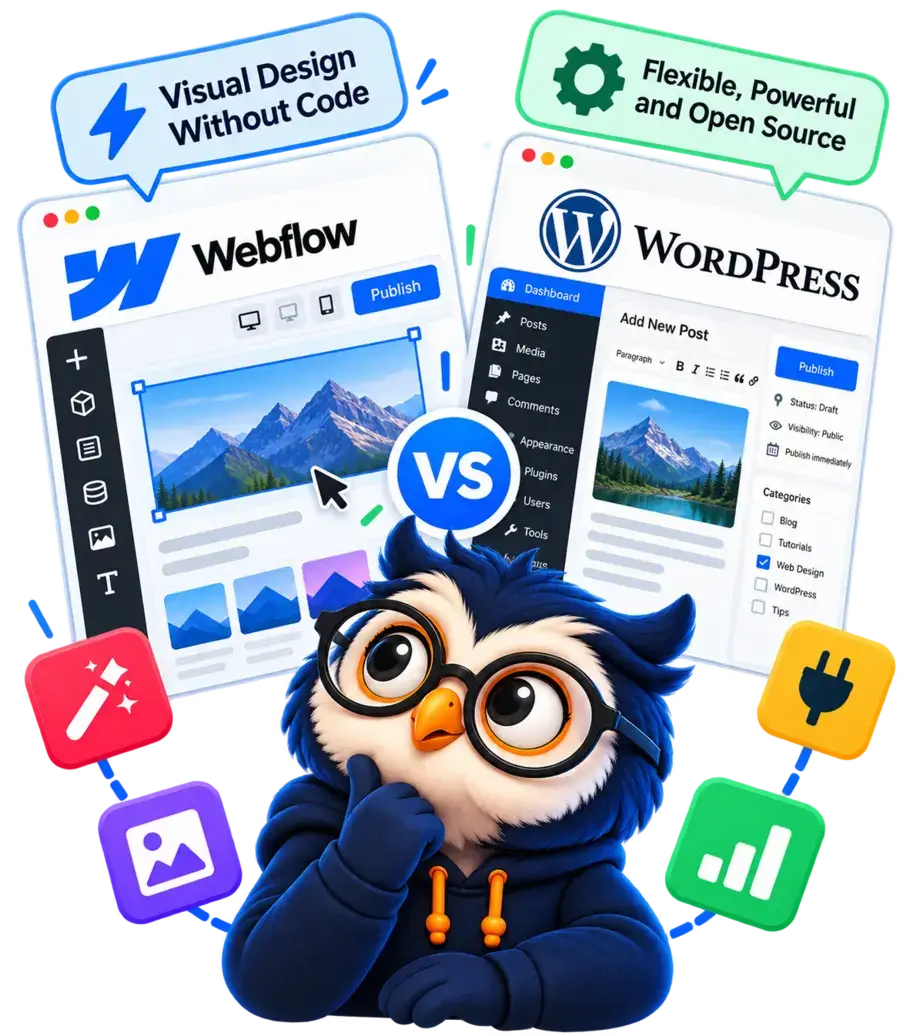
Webflow offers powerful visual design tools, while WordPress delivers greater flexibility and control. Compare pricing, design, SEO, blogging, and e-commerce to find the right platform for your website.
- Compare design tools, ease of use, and customization.
- Explore pricing, SEO, blogging, and e-commerce.
- Discover which platform fits your goals and experience level.
Helping beginners build websites since 2017
400K+
Readers Helped
Updated for 2026
Latest Method
100%
Beginner Friendly
Webflow vs WordPress: Quick Comparison
Both can build excellent websites, but they suit different needs.
| Feature | Webflow | WordPress |
|---|---|---|
|
Ease of use |
Visual editor with a learning curve |
Flexible, but requires some learning |
|
Hosting |
Managed hosting options |
Purchased separately |
|
Customization |
Visual design tools and custom code |
Themes, page builders, and custom code |
|
SEO |
Built-in SEO settings |
SEO plugins and technical customization |
|
Blogging |
CMS for structured content |
Extensive publishing flexibility |
|
E-commerce |
Integrated store features on eligible plans |
WooCommerce and other solutions |
|
Security and maintenance |
Much of the platform is managed |
Shared responsibility with your host |
|
Scalability |
Suitable for many business websites |
Highly extensible with the right setup |
|
Ownership and portability |
Export options vary by content and feature |
Greater access to files and database |
|
Pricing |
Subscription-based plans |
Costs depend on hosting and add-ons |
Choose Webflow if you want detailed visual design control, integrated hosting options, and a streamlined website-building workflow. It’s a strong option for designers, portfolios, and marketing websites.
Choose WordPress.org if you want greater control over hosting, content, plugins, and functionality. It’s particularly suitable for bloggers, affiliate marketers, publishers, and businesses with evolving needs.
The Bottom Line:
Webflow prioritizes visual design control and a streamlined website-building experience, while WordPress.org prioritizes flexibility, customization, and control. In the sections below, we'll compare their features, pricing, SEO capabilities, and practical differences to help you decide which platform is right for your website.
Disclosure: ElegantEspace is supported by readers like you. We may earn an affiliate commission when you purchase through our links. Commissions do not affect our editors’ opinions or evaluations.
What Is Webflow?
Webflow is a visual website-building platform that combines web design tools, content management, and publishing capabilities.
It lets you create professional websites through a visual interface without having to write every line of HTML and CSS manually.
Unlike traditional website builders that primarily rely on predefined templates and simple drag-and-drop controls, Webflow gives you detailed control over layouts, typography, spacing, responsive behavior, and other design properties.
Webflow also offers a content management system (CMS) for structured content, such as blog posts, project portfolios, and team profiles.
With its hosting and publishing options, you can design and launch a website within the same ecosystem.
How Webflow Works
Webflow’s visual Designer lets you build a website by adding elements, arranging layouts, and adjusting their styling through a visual interface. Behind the scenes, the platform generates the website code.
Here’s how the process works:
1. Design Visually
Build page layouts, style elements, and create responsive designs using a visual canvas.
2. Manage Content
Use the CMS to organize structured content such as blog posts, projects, and team profiles.
3. Adapt for Devices
Adjust layouts for different screen sizes and preview how your pages will appear.
4. Publish Online
Publish through Webflow's hosting options and connect a custom domain with an eligible plan.
Pros and Cons of Webflow
- Detailed visual design control
- Responsive layout tools
- Built-in CMS capabilities
- Hosting and publishing in one ecosystem
- Less server-level maintenance
- Learning curve for beginners
- Paid plans may be needed for key features
- Less freedom over the underlying platform
- Advanced projects may require code
- Moving platforms can require rebuilding
Who Should Use Webflow?
Webflow is a good fit for:
- Web designers and creative agencies that need detailed control over visual presentation.
- Freelancers and portfolios that want polished, customized project showcases.
- Businesses and startups that need distinctive marketing websites.
- Design-focused teams that want to build and publish websites within an integrated platform.
Webflow may be less suitable if your primary goal is to run a content-heavy website with extensive plugin requirements or to control every aspect of your hosting environment.
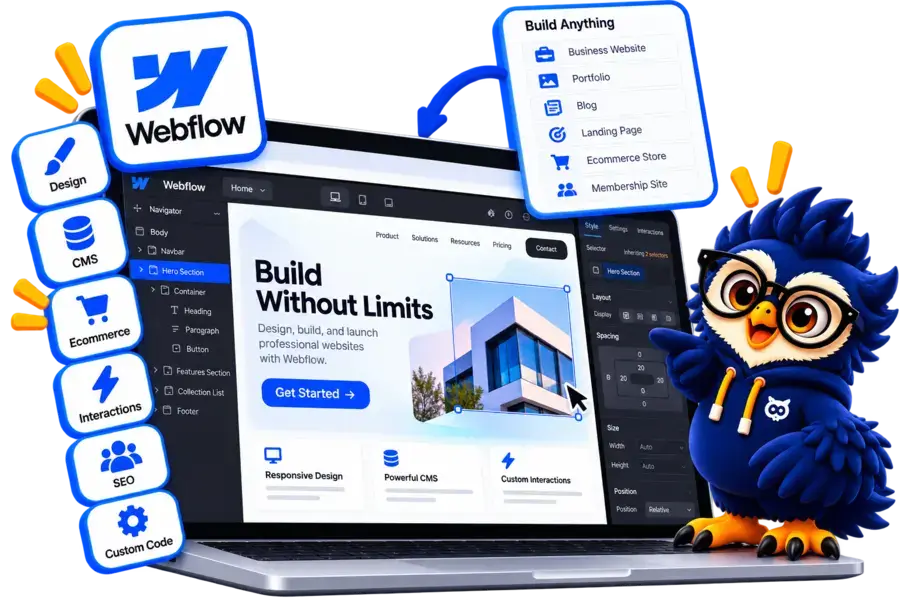
Ready to Build Your Website with Webflow?
Create a professional website with powerful visual design tools, customizable layouts, and integrated website management. Explore Webflow to see if it fits your website goals.
What Is WordPress.org?
WordPress.org is a free, open-source content management system (CMS) that lets you create and manage websites.
Unlike an all-in-one website platform, WordPress.org software is installed on a hosting environment that you choose, giving you greater control over how your website is built and maintained.
You can use WordPress to create blogs, business websites, portfolios, affiliate websites, online stores, membership platforms, and many other types of projects.
One of its biggest strengths is its ecosystem of themes and plugins.
Themes control much of your website’s appearance, while plugins add functionality such as SEO tools, contact forms, online payments, security features, and advanced content management.
How Does WordPress.org Work?
WordPress separates the core website software from the hosting and tools you use.
Here’s how the process typically works:
1. Choose Hosting
Register a domain and choose a hosting provider for your WordPress website.
2. Design Your Site
Choose a theme and customize pages using the block editor or a page builder.
3. Add Functionality
Install plugins for SEO, forms, e-commerce, security, and other features.
4. Publish and Grow
Publish content, optimize your website, and expand its functionality over time.
Pros and Cons of WordPress.org
- Free, open-source software
- Extensive themes and plugins
- Flexible hosting choices
- Strong publishing and SEO options
- Greater access to site files
- Hosting and domain cost extra
- More setup and learning
- Updates and backups need planning
- Plugin compatibility can be an issue
- Total costs vary by setup
Who Should Use WordPress.org?
WordPress.org is particularly suitable for:
- Bloggers and publishers who want flexible content management.
- Affiliate marketers who need product reviews, comparison articles, internal linking, and SEO tools.
- Businesses that want customizable pages and integrations.
- E-commerce businesses that need extensive store functionality through WooCommerce or other tools.
- Developers and agencies that want more control over website implementation.

Ready to Build Your WordPress Website?
Choose the right hosting provider to get your WordPress website online. Compare beginner-friendly plans, essential features, pricing, and performance before you decide.
Compare WordPress Hosting
Webflow vs WordPress: Which Is Easier to Use?
Ease of use matters when choosing a website platform, especially if you’re building your first website or plan to manage it yourself.
Both Webflow and WordPress.org let you create professional websites without writing all the code manually, but their editing experiences are different.
Webflow centers its workflow around a visual Designer with detailed layout and styling controls.
WordPress.org offers a block editor, themes, and page builders, giving you several ways to create and manage your website.
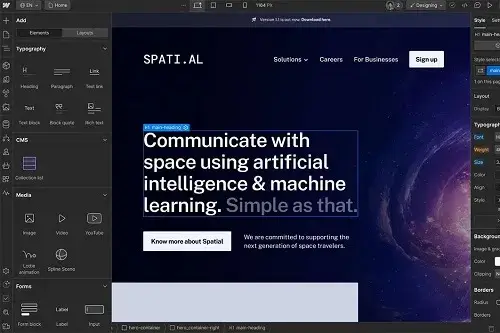
Webflow
Design directly on a visual canvas with detailed controls over layout and styling.
- Visual designSee and adjust layouts as you build.
- Precise controlsManage spacing, typography, and responsive behavior.
- Learning curveUnderstanding layout concepts such as CSS can take time.
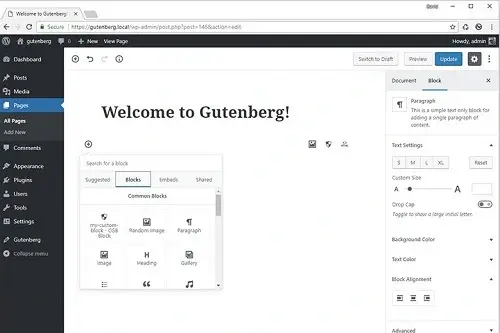
WordPress.org
Choose from the block editor, themes, and page builders to create your website.
- Multiple editing optionsBuild pages with blocks or visual page builders.
- Familiar publishingCreate posts, pages, and menus through the dashboard.
- Setup and maintenanceHosting, plugins, and updates require some management.
Webflow vs WordPress: Ease of Use Compared
| Task | Webflow | WordPress |
|---|---|---|
|
Website setup |
Create a project within the platform |
Arrange hosting and install WordPress |
|
Page editing |
Visual Designer |
Block editor, themes, and page builders |
|
Design learning curve |
Requires learning detailed design controls |
Depends on the editor, theme, and tools |
|
Blogging workflow |
CMS collections and content editing |
Posts, pages, categories, and tags |
|
Technical maintenance |
Much of the infrastructure is managed |
Updates, backups, and hosting need attention |
|
Best suited to |
Design-focused workflows |
Flexible publishing and varied workflows |
The Verdict: It's a Tie
Webflow wins for visual design control, while WordPress.org wins for flexible content publishing and editing options. Neither platform is universally easier to use. The better choice depends on whether you prioritize visual design or content management.
Webflow vs WordPress: Design and Customization
Design flexibility matters if you want your website to reflect your brand, deliver a polished user experience, and stand out from competing websites.
Both Webflow and WordPress.org support extensive customization, but they approach it differently.
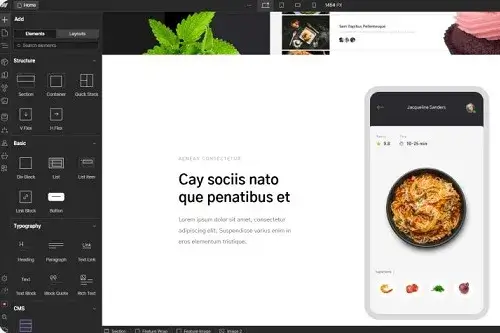
Webflow provides detailed visual design controls within its Designer, while WordPress lets you combine themes, page builders, plugins, and custom code.
Webflow
Fine-grained control over layouts, styling, and responsive behavior directly in the visual Designer.
- Visual layout controlAdjust spacing, sizing, positioning, and layout properties.
- Responsive designCustomize layouts for different screen sizes.
- Animations and interactionsCreate polished visual effects using built-in tools.
- Platform constraintsSome advanced functionality requires custom code or external integrations.
WordPress.org
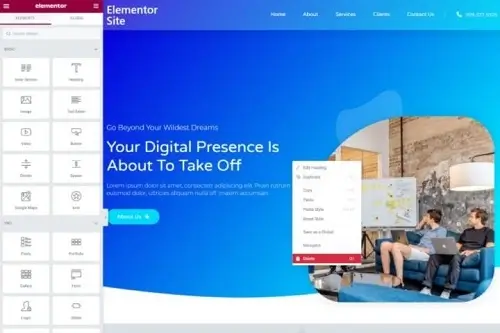
Combine themes, page builders, plugins, and custom code to build different types of websites.
- Themes and page buildersChoose from many design approaches and editing tools.
- Plugin ecosystemExtend website functionality beyond the core platform.
- Custom developmentModify code and build specialized features when needed.
- More moving partsDesign consistency and compatibility depend on your chosen tools and setup.
Webflow vs WordPress: Design Compared
| Design Feature | Webflow | WordPress |
|---|---|---|
|
Visual design controls |
Detailed controls in the native Designer |
Extensive controls with visual page builders and custom code |
|
Layout customization |
Precise visual layout editing |
Flexible layouts with page builders, themes, and code |
|
Responsive design |
Visual breakpoint controls |
Responsive design controls through page builders and CSS |
|
Animations and interactions |
Built-in visual interactions and animation tools |
Animations and interactions through plugins, builders, and code |
|
Templates and themes |
Curated Webflow template marketplace |
Large ecosystem of free and premium themes |
|
Advanced customization |
Custom code and supported integrations |
Plugins, themes, APIs, and unrestricted access to custom development |
|
Best suited to |
Design-led websites built with visual precision |
Websites requiring extensive design freedom and room to expand |
The Verdict: WordPress.org Wins for Design and Customization
WordPress.org wins for overall design flexibility and customization options. Its extensive selection of themes, page builders such as Elementor, plugins, and custom development tools gives you more ways to build and modify your website.
Webflow vs WordPress: Which Offers Better Features and Flexibility?
Webflow and WordPress.org both let you build professional websites, but they take different approaches.
Webflow combines visual design, content management, and publishing tools in an integrated platform.
WordPress.org offers an open-source foundation that you can extend with plugins, themes, integrations, and custom development.
Webflow
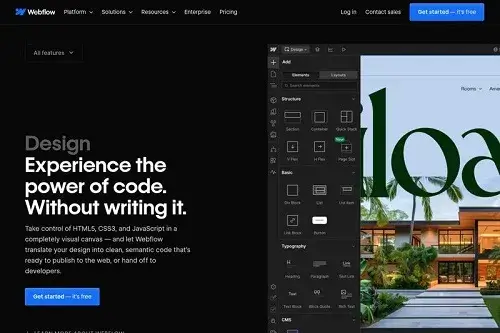
An integrated website-building platform with visual design, CMS, hosting, and built-in interactions.
- Integrated toolsDesign, publishing, CMS, and hosting options in one platform.
- Visual interactionsCreate animations and interactive effects with visual tools.
- Platform ecosystemExtensions and integrations are available, but the overall ecosystem is more limited than WordPress's plugin ecosystem.
WordPress.org
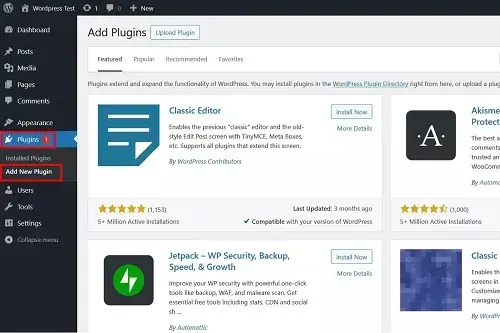
An open-source CMS with an extensive ecosystem of plugins, themes, integrations, and custom development options.
- Extensive plugin ecosystemAdd forms, memberships, bookings, analytics, SEO tools, and more.
- Flexible integrationsConnect services and build custom workflows through plugins, APIs, and code.
- Room to expandBuild blogs, stores, directories, membership sites, and custom web applications.
Webflow vs WordPress: Features Comparison
| Feature | Webflow | WordPress |
|---|---|---|
|
Content management |
Visual CMS for structured content |
Flexible CMS with posts, pages, custom content types, and taxonomies |
|
Plugins and extensions |
Apps and supported integrations |
Extensive plugin ecosystem |
|
Memberships and bookings |
Available through supported integrations and services |
Wide choice of plugins and custom integrations |
|
E-commerce |
Integrated store features |
WooCommerce and other solutions |
|
Custom functionality |
Depends on available platform features |
Custom code, APIs, and plugins |
|
Setup and management |
More centralized |
More choices to configure |
|
Ongoing compatibility |
Managed within the platform, depending on features |
Requires plugin and theme compatibility checks |
Our Verdict: WordPress Wins
WordPress.org wins for overall features and flexibility. Its large plugin ecosystem, open-source foundation, and custom development options make it suitable for a wider range of website types and specialized requirements.
Webflow vs WordPress: Pricing Compared
Pricing is an important factor when choosing between Webflow and WordPress.org.
Webflow uses paid site plans that bundle hosting and platform features, while WordPress.org is free software that you install with a hosting provider.
The real cost depends on the type of website you build, the features you need, and how much maintenance you handle yourself.
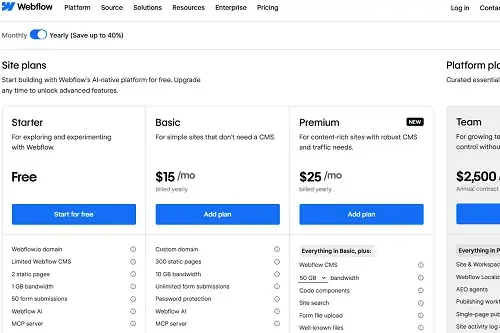
Webflow
A subscription bundles hosting and platform features into one plan.
- Free plan available
- Hosting included
- Premium plans for custom domains
- Paid plans for additional features
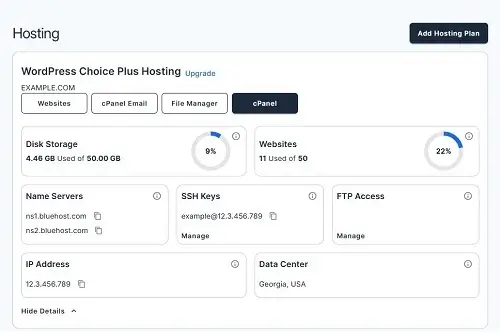
WordPress.org
Choose your hosting, domain, and optional tools to match your budget.
- Free open-source software
- Choose your hosting plan
- Free and paid themes or plugins
- Optional maintenance expenses
Webflow vs WordPress: Cost Comparison
| Expense | Webflow | WordPress |
|---|---|---|
|
Website software |
Included in the platform |
Free, open-source software |
|
Hosting |
Included in paid plans |
Purchased separately |
|
Custom domain |
Requires an eligible plan or domain arrangement |
Usually purchased separately |
|
Templates and themes |
Templates included; some extras may cost more |
Free and paid themes available |
|
Additional features |
Some apps or features may cost extra |
Free and paid plugins available |
|
E-commerce |
Requires a plan that supports selling |
WooCommerce or another solution, with possible additional costs |
|
Maintenance |
Much of the platform infrastructure is managed |
Depends on your hosting and maintenance arrangements |
Our Verdict: It Depends on Your Needs
There is no universal winner on price. Webflow can be more convenient if you want hosting and essential website tools bundled into one subscription. WordPress.org may cost less for a basic website, particularly if you choose affordable hosting and free tools.
Webflow vs WordPress: SEO Compared
Search engine optimization (SEO) helps search engines discover, understand, and rank your website’s content.
Both Webflow and WordPress.org support essential SEO practices, including page titles, meta descriptions, clean URLs, sitemaps, and structured data.
The main difference is how you manage and extend these capabilities.
Webflow includes many SEO controls directly in its platform, while WordPress.org offers a broader ecosystem of specialized SEO plugins and technical customization options.
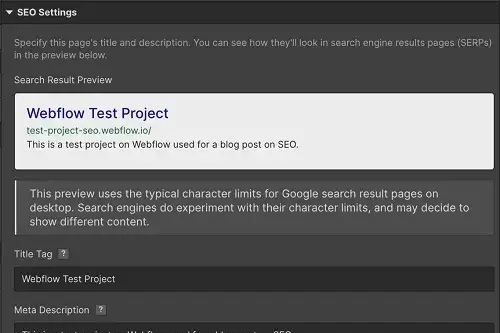
Webflow
Built-in SEO controls for managing essential search settings without installing separate plugins.
- Page titles and meta descriptions
- XML sitemap generation
- Canonical URLs and redirects
- Robots directives and indexing controls
- Structured data and image alt text
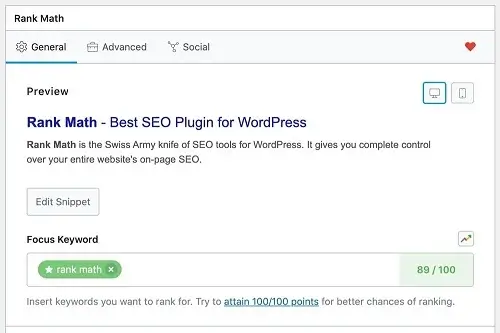
WordPress.org
Combine publishing tools, SEO plugins, and technical customization.
- SEO plugins such as Yoast SEO and Rank Math
- Custom titles, meta descriptions, and schema
- Flexible URL structures and redirects
- Content organization and internal linking
- Technical SEO customization through plugins and code
Webflow vs WordPress: SEO Comparison
| SEO Factor | Webflow | WordPress |
|---|---|---|
|
Title tags and meta descriptions |
Built-in controls |
Core features and SEO plugins |
|
URL customization |
Supported |
Flexible permalink settings |
|
XML sitemaps |
Generated automatically |
Available through WordPress and SEO tools |
|
Structured data |
Built-in options and customization |
Plugins and custom implementation |
|
Redirect management |
Built-in redirect tools |
Plugins, hosting tools, or server configuration |
|
Content optimization |
Built-in tools and integrations |
Extensive plugin and editorial options |
|
Technical SEO |
Many settings built in |
More freedom to customize |
|
SEO workflow at scale |
Centralized platform tools |
Flexible workflows through plugins and integrations |
Our Verdict: WordPress Wins for SEO
WordPress.org wins because it offers a wider choice of SEO plugins, content optimization workflows, and technical customization options.
Webflow already covers many essential SEO requirements, so you do not need to add plugins just to optimize a typical website.
Neither platform guarantees higher rankings. Content quality, search intent, site performance, and backlinks still matter.
Webflow vs WordPress: E-commerce Compared
Webflow and WordPress.org can both power online stores, but their e-commerce approaches differ.
Webflow integrates store management with its visual design platform, making it convenient to create a cohesive shopping experience.
WordPress.org uses plugins such as WooCommerce to provide a flexible foundation for selling products and expanding store functionality.
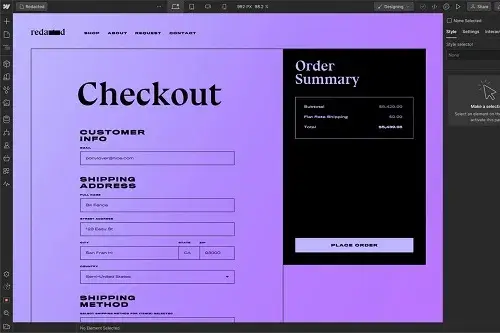
Webflow
An integrated approach to designing and managing a visually polished online store.
- Visual product page design
- Product and inventory management
- Checkout and payment integrations
- Store layouts within the Webflow Designer
- Built-in hosting and site management options
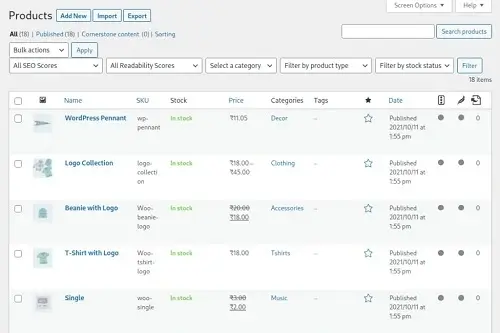
WordPress.org
A customizable e-commerce setup with extensive extensions and control over store functionality.
- Physical and digital products
- Flexible shipping, tax, and payment options
- Subscriptions and memberships through extensions
- Large ecosystem of store extensions
- Custom checkout and integration options
Webflow vs WordPress: E-commerce Features Compared
| Feature | Webflow | WordPress |
|---|---|---|
|
Store setup |
Integrated e-commerce tools |
WooCommerce plugin and extensions |
|
Product page design |
Visual design through Webflow Designer |
Flexible design through themes, builders, and custom code |
|
Product management |
Products, variants, and inventory tools |
Products, variations, inventory, and extensions |
|
Payments |
Supported payment providers |
Multiple payment gateways through extensions |
|
Shipping and taxes |
Available store settings and supported integrations |
Extensive shipping and tax extensions |
|
Customization |
Webflow’s e-commerce features and supported integrations |
Broad plugin ecosystem, APIs, and custom development |
|
Subscriptions and memberships |
Available through WooCommerce extensions and plugins |
You are responsible for hosting, updates, backups, and security arrangements |
|
Best for |
Beginners and businesses wanting an integrated solution |
Stores needing greater control, customization, or specialized features |
Our Verdict: WordPress Wins For E-Commerce Flexibility
WordPress.org with WooCommerce wins for overall e-commerce flexibility.
It supports a wide range of products, payment gateways, shipping methods, subscriptions, and specialized store features through extensions and custom development.
Webflow is a strong option for visually focused stores with straightforward requirements, but WooCommerce offers more ways to expand a store’s functionality.
Webflow vs WordPress: Which Offers Better Performance and Website Speed?
Website speed affects visitor experience, conversions, and search performance. Both Webflow and WordPress.org can power fast websites, but the way you optimize them differs.
Webflow provides a managed hosting environment with integrated delivery features, reducing the amount of server configuration required.
WordPress.org lets you choose your hosting provider and control more of the technical setup, including caching, image optimization, scripts, and server-level settings
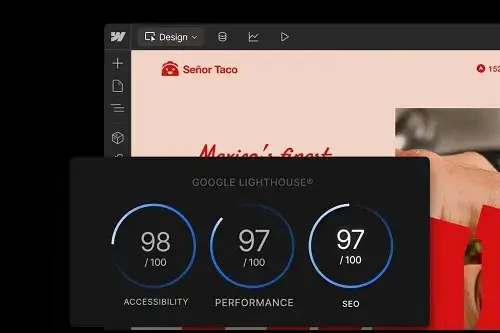
Webflow
Managed hosting and an integrated publishing environment simplify performance management.
- Managed hosting infrastructure
- CDN delivery for supported hosted sites
- Responsive image handling
- Control over page layouts and interactions
- Less server-level configuration
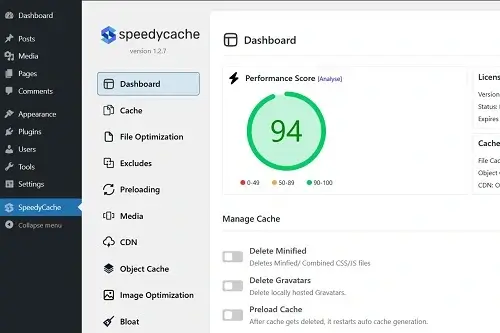
WordPress.org
More control over hosting, caching, code, and the technical stack used to deliver pages.
- Choose hosting and server configuration
- Configure caching and CDN services
- Optimize images, scripts, and stylesheets
- Control plugins and page-building assets
- Tune performance through custom code
Webflow vs WordPress: Performance Compared
| Performance Factor | Webflow | WordPress |
|---|---|---|
|
Hosting infrastructure |
Included and managed by Webflow |
Choose hosting and server settings |
|
Server configuration |
Limited direct control |
Greater control, depending on your hosting plan |
|
Caching and optimization |
Many infrastructure features are managed for you |
Configure hosting features and compatible plugins |
|
Image optimization |
Built-in platform capabilities and supported tools |
Built-in capabilities, plugins, and CDN options |
|
CDN |
Platform-managed delivery capabilities |
Hosting-provided or separately configured CDN |
|
Performance tuning |
Convenient, with less technical control |
Extensive options for advanced optimization |
|
Maintenance |
Much of the infrastructure maintenance is handled by Webflow |
You manage WordPress, plugins, themes, and hosting-related tasks |
|
Best for |
Users who prefer managed performance |
Users who want more control over optimization |
Our Verdict: WordPress Wins for Performance Control
WordPress.org wins for optimization flexibility because you can choose your hosting, configure caching, control scripts, and fine-tune the site’s technical setup.
Webflow offers a simpler managed environment that can deliver excellent performance with less hands-on configuration.
Neither platform guarantees faster loading times without testing the actual website.
Webflow vs WordPress: Security and Maintenance Compared
Website security and maintenance affect how much time you spend managing your site after launch.
Webflow and WordPress.org handle these responsibilities differently.
Webflow is a managed platform that takes care of its underlying hosting infrastructure and platform maintenance.
WordPress.org is self-hosted software, so you have more control over your hosting environment but also more responsibility for keeping your website secure and up to date.
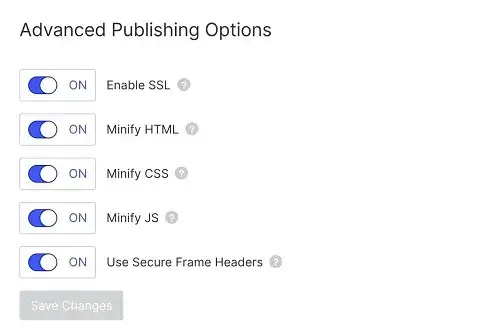
Webflow
Managed infrastructure with fewer routine server-management tasks for site owners.
- Managed hosting infrastructure
- Platform-managed updates and infrastructure maintenance
- SSL support for hosted websites
- Fewer plugin update responsibilities
- Less routine server administration
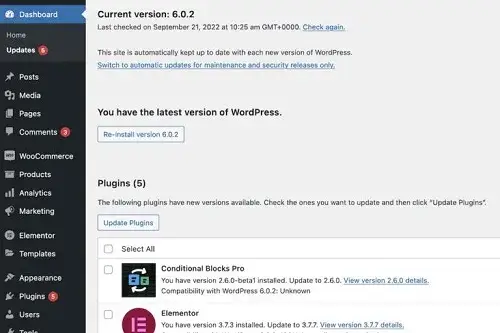
WordPress.org
Greater control over security and infrastructure, with more hands-on maintenance.
- Control over hosting and server configuration
- Core, theme, and plugin updates
- Backup schedules through hosting or plugins
- Security plugins and custom protection
- More responsibility for compatibility and maintenance
Webflow vs WordPress: Security and Maintenance Compared
| Feature | Webflow | WordPress |
|---|---|---|
|
Hosting security |
Managed by Webflow for hosted sites |
Depends on your hosting provider and configuration |
|
Platform updates |
Platform-managed |
Site owner manages WordPress updates |
|
Theme and plugin updates |
Managed within the Webflow ecosystem |
You must maintain installed themes and plugins |
|
Security tools |
Platform-provided protections and settings |
Choose from hosting features, security plugins, and other tools |
|
Backups and recovery |
Platform features and available recovery options |
Depends on your host, backup plugins, and recovery setup |
|
Access control |
Manage account access and permissions |
Manage WordPress users, roles, and hosting access |
|
Technical maintenance |
Generally lower |
Generally higher |
|
Best for |
Users who prefer managed upkeep |
Users who want more technical control |
The Verdict: Webflow Wins for Ease of Maintenance
Webflow wins for convenience because it manages the underlying hosting environment and platform updates, reducing the number of technical tasks website owners must handle.
WordPress.org wins on infrastructure control and customization, but that freedom comes with greater responsibility for updates, backups, security, and compatibility.
Webflow vs WordPress: Final Verdict
So, which is better: Webflow or WordPress.org?
WordPress.org is the better all-round choice for most website owners, especially bloggers, affiliate marketers, businesses, and anyone who wants extensive customization options.
Webflow is a strong alternative for designers and businesses that prioritize visual control and prefer a more integrated website-building experience.
Both platforms can build professional, responsive websites. The right choice comes down to how much flexibility, control, and hands-on management you want.
Choose Webflow If You Want:
- You prioritize visual design control
- You want integrated design and hosting
- You prefer less hands-on infrastructure maintenance
- You're building a portfolio or design-led website Explore Webflow
Choose WordPress If You Want:
- You want extensive customization options
- You're building a blog or affiliate website
- You need a broad plugin and integration ecosystem
- You want control over hosting and website files Get WordPress

