
- October 2026
WordPress vs Website Builder: Which Should You Choose?
Planning to build a website but unsure which platform to use? Compare WordPress and website builders to find the right fit for your budget, technical skills, design needs, and long-term goals.
Choose WordPress for greater control
Ideal for content-rich websites, blogging, affiliate marketing, and customization.
Choose a website builder for simplicity
Ideal for beginners who want visual editing and a more managed setup. Compare Platforms Explore Our Guides
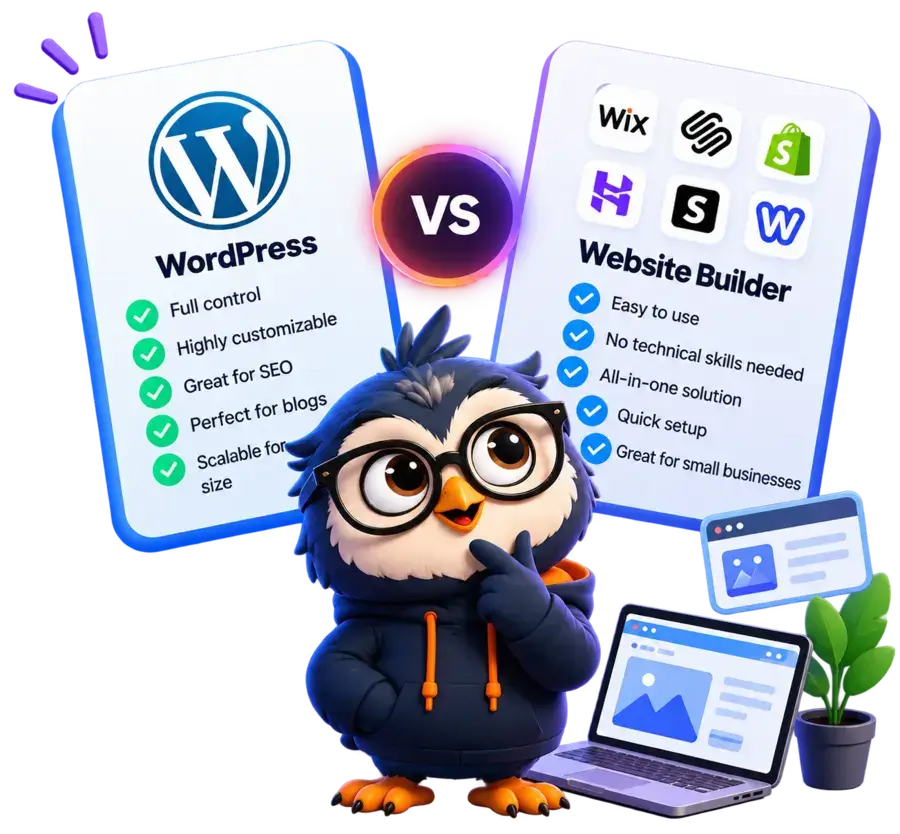
Helping beginners build websites since 2017
400K+
Readers Helped
Updated for 2026
Latest Method
100%
Beginner Friendly
WordPress vs Website Builder: Quick Comparison
Compare the most important features to find the right website platform for your needs.
| Plan Name | Website Builders | WordPress.org |
|---|---|---|
|
Ease of use |
Beginner-friendly, with visual drag-and-drop editing and a guided setup. |
Requires some learning, especially when configuring hosting, themes, and plugins. |
|
Core features |
Often includes built-in design, SEO, marketing, and business tools. |
Offers a large ecosystem of themes and plugins to extend functionality. |
|
Customization |
Customization depends on the builder’s features, editor, and available integrations. |
Extensive control over design and functionality through themes, plugins, and custom code. |
|
Hosting model |
Hosting, security infrastructure, and many technical tasks are typically managed by the platform. |
Self-hosted. You choose your hosting provider and have greater control over your website’s environment. |
|
Maintenance |
Generally requires less hands-on maintenance, as the provider manages much of the infrastructure. |
Updates, backups, security, and performance optimization may require your attention or help from your hosting provider. |
|
Cost |
Usually follows a subscription model, with pricing depending on the plan and additional features. |
May involve domain registration, hosting, and optional premium themes, plugins, or maintenance services. |
|
Ideal use cases |
Business websites, portfolios, personal sites, and online stores for users who prioritize simplicity. |
Blogs, affiliate websites, content-rich websites, online stores, and projects requiring greater flexibility. |
Quick Tip:
Choose a website builder for simplicity and convenience. Choose WordPress.org for greater flexibility and control over a growing website.
Disclosure: ElegantEspace is supported by readers like you. We may earn an affiliate commission when you purchase through our links. Commissions do not affect our editors’ opinions or evaluations.
What Is WordPress?
WordPress is a free, open-source content management system (CMS) that allows you to create, publish, and manage a website without building everything from scratch.
It powers a wide range of websites, including personal blogs, business websites, affiliate websites, portfolios, and online stores.
With self-hosted WordPress.org, you choose a web hosting provider, install WordPress, and customize your site using themes and plugins.
You can also use page builders such as Elementor to design pages visually instead of coding them manually.
One of WordPress’s biggest advantages is flexibility.
You can start with a simple website and add new features as your needs change, from contact forms and SEO tools to membership systems and e-commerce functionality.
However, that flexibility comes with some responsibility.
Depending on your hosting plan and setup, you may need to manage software updates, backups, security, and performance optimization. You should also account for the cost of hosting and any premium tools you choose.
Flexible Design
Customize layouts, colors, typography, and page structures with themes and page builders.
Extend Features
Add forms, analytics, SEO tools, memberships, and e-commerce through plugins.
SEO Control
Manage URLs, metadata, content structure, and technical SEO with suitable tools and configuration.
Room to Grow
Expand from a basic website into a larger content platform or online business.
WordPress: Pros and Cons
- Highly customizable, allowing you to adapt your website to your needs.
- Large theme and plugin ecosystem.
- Strong content publishing capabilities
- Greater control over hosting and website data
- Ideal for SEO and long-term growth.
- Takes time to learn and configure
- Updates, backups, and security need attention
- Premium themes, plugins, and hosting can add costs
- Plugin compatibility issues can cause problems.
Who Should Use WordPress?
WordPress is a strong option for bloggers, affiliate marketers, content publishers, and businesses that want extensive control over their website. It is particularly useful when you plan to publish content regularly, build organic search traffic, or add custom features over time.
What Is a Website Builder?
A website builder is a hosted platform that lets you create a website using a visual editor. You don’t need to worry about hosting, security, or updates because much of the technical infrastructure is managed for you.
Popular builders like Wix, Squarespace, Weebly, and Shopify provide ready-made templates, drag-and-drop tools, and built-in features to help you get online quickly, even if you have no technical experience.
Easy to Use
Drag-and-drop editors make it simple to design and manage your website, even without technical skills.
All-in-One Solution
Get hosting, security, templates, SEO tools, and customer support in one platform.
Quick Setup
Choose a template, customize it, and get your website online in a matter of hours or days.
Great for Small Businesses
Perfect for portfolios, online stores, personal sites, and local businesses.
Website Builder: Pros and Cons
- No coding or technical skills required.
- Fast and easy setup.
- Built-in tools for design, SEO, and marketing.
- Managed hosting, security, and updates.
- Limited customization compared to WordPress
- Dependence on the platform’s features and integrations.
- Ongoing subscription costs.
- Less control over your website's data & files

Is a Website Builder Right for You?
A website builder is a great option if you want a simple, hassle-free way to get online, especially for a personal website, portfolio, or small business.
WordPress vs Website Builder: 8 Comparisons
Which Is Easier to Use: WordPress or Website Builders?
Website builders generally offer a simpler starting point, while WordPress provides more flexibility once you become familiar with its tools.
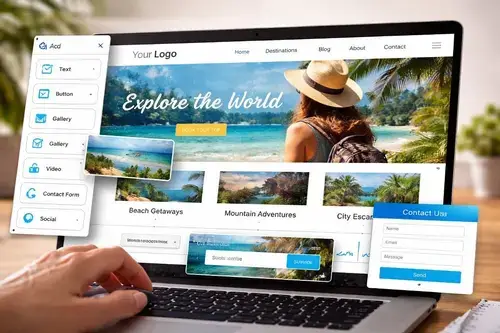
Website Builders
Most provide visual editors, ready-made templates, and guided setup so you can create pages without handling much technical configuration.
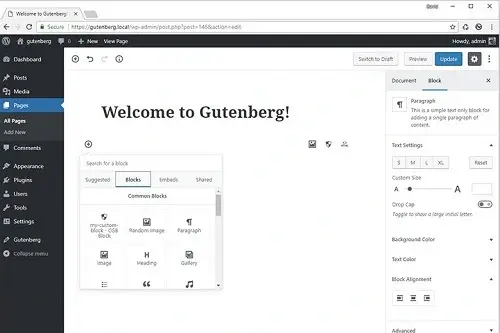
WordPress.org
You’ll need to become familiar with hosting, the dashboard, themes, plugins, and website settings. Visual editors such as Elementor can simplify page design.
Website Builders: Easier Setup for Beginners
Website builders are designed to make website creation simple.
Most offer visual editors, ready-made templates, and guided setup, allowing you to customize pages and publish your website without managing much technical configuration.
Depending on the platform, hosting, security, and updates are also handled for you.
This makes website builders a practical choice for beginners who want to launch a portfolio, personal website, or small business site quickly.
WordPress: More to Learn, More Control
WordPress.org involves a few additional steps, including choosing a hosting provider, configuring your website, and learning how to use themes and plugins.
However, you don’t need coding skills to get started. The built-in block editor and visual page builders such as Elementor make designing pages much easier.
Once you become familiar with the dashboard, WordPress offers extensive flexibility to customize your website, publish content, and add functionality as your needs grow.
Our Verdict: Website Builders Wins
Website builders generally win on initial simplicity because setup, visual editing, and hosting are often combined.
However, WordPress becomes easier to manage with practice, suitable hosting, and beginner-friendly tools.
Which Offers Better Customization: WordPress or Website Builders?
Both platforms let you build attractive websites, but WordPress generally offers greater freedom to customize design and functionality.
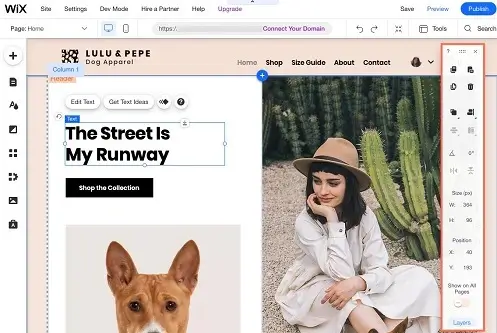
Website Builders
Customize templates, layouts, fonts, colors, and page elements using built-in visual editors.
- Ready-made design templates
- Visual drag-and-drop editing
- Features limited by platform and plan
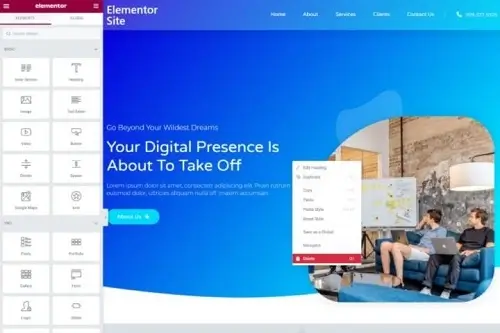
WordPress.org
Use themes, plugins, page builders, and custom code to tailor your website’s appearance and functionality.
- Extensive theme choices
- Thousands of plugins and integrations
- Custom code and hosting control
Website Builders: Customization Within a Defined System
Website builders make customization accessible through visual editors and pre-designed templates. You can usually adjust colors, fonts, page layouts, images, buttons, and other elements without writing code.
Many platforms also provide apps, integrations, and advanced design controls. For a business website, portfolio, or standard online store, these features may be more than enough.
The limitation is that customization depends on the platform. If you need a specialized integration, a complex membership system, or a feature the builder doesn’t support, you may have limited options for extending it.
WordPress: More Ways to Customize Your Website
WordPress.org provides a broader range of customization options through themes, plugins, page builders, and custom development.
For example, you can use Elementor to design page layouts visually, install SEO plugins to extend your optimization workflow, or add WooCommerce to build an online store.
Developers can also modify themes and create custom functionality when existing tools aren’t sufficient.
You have greater control over your hosting environment, although the actual degree of control depends on your hosting plan and technical setup.
This flexibility is particularly useful for content-rich websites, affiliate projects, and businesses that expect to add new features over time.
However, more customization can mean additional configuration, maintenance, and compatibility considerations.
Our Verdict: WordPress Wins
WordPress is generally the better choice when you need extensive design control, custom functionality, or a website that can evolve beyond the limits of a standard template.
Website builders can still offer substantial customization for many common needs.
Which Is More Scalable: WordPress or Website Builders?
WordPress generally offers greater flexibility for long-term growth, while website builders simplify scaling within their supported plans and infrastructure.
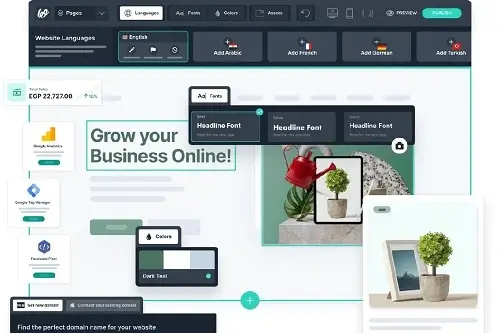
Website Builders
Website builders manage hosting and infrastructure, making it easier to accommodate growth without handling server configurations.
However, expansion depends on the platform’s features and plan limits.
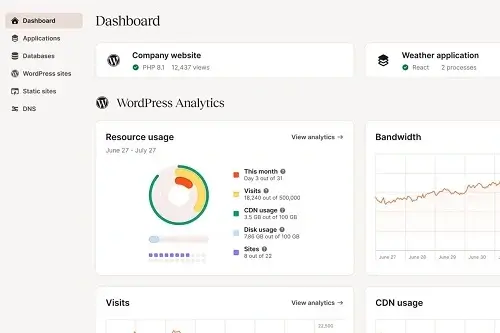
WordPress.org
WordPress lets you upgrade hosting resources, optimize performance, customization, and extend functionality as your website grows.
However, scaling may require more technical management.
Website Builders: Managed Growth With Platform Limits
Website builders simplify scalability by managing hosting, security infrastructure, and server resources for you.
Many platforms use cloud infrastructure and content delivery networks (CDNs) to help websites handle increasing traffic without manual server configuration.
As your website grows, you can typically upgrade to higher-tier plans for additional features, storage, or business capabilities.
However, scalability depends on the platform’s limits, available integrations, and pricing structure.
For small businesses, portfolios, and standard online stores, this managed approach can be convenient.
But websites requiring specialized functionality or greater infrastructure control may eventually encounter restrictions.
WordPress: Flexible Scaling for Growing Websites
WordPress.org gives you more control over how your website grows. You can start with an entry-level hosting plan and upgrade to more powerful hosting as your traffic, content, and business requirements increase.
You can also improve performance through caching, CDNs, database optimization, and server-level configurations.
Its extensive plugin ecosystem and support for custom development make it possible to introduce advanced features without switching platforms.
However, scalability isn’t automatic. High-traffic WordPress websites need suitable hosting, proper optimization, and ongoing maintenance to perform reliably.
Our Verdict: WordPress Wins
WordPress wins for scalability flexibility because you can choose your hosting environment, optimize resources, and add custom features.
Website builders remain a practical option for businesses that prefer managed infrastructure.
Which Is Cheaper: WordPress or Website Builders?
Website builders offer more predictable pricing, while WordPress lets you choose how much to spend on hosting, themes, plugins, and additional services.
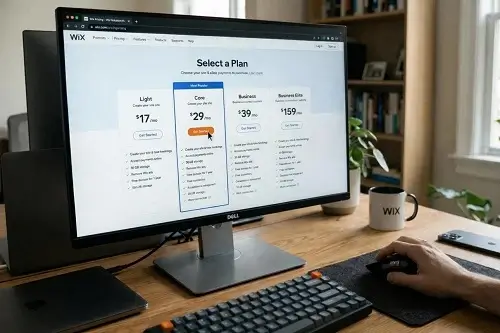
Website Builders
A recurring plan typically bundles the builder with hosting and platform features.
- Hosting often included
- Predictable recurring payments
- Premium features may require upgrades
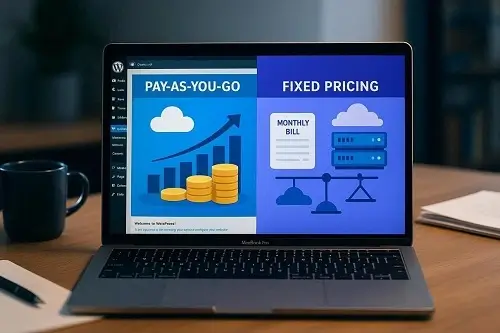
WordPress.org
The software is free, but running your website requires hosting and usually a domain.
- Choose your hosting provider
- Free themes and plugins available
- Premium tools and maintenance are optional
Website Builders: Predictable Subscription Costs
Website builders typically use monthly or annual subscription plans that combine the website editor with hosting and other platform features.
Depending on the provider and plan, you may also receive templates, security features, support, and built-in SEO tools.
This bundled approach makes budgeting simpler because you don’t need to purchase every component separately.
However, advanced design features, e-commerce capabilities, additional storage, and other services may require a more expensive plan.
Before choosing a builder, check the renewal price, included features, storage limits, transaction fees, and whether you need to pay separately for a domain or business email.
WordPress: Flexible Costs Based on Your Needs
WordPress.org is free, open-source software, but operating a website involves additional expenses.
You’ll generally need a domain name and web hosting, while premium themes, plugins, backups, and professional support may add to the cost.
You can start with free themes and plugins and choose a hosting plan that fits your budget.
As your website grows, you can invest in better hosting or additional tools when they provide real value.
The main advantage is flexibility: you decide which services to use and how much to invest.
The trade-off is that comparing providers, managing renewals, and maintaining your website can require more attention.
Our Verdict: It Depends
Website builders can be more cost-effective for simple websites when their included tools meet your needs.
WordPress can offer greater cost flexibility, especially if you use affordable hosting and free tools.
Which Is Better for E-commerce: WordPress or Website Builders?
Both options can power an online store. Your best choice depends on the products you sell, the features you need, and how much control you want.

Website Builders
Build a store with integrated product management, checkout, and order tools, depending on your chosen platform and plan.
- Guided store setup
- Integrated product and order management
- Features depend on plan and provider
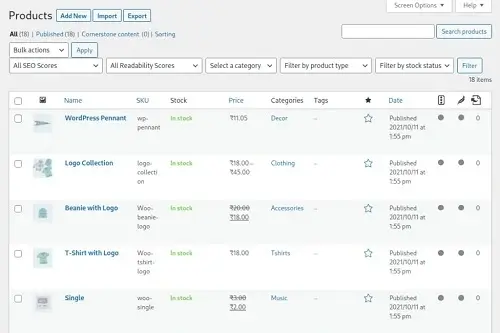
WordPress.org
Build a customizable store with control over products, checkout extensions, integrations, and store functionality.
- Extensive store extensions
- Flexible payment and shipping integrations
- More configuration and maintenance
Website Builders: A Convenient Way to Start Selling
Website builders with e-commerce features make it relatively easy to launch an online store without assembling multiple tools yourself.
Depending on the platform, you can manage products, accept payments, configure shipping, track orders, and customize your storefront from a central dashboard.
This integrated approach is useful for beginners, small businesses, and sellers who want to focus on products and customers rather than technical setup.
However, store features vary by platform and subscription plan.
Advanced inventory management, international selling, specialized integrations, and certain payment options may require higher-tier plans or third-party services.
Before choosing a builder, compare its transaction fees, payment gateway support, product limits, shipping options, and available integrations.
WordPress + WooCommerce: More Control Over Your Online Store
WordPress can be turned into an e-commerce platform using WooCommerce, a popular store plugin.
It lets you manage products, orders, payments, shipping, and other store functions while extending your website through additional plugins and integrations.
WooCommerce is particularly useful if you want greater control over your storefront, need specialized functionality, or want to combine an online store with a content-rich website.
You can choose your hosting provider and expand your store using compatible extensions.
However, you are also responsible for ensuring that your hosting, payment integrations, security, backups, and updates are configured appropriately.
Costs can vary depending on your hosting plan, extensions, payment provider, and maintenance requirements.
Our Verdict: WordPress Wins
WordPress with WooCommerce is our top choice for e-commerce flexibility and long-term control.
It offers extensive customization, a broad ecosystem of store extensions, and greater freedom to choose your hosting, payment integrations, and business functionality.
Which Is Better for SEO: WordPress or Website Builders?
Both platforms support search engine optimization, but WordPress provides greater flexibility for managing content, technical settings, and advanced SEO workflows.
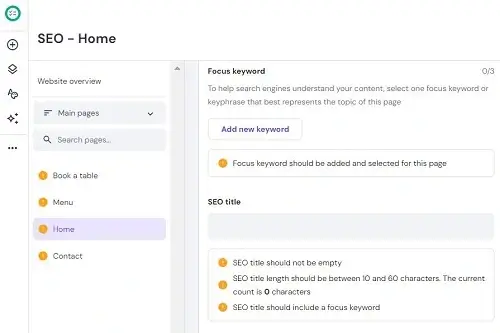
Website Builders
Built-in SEO settings help you manage page titles, meta descriptions, image alt text, and other common optimization tasks.
- Convenient SEO controls
- Simple page-level optimization
- Advanced controls vary by platform
WordPress.org
SEO plugins, configurable site architecture, and hosting choices give you more options for managing optimization.
- Extensive SEO plugin ecosystem
- Flexible content and URL management
- More technical optimization options
Website Builders: Built-In SEO Tools for Simpler Optimization
Most modern website builders include tools that help you optimize your website for search engines.
Depending on the platform, you can edit page titles and meta descriptions, customize URLs, add image alt text, connect analytics tools, and manage other basic SEO settings.
This makes website builders a practical option for beginners and small businesses that want to improve their search visibility without configuring multiple plugins.
However, advanced SEO capabilities vary between platforms.
Depending on the builder, you may have less flexibility over technical settings, structured data, redirects, or specialized optimization workflows.
For many standard websites, the available tools may be sufficient.
Your results will still depend on publishing useful content, choosing relevant keywords, maintaining good site performance, and earning appropriate links.
WordPress: More Control Over SEO
WordPress.org offers extensive SEO flexibility through its content management features, plugins, and hosting choices.
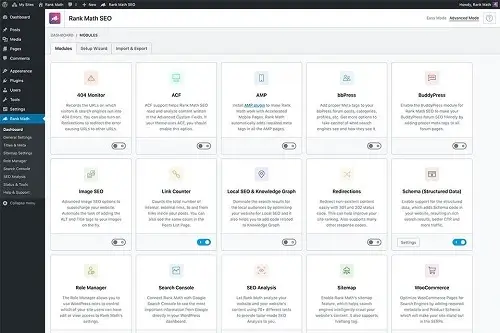
Plugins such as Rank Math and Yoast SEO can help you manage metadata, XML sitemaps, canonical URLs, and other optimization tasks.
You can also configure URL structures, organize content into categories, implement structured data, and use performance tools suited to your hosting environment.
Depending on your setup, you can make more advanced technical changes or work with a developer to implement specialized requirements.
This flexibility is especially valuable for blogs, affiliate websites, publishers, and businesses that rely heavily on organic search traffic.
However, having more SEO tools does not automatically produce higher rankings.
WordPress websites still need useful content, sound technical implementation, good user experience, and ongoing optimization.
Our Verdict: WordPress Wins
WordPress is our preferred choice for SEO-focused websites because it offers more control over content structure, plugins, and technical optimization.
However, rankings depend on content quality, site performance, competition, and many other factors, not simply the platform you use.
Which Is Easier to Maintain: WordPress or Website Builders?
Website builders handle most technical maintenance for you, while WordPress gives you more control but may require additional upkeep.
Website Builders
The provider typically manages platform updates, hosting infrastructure, and core security measures.
- Managed infrastructure
- Automatic platform updates
- Support from the provider
WordPress.org
You need an appropriate plan for updates, backups, security, compatibility, and performance.
- Manage themes and plugins
- Configure reliable backups
- Monitor security and performance
Website Builders: Less Technical Maintenance
Website builders are designed to reduce the technical work involved in running a website.
The provider typically manages the hosting infrastructure, platform updates, and core security measures, so you don’t need to maintain a server or install platform updates yourself.
You still need to maintain your website’s content, review pages and products, manage users, and keep track of any third-party integrations you use.
You may also need to troubleshoot design issues or contact customer support when something goes wrong.
For beginners, small businesses, and people who prefer focusing on their website rather than its underlying technology, this managed approach can save time and simplify ongoing maintenance.
WordPress: More Control, More Upkeep
With self-hosted WordPress.org, you have more responsibility for keeping your website secure and running smoothly.
This includes maintaining WordPress core, themes, and plugins, checking compatibility after updates, and ensuring that reliable backups are available.
You should also monitor website performance, review security settings, and test important features after significant changes.
Your exact responsibilities depend on your hosting provider and the tools you use.
Fortunately, WordPress maintenance doesn’t have to be entirely manual. Managed WordPress hosting can provide automatic updates, backups, security features, and technical assistance.
Maintenance plugins and monitoring tools can also help simplify routine tasks.
These services can reduce the workload, although you should still check that updates work correctly and that your backups can be restored.
Our Verdict: Website Builders Win
Website builders generally require less hands-on technical maintenance because the provider manages much of the underlying infrastructure. WordPress maintenance can also be simplified with managed hosting, automatic backups, and update tools.
Which Gives You More Ownership and Portability?
WordPress gives you greater access to your website files and hosting choices, while website builders offer a more platform-dependent experience.
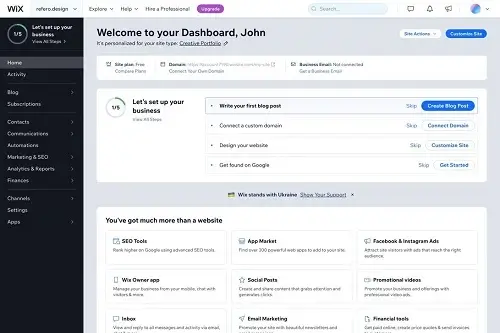
Website Builders
Your website operates within the builder’s ecosystem, and export options depend on the platform.
- Content export varies
- Design may not transfer
- Migration can be restricted
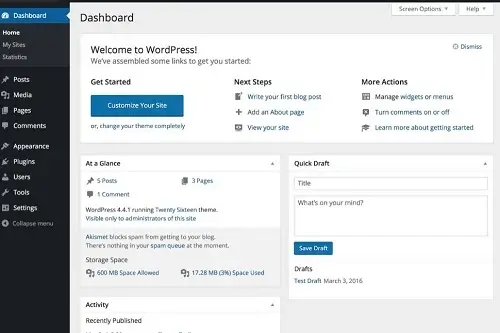
WordPress.org
You have more direct access to website files, the database, and hosting options.
- Access website files and database
- Move to a compatible host
- Choose themes and plugins
Website Builders: Convenient, But Portability Varies
Website builders make it easy to create and manage a website within a single platform.
Your design tools, hosting, and many website features are integrated into one service, reducing the need to manage separate providers.
However, moving to another platform can be more complicated.
Some builders let you export blog posts, products, or other content, while others offer limited export options.
Even when content can be exported, the original design, functionality, and backend setup may not transfer completely.
This doesn’t mean you cannot move away from a website builder.
It means you should check the platform’s export and migration options before committing, especially if you expect your website to grow over time.
WordPress: Greater Control Over Your Website
WordPress.org is open-source software that you can install on a compatible hosting provider.
You can access your website’s files and database through your hosting environment, choose your own hosting provider, and migrate your website when your needs change.
You also have greater freedom to change themes, plugins, developers, and supporting services without being tied to a single website-building platform.
For example, if your current hosting provider no longer meets your performance or pricing requirements, you can move your WordPress website to another compatible host.
Migration may require transferring files and the database, updating configuration settings, and testing the website, but you generally have more control over the process.
Keep in mind that portability still depends on your setup.
Some premium themes, plugins, third-party integrations, and external services have separate licensing or migration requirements.
You should also maintain reliable backups and verify that your website works correctly after moving.
Our Verdict: WordPress Win
WordPress.org is the stronger choice for long-term control, portability, and flexibility when changing hosting providers.
WordPress vs Website Builder: Which Should You Choose?
The right platform depends on what you want to build, how much control you need, and how comfortable you are managing the technical side of a website.
Website Builders
Build and manage a website with less technical setup and fewer maintenance tasks.
Perfect For
- Beginners and personal websites
- Small business websites
- Portfolio and service pages
- Simple online stores
Know More
Choose a Website Builder If…
A website builder is a good fit if you want to get online quickly without managing multiple tools or technical settings.
- You're a beginner: You prefer a visual editor and a straightforward setup process.
- You need a small business website: You want service pages, contact forms, and professional templates.
- You're building a portfolio: You want to showcase your work without extensive customization.
- You prefer less maintenance: You want the platform provider to handle most infrastructure and platform updates.
- Services
WordPress.org
Build a website with extensive customization options and more control over your setup.
Perfect For
- Blogs and affiliate websites
- Content-heavy websites
- Growing e-commerce businesses
- Custom and complex websites
Know More
Choose WordPress.org If…
WordPress.org is a strong choice if you want more flexibility and expect your website to evolve over time.
- You're starting a blog or affiliate website: You want extensive publishing features, internal linking options, and SEO tools.
- You need greater customization: You want to work with themes, plugins, custom code, and different hosting providers.
- You're building a content-rich website: You plan to publish articles, guides, reviews, and other resources.
- You want long-term flexibility: You prefer greater control over your files, database, integrations, and hosting environment.
- Services
Ready to Build Your Website?
Choose the right platform, find the tools you need, and turn your website idea into reality.
Prefer Something Simpler?
Compare beginner-friendly website builders to find a platform that fits your skills, budget, and website goals. Explore Website Builder Guides
Want More Control?
Explore WordPress hosting, essential plugins, and beginner-friendly tutorials to build a website that can grow with you. Explore WordPress Guides

