- October 2026
Webflow Review (2026): Features, Pricing, Pros & Cons
Webflow is a visual website builder for creating professional websites with customizable layouts, animations, CMS tools, and built-in hosting, all with minimal coding.
- Visual Website Design
- Responsive Layouts and Custom Animations
- Built-In CMS, SEO, and Hosting Tools
- Pricing, Pros, Cons, and Alternatives
Discover what Webflow does best, where it falls short, and whether it’s the right website builder for your needs.
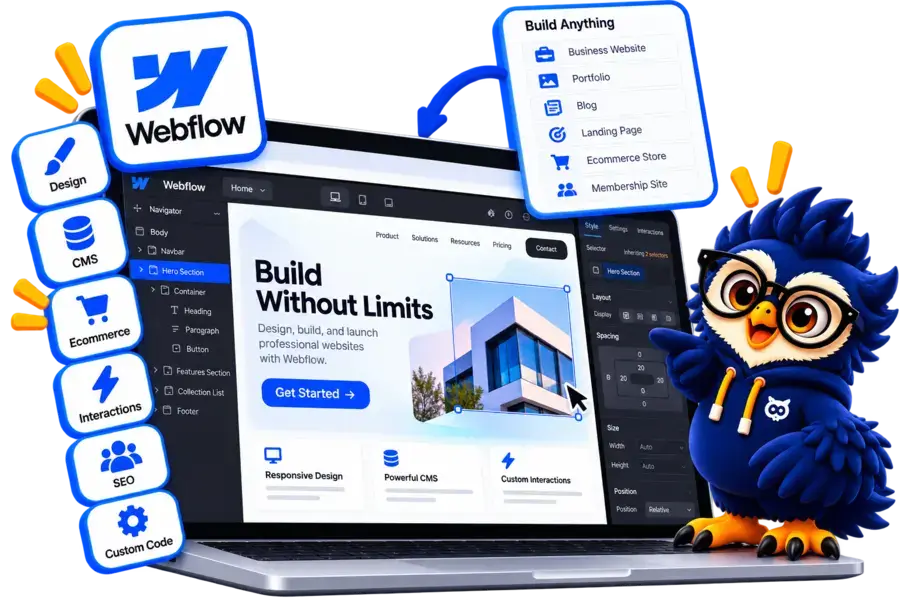
Webflow at a Glance
Webflow is a visual website builder designed for creating custom websites with advanced design controls, responsive layouts, and built-in CMS tools.
Main Advantage
Advanced Design Flexibility. Create custom layouts, animations, and interactive website experiences.
Main Consideration
Learning Curve. Advanced design controls can take time for beginners to master.
Best For
Designers and Businesses
Build portfolios, business websites, landing pages, and marketing sites.
Design Tools
Visual Website Editor
Customize layouts, typography, interactions, and responsive designs.
Integration
Apps and APIs
Connect marketing, analytics, automation, and other third-party services.
Hosting
Built-In Hosting
Publish websites with managed hosting and custom domain support on eligible plans.

Webflow Website Builder
Build custom websites with visual design tools, responsive layouts, interactive animations, and built-in CMS features.
Disclosure: ElegantEspace is supported by readers like you. We may earn an affiliate commission when you purchase through our links. Commissions do not affect our editors’ opinions or evaluations.
What Is Webflow?
Webflow is a visual website builder that lets you design, customize, and publish professional websites with minimal coding.
It combines visual design tools, responsive layouts, a built-in CMS, and hosting in one platform.
Unlike basic website builders, Webflow offers greater control over layouts, typography, animations, and interactions.
You can use it to create business websites, portfolios, landing pages, blogs, and online stores.
In this Webflow review, we’ll explore its key features, pricing, ease of use, SEO capabilities, pros and cons, and alternatives to help you decide whether it’s the right website builder for your needs.
What Can You Build With Webflow?
Webflow lets you create a wide range of professional websites using visual design tools, responsive layouts, and built-in CMS features.
- Business Websites: Create professional websites to showcase your company, services, and contact information.
- Portfolio Websites: Display creative projects, case studies, and professional work with custom layouts.
- Landing Pages: Build focused pages for marketing campaigns, product launches, and lead generation.
- Blogs and Content Websites: Publish articles and manage dynamic content using Webflow CMS.
- Ecommerce Websites: Create online stores with product pages, shopping carts, and checkout features.
- Agency Websites: Showcase services, client projects, testimonials, and case studies.
- Startup Websites: Present your products, explain key features, and attract potential customers.
- Interactive Websites: Add animations, transitions, and custom interactions to create engaging user experiences.
Is Webflow Suitable?
Webflow is ideal for designers, businesses, and marketing teams that want greater visual control over their websites without coding every element from scratch.
Key Features of Webflow
Webflow combines visual design tools, content management, and website publishing features to help you build professional websites with greater creative control.
- Visual Website Designer: Customize layouts, typography, colors, spacing, and page elements using a visual editor.
- Responsive Design: Adjust website layouts for desktop, tablet, and mobile screens.
- Interactions and Animations: Create animated elements, transitions, and scroll-based effects to improve user engagement.
- Content Management System (CMS): Manage dynamic content such as blog posts, projects, team profiles, and case studies.
- SEO Tools: Edit page titles, meta descriptions, image alt text, and URL settings to support search optimization.
- Webflow Ecommerce: Build online stores with product listings, shopping carts, and checkout functionality.
- Templates and Components: Start with professionally designed templates and reuse components across your website.
- Custom Code and Integrations: Extend website functionality using supported integrations, APIs, and custom code.
- Built-In Hosting: Publish websites using Webflow's managed hosting and connect a custom domain on eligible plans.
- Collaboration Tools: Share projects and collaborate with teammates using supported workspace and publishing features.
Webflow Pricing and Plans
Webflow offers a free plan for experimenting with website design and paid plans for publishing professional websites.
The right plan depends on whether you need a simple website, a CMS for publishing content, or ecommerce functionality.
| Plan Name | Best For | Key Features | Price | |
|---|---|---|---|---|
Starter |
Learning and testing |
Webflow subdomain, 2 static pages, limited CMS, 1 GB bandwidth |
$0.00 / month | |
Basic |
Simple business websites |
Custom domain, 300 static pages, unlimited form submissions, 10 GB bandwidth |
$15.00 / month | |
Premium |
Blogs and content-rich websites |
CMS, 20,000 CMS items, 40 CMS collections, enhanced hosting capacity |
$25.00 / month | |
Ecommerce Standard |
Small online stores |
500 ecommerce items, custom cart and checkout, 2% transaction fee |
$29.00 | |
Ecommerce Plus |
Growing online stores |
5,000 ecommerce items, custom checkout, 0% Webflow transaction fee |
$74.00/month | |
Ecommerce Advanced |
Larger online stores |
15,000 ecommerce items, advanced store features, 0% Webflow transaction fee |
$74.00/month |
Accepted Payment Methods
Webflow offers paid plans for hosting websites, managing content, and running online stores. Available payment methods may vary depending on your country and checkout options.
- Credit Cards: Supported Visa, Mastercard, and other eligible card networks.
- PayPal: Available as a payment option where offered at checkout.
- Other Regional Options: Additional options may be available depending on your region and the payment methods displayed during checkout.
Pros and Cons of Webflow
- Advanced Design Flexibility
- Responsive Website Design
- Powerful CMS
- Built-In SEO Tools
- Interactive Animations
- Managed Hosting
- Reusable Components
- Ecommerce Support
- Steep Learning Curve
- Higher Costs
- Limited Free Plan
- Ecommerce Limitations
- Platform Dependency
- Content Management Limits
- Customization Requires Knowledge
- Migration Can Be Challenging
Build Your Website with Webflow
Create a professional website with Webflow’s visual design tools, responsive layouts, and powerful customization features. Start building today.
Is Webflow Easy to Use?
Webflow offers powerful visual design tools, but its learning curve can be steeper than of beginner-friendly website builders.
It’s easier to get started with templates, while advanced layouts and interactions require more practice.
- Visual Editor: Design pages by adjusting elements, layouts, typography, and spacing visually.
- Templates: Start with pre-designed website templates to speed up development.
- Design Flexibility: Customize layouts and styling with detailed control over how elements appear.
- Learning Curve: Understand concepts such as containers, classes, flexbox, and grid to build more complex layouts.
- Responsive Design: Adjust layouts for different screen sizes and test how pages appear across devices.
- Advanced Features: CMS collections, interactions, and custom code may require additional learning.
Verdict
Webflow is a good choice for users who want greater design control and are willing to learn its tools. Beginners can start with templates, while users seeking the simplest possible website-building experience may prefer Wix.
Webflow SEO and Performance
Webflow includes built-in SEO tools and managed hosting to help you create search-friendly websites.
Its visual controls make it easier to manage important SEO settings without relying on multiple plugins.
SEO Features
- Page Titles and Meta Descriptions: Customize metadata for individual pages to help search engines understand your content.
- Custom URLs: Create descriptive page URLs that are easier for users and search engines to understand.
- Sitemaps and Indexing: Configure sitemap settings and control which pages search engines can access.
- 301 Redirects: Redirect old URLs to new ones when updating your website structure.
- Image Alt Text: Add descriptive alt text to improve accessibility and help search engines understand images.
- Redirects and Canonical URLs: Use supported SEO settings to manage changed URLs and help search engines identify preferred page versions.
- Schema Markup: Add structured data to help search engines interpret your content.
Performance and Speed
- Managed Hosting: Publish your website using Webflow's hosting infrastructure.
- Responsive Layouts: Create layouts that adapt to different screen sizes.
- Image Optimization: Optimize image sizes to reduce loading times.
- Animation Controls: Use interactions carefully to avoid unnecessary performance overhead.
- Third-Party Integrations: Limit unnecessary scripts and embedded tools that can slow down pages.
What Are the Limitations?
Webflow provides useful SEO controls, but using them does not guarantee higher rankings.
You still need quality content, relevant keywords, a clear site structure, and effective technical optimization. Complex animations, oversized images, and excessive custom code can also affect performance.
Is Webflow Good for SEO?
Webflow is a strong choice for businesses, designers, and marketers who want design flexibility alongside built-in SEO tools.
However, your website’s search visibility and speed will depend on how well you build, optimize, and maintain it.
Final Verdict: Is Webflow Worth It in 2026?
Webflow is a strong website builder for users who want greater design control, responsive layouts, interactive animations, and built-in CMS tools.
It helps designers, businesses, and marketing teams create professional websites without coding every element manually.
However, its learning curve, paid plans, and platform-specific features may not suit every user.
Who Should Use Webflow?
- Designers and Freelancers: Create custom portfolios and visually impressive websites.
- Businesses and Agencies: Build professional websites and marketing pages.
- Marketing Teams: Design landing pages and manage content with the CMS.
- Content Creators: Publish blogs, case studies, and dynamic content.
Who Should Consider Alternatives?
- Beginners: Consider Wix for a simpler website-building experience.
- Bloggers and Publishers: Consider WordPress for flexible content management.
- Creative Professionals: Consider Squarespace for polished templates and easy setup.
- Ecommerce Businesses: Consider Shopify for dedicated online store tools.
Bring Your Website Vision to Life with Webflow
Design and launch a stunning website with Webflow’s flexible visual editor and powerful design tools. Create a website that stands out.
Frequently Asked Questions About Webflow
1. Is Webflow free to use?
Yes, Webflow offers a free Starter plan for learning the platform and building websites on a Webflow subdomain. A paid Site plan is required to connect a custom domain.
2. Is Webflow good for beginners?
Webflow offers templates and a visual editor, but its advanced design controls have a learning curve. Beginners can start with templates and gradually learn more complex features.
3. Do you need coding skills to use Webflow?
No, you can design and publish websites visually without traditional coding. However, custom code may be useful for advanced functionality.
4. Is Webflow good for SEO?
Yes, Webflow provides tools for managing metadata, URLs, sitemaps, redirects, and other SEO settings.
Rankings still depend on content quality, competition, and overall optimization.
5. Can you build an ecommerce website with Webflow?
Yes, Webflow supports ecommerce features such as product pages, shopping carts, and checkout. Businesses with more complex store requirements may prefer a dedicated ecommerce platform.
6. Does Webflow include hosting?
Yes, Webflow offers managed hosting through eligible Site plans. Hosting features and limits depend on your selected plan.
7. Is Webflow better than WordPress?
It depends on your needs. Webflow offers visual design control and managed hosting, while WordPress provides extensive themes, plugins, and content management flexibility.
8. Can you use your own domain with Webflow?
Yes, you can connect a custom domain with an eligible paid Site plan. Domain registration may involve a separate cost.
9. Is Webflow good for blogging?
Yes, Webflow CMS supports blog posts, categories, author information, and other dynamic content.
WordPress may be a better fit for complex editorial workflows or large publishing operations.
10. Can you export a Webflow website?
Webflow supports code export for eligible sites and plans, but exported code does not reproduce every hosted platform feature.
CMS, ecommerce, forms, and other integrations may require additional work.
11. Is Webflow worth it in 2026?
Webflow is worth considering if you want custom website designs, responsive layouts, and visual interactions.
Compare its pricing and learning curve with alternatives before choosing a plan.
User Reviews and Ratings of Webflow
There are no reviews yet. Be the first one to write one.
Webflow Alternative

Hostinger AI
Best for design flexibility
A visual website builder with extensive templates, drag-and-drop editing, and AI-powered design tools. A good choice if you want more creative control.

Wix
Best for website design
Wix offers an intuitive website builder with customizable templates, drag-and-drop editing, AI-powered design tools, and built-in business features.