
Best Web Hosting for Beginners (2026) – Tested & Compared
After testing 50+ hosting providers for speed, uptime, and pricing, We selected the best hosting services for beginners.
- Last Update: April 2, 2026
Discloser: ElegantEspace is supported by readers like yourself. We may earn an affiliate commission when you purchase through our links. Commissions do not affect our editors’ opinions or evaluations.
Starting your first website can feel overwhelming, especially when choosing the right web hosting provider. With hundreds of hosting companies available, beginners often struggle to decide which one offers the best balance of performance, affordability, and ease of use.
In this guide, we tested and compared several hosting providers to help you find the best web hosting for beginners in 2026. We evaluated each host based on speed, uptime reliability, beginner-friendly features, pricing, and customer support.
Whether you are starting a blog, building a business website, or launching your first WordPress site, the hosting providers listed below are reliable choices that make the setup process simple and hassle-free.
After testing 50+ hosting providers for speed, uptime, and pricing,
We selected the best hosting services for beginners.
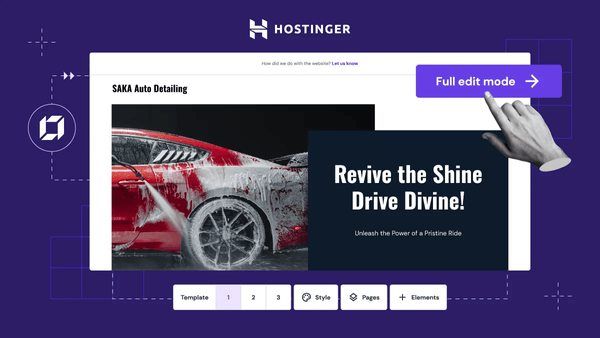
$ 1.99 /month
| Features | Type |
|---|---|
| Beginner-friendly | Yes |
| Free Domain | Yes |
| Free SSL | Yes |
| Moneyback Guarantee | 45 Days |
Best Web Hosting for Beginners (2026) – Quick Comparison
After testing 50+ hosting providers, we shortlisted the best web hosting services for beginners in 2026 based on speed, uptime, ease of use, and value for money.
Why Trust Elegant Espace?
We independently tested and compared beginner-friendly hosting providers based on speed, uptime, reliability, ease of use, and customer support quality.
50+ hosting providers tested
Realtime Uptime monitoring
Performance benchmarking
Independent hosting reviews
🏆 Best Overall Hosting
#1 Hostinger – Best Overall Web Hosting for Beginners
Hostinger is our top recommendation for beginners because of its affordable pricing, fast LiteSpeed servers, and beginner-friendly dashboard.
Hostinger Features
| Features | Details |
|---|---|
| Starting Price | $1.99/ month |
| Space | 10 GB |
| Bandwidth | Unmetered |
| Free Domain | Yes |
| Free SSL | Yes |
| Moneyback Guarantee | 30 Days |
Hostinger – Performance Test
Our test results
| Features | Details |
|---|---|
| Uptime | 99.98% |
| Page Load Speed | 900ms |
| TTFB | ~220ms |
Hostinger – Pros & Cons
Pros
- Extremely affordable plans (one of the cheapest in the industry).
- Free domain name included
- Advanced security features
- Free automatic website migration tool
- Excellent performance with LiteSpeed servers.
- Free weekly backups (daily on higher plans).
- Custom-built WP optimization stack & LiteSpeed cache
In Detail
- Outstanding Speed & Performance – Utilizes NVMe SSD storage, LiteSpeed servers, and Cloudflare CDN for fast loading times and excellent response rates (~231 ms on average).
- Free Domains (Selected TLDs) with a yearly plan.
- Comprehensive Security & Backup – Includes BitNinja/Imunify360 security, daily backups (with 7-day retention on lower-tier plans, 30-day retention for the Extra plan), DDoS protection, and free SSL.
- Top-Notch Support – 24/7 human support via live chat and tickets; generally quick response times and positive user feedback.
- Transparent Pricing & Money-Back Guarantee – Strong initial discounts and a 30-day money-back guarantee, with no hidden fees.
- Developer-Friendly Tools & Technologies – Offers hPanel, LiteSpeed cache, Magento, WooCommerce, WordPress toolkit, and support for modern development stacks.
- Global Reach with multiple Data Centers – Multiple global locations ensure reduced latency and better performance for international visitors.
Cons
- No phone support (chat only).
- Lower-tier plans have limited resources.
- Renewal prices are higher than the initial offer.
In Detail
- Higher Renewal Rates – Significant price increase after the initial term, which can impact long-term hosting costs.
- Storage Constraints on Entry Plans – Lower-tier shared plans come with limited NVMe SSD space (10–15 GB), which may not suit media-heavy or high-traffic sites.
Who Should Use Hostinger
- Beginners starting their first website
- Bloggers
- Small business websites

$ 1.99 /month
| Features | Details |
|---|---|
| Uptime | 99.97% |
| Free Domain | Yes |
| Free SSL | Yes |
| Moneyback Guarantee | 30 Days |
| Business Email, CDN, 24/7 Support, etc. | |
🔥 85% Discount Applied
# 2
Bluehost – Best Hosting for WordPress Beginners
Bluehost is one of the most beginner-friendly hosting providers and is officially recommended for WordPress websites. It offers simple setup, reliable performance, and strong customer support.
Bluehost Features
| Features | Type |
|---|---|
| Starting Price | $3.79/ month |
| Space | 10 GB |
| Bandwidth | Unmetered |
| Free Domain | Yes |
| Free SSL | Yes |
| Moneyback Guarantee | 30 Days |
Bluehost – Performance Test
Our test results
| Features | Details |
|---|---|
| Uptime | 99.98% |
| Page Load Speed | 1.24 S |
| TTFB | ~472ms |
Bluehost – Pros & Cons
Pros
- Official WordPress Recommendation
- Beginner-Friendly Interface
- Good Performance & Uptime
- Free Domain & SSL
- 24/7 Customer Support
- Scalable Plans
In Detail
- Official WordPress Recommendation – Bluehost is endorsed by WordPress.org, ensuring strong compatibility and reliability for WordPress sites.
- Beginner-Friendly Interface – The control panel is intuitive, making it easy for beginners to manage domains, emails, and websites.
- Good Performance & Uptime – Bluehost generally delivers stable uptime (99.9%) and decent site speed for most websites.
- Free Domain & SSL – All plans include a free domain for the first year and SSL certificates for security.
- 24/7 Customer Support – Live chat and phone support are available around the clock.
- Scalable Plans – Offers shared, VPS, and dedicated hosting, making it easy to upgrade as your site grows.
Cons
- High Renewal Rates
- Upselling During Checkout
- Limited Storage on Basic Plans
- Average Speed Compared to Premium Hosts
In Detail
- High Renewal Rates – Initial pricing is attractive, but renewal costs are significantly higher.
- Upselling During Checkout – Extra add-ons are pre-selected, which can confuse beginners.
- Limited Storage on Basic Plans – Entry-level plans come with storage restrictions.
- Average Speed Compared to Premium Hosts – Performance is decent, but not as fast as providers like SiteGround or Kinsta.
Who Should Use Bluehost
- WordPress beginners
- Bloggers starting their first site
- Small business websites

$ 3.79 /month
| Features | Details |
|---|---|
| Uptime | 99.97% |
| Free Domain | Yes |
| Free SSL | Yes |
| Moneyback Guarantee | 30 Days |
| Business Email, CDN, 24/7 Support, etc. | |
🔥 62% Discount Applied
# 3
Hosting.com – Best High-Speed Hosting for Performance
Hosting.com (formerly A2 Hosting) is known for its fast Turbo servers and performance-focused hosting environment. It’s a strong option for users who want faster page load speeds and better performance for growing websites.
Hosting.com Features
| Features | Type |
|---|---|
| Starting Price | $3.99/ month |
| Space | 15 GB |
| Bandwidth | Unmetered |
| Free Domain | Yes |
| Free SSL | Yes |
| Moneyback Guarantee | 30 Days |
Hosting.com – Performance Test
Our test results
| Features | Details |
|---|---|
| Uptime | 99.99% |
| Page Load Speed | 1.2 S |
| TTFB | ~156ms |
Hosting.com – Pros & Cons
Pros
- High-Speed Performance
- Turbo Platform
- Strong Security Suite
- Global Data Centers
- 99.9% Uptime Guarantee
- Developer-Friendly
- 24/7/365 Support
- Free Site Migration
In Detail
- High-Speed Performance – LiteSpeed servers, NVMe SSDs, and HTTP/3 ensure blazing-fast websites.
- Turbo Platform – Up to 20× faster loading with fewer users per server and advanced caching.
- Strong Security Suite – Free SSL, DDoS protection, HackScan, Imunify360, KernelCare, and firewalls.
- Global Data Centers – Multiple locations worldwide for better latency and reliability.
- 99.9% Uptime Guarantee – Backed by SLA for enterprise-grade reliability.
- Developer-Friendly – Support for PHP (latest versions), MySQL/MariaDB, Node.js, Python, and Git.
- 24/7/365 Support – Always available via live chat, phone, or ticket.
- Free Site Migration – Hassle-free transfer from your old host.
Cons
- High Renewal Rates
- Turbo plans cost more
- Complex Plans for Beginners
In Detail
- Higher Renewal Rates – Plans renew at a higher price after the initial term.
- Complex Plans for Beginners – Advanced features may feel overwhelming to first-time users.
- Limited Entry-Level Plans – The cheapest shared hosting lacks advanced Turbo speed.
Who Should Use Hosting.com
- Speed-focused websites
- Growing blogs
- Performance-conscious users

$ 3.99 /month
| Features | Details |
|---|---|
| Turbo Server | Yes |
| Uptime | 99.99% |
| Free Domain | Yes |
| Free SSL | Yes |
| Moneyback Guarantee | 30 Days |
| Business Email, CDN, 24/7 Support, etc. | |
🔥 67% Discount Applied
# 4
FastComet – Best Hosting for Reliability and Support
FastComet is a reliable hosting provider known for its excellent customer support and feature-rich hosting plans. It offers free daily backups, global data centers, and strong security features, making it a good option for beginners and small websites.
Fastcomet Features
| Features | Type |
|---|---|
| Starting Price | $1.79/ month |
| Space | 10 GB |
| Bandwidth | Unmetered |
| Free Domain | Yes |
| Free SSL | Yes |
| Moneyback Guarantee | 30 Days |
Fastcomet – Performance Test
Our test results
| Features | Details |
|---|---|
| Uptime | 99.99% |
| Page Load Speed | 500ms |
| TTFB | ~472ms |
Fastcomet– Pros & Cons
Pros
- Outstanding Speed & Performance
- Comprehensive Security & Backup
- Top-Notch Support
- Transparent Pricing & Money-Back Guarantee
- Developer-Friendly Tools & Technologies
- Global Reach with 11 Data Centers
In Detail
- Outstanding Speed & Performance – Utilizes NVMe SSD storage, LiteSpeed servers, and Cloudflare CDN for fast loading times and excellent response rates (~231 ms on average).
- Comprehensive Security & Backup – Includes BitNinja/Imunify360 security, daily backups (with 7-day retention on lower-tier plans, 30-day retention for the Extra plan), DDoS protection, and free SSL.
- Top-Notch Support – 24/7 human support via live chat, tickets, and phone; generally quick response times and positive user feedback.
- Transparent Pricing & Money-Back Guarantee – Strong initial discounts and a 45-day money-back guarantee, with no hidden fees.
- Developer-Friendly Tools & Technologies – Offers cPanel, Softaculous, LiteSpeed cache, Magento, WooCommerce, WordPress toolkit, and support for modern development stacks.
- Global Reach with 11 Data Centers – Multiple global locations ensure reduced latency and better performance for international visitors.
Cons
- High Renewal Rates
- Limited Domain Offerings
- Storage Constraints on Entry Plans
- Less Extensive Knowledgebase
- No Windows Hosting
In Detail
- Higher Renewal Rates – Significant price increase after the initial term, which can impact long-term hosting costs.
- Limited Domain Offerings – “Free for life” domains apply only to specific TLDs and are not available for common extensions such as .com or .net.
- Storage Constraints on Entry Plans – Lower-tier shared plans come with limited NVMe SSD space (10–15 GB), which may not suit media-heavy or high-traffic sites.
- Less Extensive Knowledgebase – While support is strong, the knowledgebase/documentation is considered a bit basic and could be more user-friendly.
- No Windows Hosting – Only Linux-based hosting available, which may not meet the needs of users requiring Windows-based infrastructure.
Who Should Use Fastcomet
- Small business websites
- Bloggers
- Beginners who want strong support
- Websites targeting global audiences

$ 1.79 /month
| Features | Details |
|---|---|
| Uptime | 99.99% |
| Free Domain | Yes |
| Free SSL | Yes |
| Moneyback Guarantee | 30 Days |
| Business Email, CDN, 24/7 Support, etc. | |
🔥 80% Discount Applied
# 5
HostGator – Best Budget-Friendly Hosting for Beginners
HostGator is a popular hosting provider known for its beginner-friendly setup and affordable plans. It offers unmetered bandwidth, one-click WordPress installation, and a simple control panel, making it a good option for small websites and new bloggers.
Hostgator Features
| Features | Type |
|---|---|
| Starting Price | $2.99/ month |
| Space | 10 GB |
| Bandwidth | Unmetered |
| Free Domain | Yes |
| Free SSL | Yes |
| Moneyback Guarantee | 30 Days |
Hostgator – Performance Test
Our test results
| Features | Details |
|---|---|
| Uptime | 99.97% |
| Page Load Speed | 2 sec |
| TTFB | ~554ms |
Hostgator– Pros & Cons
Pros
- Affordable pricing
- Unmetered bandwidth
- 99.9% uptime guarantee
- Free website builder
- 1-Click WordPress install
- Free SSL certificate
- $100 Google Ads & Bing Ads credit
- 30-day money-back guarantee
In Detail
- Affordable pricing – Very budget-friendly, especially for beginners and small websites.
- Unmetered bandwidth – No strict limits on data transfer, so your site can handle growth without surprise charges.
- 99.9% uptime guarantee – Solid reliability backed by their SLA (Service Level Agreement).
- Free website builder – Includes a drag-and-drop builder for quick site setup.
- 1-Click WordPress install – Easy installation for WordPress and other apps via cPanel.
- Free SSL certificate – Added security for all hosting plans.
- $100 Google Ads & Bing Ads credit – Great bonus for boosting your site’s visibility.
- 30-day money-back guarantee – Longer refund window than many competitors.
Cons
- Renewal rates are higher
- Average speed performance
- Aggressive upselling
- Support wait times
In Detail
- Renewal rates are higher – Low initial pricing increases significantly upon renewal.
- Average speed performance – While uptime is good, page load speeds are not the fastest compared to premium hosts.
- Aggressive upselling – Extra services like backups, SEO tools, and security add-ons cost extra.
- Support wait times – 24/7 support is available, but response times can sometimes be slow.
Who Should Use Hostgator
- Beginners starting their first website
- Bloggers
- Small business websites
- Budget-conscious users

$ 2.99 /month
| Features | Details |
|---|---|
| Uptime | 99.97% |
| Free Domain | Yes |
| Free SSL | Yes |
| Moneyback Guarantee | 30 Days |
| Business Email, CDN, 24/7 Support, etc. | |
🔥 73% Discount Applied
# 6
InMotion Hosting – Best Hosting for Business Websites
InMotion Hosting is a reliable web hosting provider known for its strong performance, excellent customer support, and business-focused hosting plans. It’s a good option for small businesses and growing websites that need stability and professional hosting features.
InMotion Features
| Features | Type |
|---|---|
| Starting Price | $2.79/ month |
| Space | 100 GB |
| Bandwidth | Unmetered |
| Free Domain | Yes |
| Free SSL | Yes |
| Moneyback Guarantee | 90 Days |
InMotion – Performance Test
Our test results
| Features | Details |
|---|---|
| Uptime | 99.92% |
| Page Load Speed | 982 ms |
| TTFB | ~289ms |
InMotion– Pros & Cons
Pros
- Free website transfer
- Robust hosting plans
- Excellent uptime (99.92%)
- Blazing-fast server speed
- Latest technology and infrastructure
- Premium Sucuri plugin for WordPress users
- Superior customer support
- Free data backups included
- Multiple server locations to choose from
- Unlimited traffic
In Detail
- Free website transfer – InMotion’s support team will migrate your website from another host without extra charges, saving you time and effort.
- Robust hosting plans – From shared hosting to VPS and dedicated servers, they offer scalable solutions for beginners and growing businesses.
- Excellent uptime (99.92%) – Your website stays online almost all the time, ensuring minimal disruption for visitors.
- Blazing-fast server speed – Optimized servers and SSD storage deliver fast loading times, improving user experience and SEO rankings.
- Latest technology and infrastructure – InMotion uses modern technologies like NVMe SSDs, PHP 8+, and advanced caching for high performance.
- Premium Sucuri plugin for WordPress users – WordPress users get added security and malware protection with the Sucuri plugin.
- Superior customer support – Available 24/7 via live chat, phone, and email with knowledgeable staff who can resolve technical issues quickly.
- Free data backups included – Automatic backups ensure your data is safe and can be restored in case of errors or hacks.
- Multiple server locations to choose from – Host your site closer to your target audience by selecting U.S. East, West, or global servers.
- Unlimited traffic – There are no bandwidth restrictions, so your site can handle high visitor volumes without extra costs.
Cons
- Renewal prices are relatively expensive
- Phone verification required for new customers
- No monthly billing for starter plans
In Detail
- Renewal prices are relatively expensive – Like many hosts, the initial discount is good, but renewal rates increase significantly.
- Phone verification required for new customers – For security, new accounts must be verified via phone, and sometimes an ID is requested, which can delay setup.
- No monthly billing for starter plans – You must pay at least 1 year upfront, and while a 2-year term offers better discounts, it requires a bigger commitment.
Who Should Use InMotion
- Small business websites
- Professional blogs
- Growing websites
- Users needing reliable support

$ 2.79 /month
| Features | Details |
|---|---|
| Uptime | 99.99% |
| Free Domain | Yes |
| Free SSL | Yes |
| Moneyback Guarantee | 90 Days |
| Business Email, CDN, 24/7 Support, etc. | |
🔥 77% Discount Applied
# 7
GreenGeeks – Best Eco-Friendly Web Hosting
GreenGeeks is a popular web hosting provider known for its environmentally friendly hosting services. The company offsets its energy usage by purchasing renewable energy credits, making it a great option for users who want reliable hosting while reducing their environmental impact.
GreenGeeks Features
| Features | Type |
|---|---|
| Starting Price | $2.95/ month |
| Space | 25 GB |
| Bandwidth | Unmetered |
| Free Domain | Yes |
| Free SSL | Yes |
| Moneyback Guarantee | 30 Days |
GreenGeeks – Performance Test
Our test results
| Features | Details |
|---|---|
| Uptime | 99.99% |
| Page Load Speed | 646 ms |
| TTFB | ~299ms |
GreenGeeks– Pros & Cons
Pros
- Eco-Friendly Hosting
- Free Domain & SSL
- Fast Performance
- Scalable Plans
- Daily Backups
- Developer-Friendly
- Security Features
- Excellent Customer Support
In Detail
- Eco-Friendly Hosting – Offsets 300% of its energy consumption with renewable energy credits.
- Free Domain & SSL – Every plan includes a free domain for the first year and free SSL certificates.
- Fast Performance – SSD storage, built-in caching, and free CDN for quick load times.
- Scalable Plans – Shared, VPS, and reseller hosting available for different needs.
- Daily Backups – Automatic nightly backups included for added peace of mind.
- Developer-Friendly – Supports PHP versions, Git, WP-CLI, staging environments, and more.
- Security Features – Free malware cleanup, real-time security scanning, and custom firewalls.
- Excellent Customer Support – 24/7 support via live chat, ticketing, and phone.
Cons
- Higher Renewal Rates
- Limited Data Centers
- Aggressive Upselling
In Detail
- Higher Renewal Rates – Introductory pricing is affordable, but renewal costs are higher.
- Limited Data Centers – Only a few server locations (US, Canada, Netherlands), with less global coverage.
- Aggressive Upselling – Extra features like backups beyond the daily ones may cost more.
Who Should Use GreenGeeks
- Environment-conscious website owners
- Bloggers and small businesses
- WordPress websites
- Users looking for reliable green hosting

$ 2.95 /month
| Features | Details |
|---|---|
| Uptime | 99.99% |
| Free Domain | Yes |
| Free SSL | Yes |
| Moneyback Guarantee | 30 Days |
| Business Email, CDN, 24/7 Support, etc. | |
🔥 77% Discount Applied
# 8
SiteGround – Best Premium Hosting for WordPress
SiteGround is a well-known hosting provider recognized for its excellent performance, strong security features, and top-rated customer support. It is especially popular among WordPress users because of its optimized hosting environment and reliable infrastructure.
SiteGround Features
| Features | Type |
|---|---|
| Starting Price | $3.99/ month |
| Space | 10 GB |
| Bandwidth | Unmetered |
| Free SSL | Yes |
| Moneyback Guarantee | 30 Days |
SiteGround – Performance Test
Our test results
| Features | Details |
|---|---|
| Uptime | 99.99% |
| Page Load Speed | 886 ms |
| TTFB | ~150ms |
SiteGround– Pros & Cons
Pros
- Excellent Uptime
- Fast Performance
- Top-Tier Customer Support
- Free Daily Backups
- Free CDN & SSL
- User-Friendly Site Tools Panel
- Officially Recommended by WordPress.org
- Multiple Data Centers Worldwide
In Detail
- Excellent Uptime (99.99%) – Highly reliable servers keep websites online around the clock.
- Fast Performance – Uses Google Cloud infrastructure, SSD/NVMe storage, and built-in caching for quick load times.
- Top-Tier Customer Support – 24/7 support via live chat, phone, and tickets with knowledgeable staff.
- Free Daily Backups – Automatic backups ensure data safety without extra cost.
- Free CDN & SSL – Enhances website security and global performance.
- User-Friendly Site Tools Panel – Replaces cPanel with an intuitive custom dashboard.
- Officially Recommended by WordPress.org – Optimized hosting for WordPress users.
- Multiple Data Centers Worldwide – Ensures better speed and availability for global visitors.
Cons
- High Renewal Rates
- Limited Storage on Shared Plans
- No Windows Hosting
- Expensive Monthly Billing on Shared Hosting
- Resource Limits
In Detail
- Higher Renewal Rates – Initial pricing is affordable, but renewal costs are significantly higher.
- Limited Storage on Shared Plans – Disk space is capped, which may not suit heavy websites.
- No Windows Hosting – Only Linux-based hosting is available.
- Monthly Billing on Shared Hosting – It’s very expensive; it’s better to get an annual commitment for basic plans.
- Resource Limits – Shared hosting has strict inodes and usage limits, which may restrict large sites.
Who Should Use SiteGround
- WordPress websites
- Bloggers who need reliable hosting
- Websites expecting higher traffic

$ 3.99 /month
| Features | Details |
|---|---|
| Uptime | 99.99% |
| Free SSL | Yes |
| Moneyback Guarantee | 30 Days |
| Business Email, CDN, 24/7 Support, etc. | |
🔥 78% Discount Applied
# 9
Kinsta – Premium Hosting for High-Performance WordPress Sites
Kinsta is a premium managed WordPress hosting provider built on Google Cloud infrastructure. It focuses on speed, security, and scalability, making it an excellent choice for businesses, agencies, and high-traffic WordPress websites.
Kinsta Features
| Features | Type |
|---|---|
| Starting Price | $30.00/ month |
| Space | 10 GB |
| Bandwidth | 125GB CDN bandwidth |
| Free SSL | Yes |
| Moneyback Guarantee | 30 Days |
Kinsta – Performance Test
Our test results
| Features | Details |
|---|---|
| Uptime | 99.99% |
| Page Load Speed | 900 ms |
| TTFB | ~164ms |
Kinsta – Pros & Cons
Pros
- Premium server
- Blazing Fast Performance
- Top-Notch Security
- Daily Backups Included
- Beginner-Friendly Dashboard
- Excelent uptime 99.99%
- Free Website Migration
- Staging Environment
- Excellent Customer Support
- Scalable Hosting
In Detail
- Excellent Uptime (99.99%) – Highly reliable servers keep websites online around the clock.
- Fast Performance – Uses Google Cloud infrastructure, SSD/NVMe storage, and built-in caching for quick load times.
- Top-Tier Customer Support – 24/7 support via live chat, phone, and tickets with knowledgeable staff.
- Free Daily Backups – Automatic backups ensure data safety without extra cost.
- Free CDN & SSL – Enhances website security and global performance.
- User-Friendly Site Tools Panel – Replaces cPanel with an intuitive custom dashboard.
- Officially Recommended by WordPress.org – Optimized hosting for WordPress users.
- Multiple Data Centers Worldwide – Ensures better speed and availability for global visitors.
Cons
- Premium Pricing
- No Email Hosting
- WordPress-Only Hosting
- Kinsta maintains and optimizes their servers, hence they restrict the installation of few plugins that may compromise security or performance.
In Detail
- Higher Renewal Rates – Initial pricing is affordable, but renewal costs are significantly higher.
- Limited Storage on Shared Plans – Disk space is capped, which may not suit heavy websites.
- No Windows Hosting – Only Linux-based hosting is available.
- Monthly Billing on Shared Hosting – It’s very expensive; it’s better to get an annual commitment for basic plans.
- Resource Limits – Shared hosting has strict inodes and usage limits, which may restrict large sites.
Who Should Use Kinsta
- High-traffic WordPress websites
- Business websites
- Performance-focused users
- Agencies managing client sites

$ 30.00 /month
| Features | Details |
|---|---|
| Uptime | 99.99% |
| Infrastructure | Google Cloud |
| Free SSL | Yes |
| Moneyback Guarantee | 30 Days |
| Daily backup, Free CDN, 24/7 Support, etc. | |
🔥 First month free coupon code applied
# 10
WP Engine – Premium Hosting for Professional WordPress Sites
WP Engine is a premium managed WordPress hosting platform designed for businesses, agencies, and high-traffic websites. It offers powerful performance optimization, advanced security, and developer-friendly tools that make it ideal for professional WordPress users.
WP Engine Features
| Features | Type |
|---|---|
| Starting Price | $27.00/ month |
| Space | 10 GB |
| Bandwidth | 75GB bandwidth |
| Free SSL | Yes |
| Moneyback Guarantee | 60 Days |
WP Engine – Performance Test
Our test results
| Features | Details |
|---|---|
| Uptime | 99.99% |
| Page Load Speed | 483 ms |
| TTFB | ~150ms |
WP Engine – Pros & Cons
Pros
- Premium server
- Excelent uptime 99.99%
- Blazing server speed
- Latest Technology
- Robust security features
- Daily Backups & One-Click Restore
- Free StudioPress Themes & Genesis Framework
- Staging Environment
- Excellent Customer Support
- Scalable Hosting
In Detail
- Premium Server – Built on Google Cloud and AWS infrastructure for maximum reliability and performance.
- Excellent Uptime (99.99%) – Keeps your website online almost all the time, ensuring minimal disruptions.
- Blazing Server Speed – Powered by EverCache and CDN integration, your pages load lightning-fast.
- Latest Technology – Always updated with the newest PHP versions, caching, and server optimizations.
- Robust Security Features – Includes SSL, firewall, DDoS protection, and proactive malware scanning.
- Daily Backups & One-Click Restore – Automatic backups keep your data safe, with easy restore options.
- Free StudioPress Themes & Genesis Framework – 36+ premium themes included at no extra cost.
- Staging Environment – Test updates, plugins, or designs safely before pushing them live.
- Excellent Customer Support – 24/7 WordPress experts ready to solve issues quickly via chat.
- Scalable Hosting – Handles traffic spikes and growth without performance issues.
Cons
- Premium Pricing
- WordPress Only
- No Email Hosting
- Strict Plugin Limitations
- Learning Curve for Beginners
In Detail
- Premium Pricing – Plans start at $27/month, more expensive than shared hosting.
- WordPress Only – Does not support non-WordPress sites or other CMS platforms.
- No Email Hosting – You’ll need to use a third-party email provider like Google Workspace.
- Strict Plugin Limitations – Some caching, backup, and security plugins are restricted to avoid conflicts.
- Learning Curve for Beginners – The dashboard and developer-focused tools may overwhelm absolute beginners.
Who Should Use WP Engine
- High-traffic WordPress websites
- Business websites
- Performance-focused users
- Agencies managing client sites

$ 27.00 /month
| Features | Details |
|---|---|
| Uptime | 99.99% |
| Infrastructure | Google Cloud & AWS |
| Free SSL | Yes |
| Moneyback Guarantee | 60 Days |
| Daily backup, Free CDN, 24/7 Support, etc. | |
🔥 Discount Coupon Applied
📌 How to Choose the Best Web Hosting for Beginners 2026
Choosing the right web hosting provider can feel confusing for beginners because there are many options available. The best hosting service should offer good performance, reliable uptime, strong security, and beginner-friendly tools to help you launch and manage your website easily.
1. Understand Your Website’s Needs
Before choosing a hosting provider, think about:
- Do you need hosting for a blog, business site, or eCommerce store?
- Will you get a few hundred visitors or thousands every month?
- Do you need WordPress-optimized hosting or a general hosting plan?
👉 Example: A personal blog can start with shared hosting, but an online store may need managed WordPress or cloud hosting.
2. Key Factors to Compare Hosting
- Uptime → Should be at least 99.90%, otherwise your site goes offline.
- Speed / Load Time → Faster websites rank better on Google & give a better user experience.
- Storage (Disk Space) → Needed to store website files, images, and databases.
- Bandwidth → Amount of traffic your site can handle (visits & data transfer).
- Free Domain & SSL → Saves you extra cost and ensures website security.
- Support → 24/7 live chat or phone support is crucial when issues occur.
- Refund Policy → Money-back guarantee adds safety for beginners.
3. Types of Web Hosting
- Shared Hosting → Cheapest, good for beginners/small websites.
- VPS Hosting → More resources, better for growing businesses.
- Cloud Hosting → Scalable, reliable, great for traffic spikes.
- Managed WordPress Hosting → Optimized for WordPress, automatic updates, better security.
- Dedicated Hosting → For big businesses needing full control & performance.
4. Budget vs. Features
- Don’t just pick the cheapest plan.
- Consider long-term features like free backups, staging tools, and security.
- Go with your requirement: Hostinger is budget-friendly, but Kinsta offers premium features.
Top Hosting Picks (Quick Summary)

$ 1.09 /month
Beginners & bloggers

$ 1.79 /month
Reliable hosting & support
$ 30.00 /month
Premium WordPress hosting
Final Words
Don’t lose your potential visitors.
Get the best web host provider for your website; it’s just a matter of a few bucks.
If you have already published your website and have an issue with speed, uptime, and support, consider switching your service provider to other listed companies.
Some of them offer free site transfers too!
Feedback and reviews are more than welcome in the comment section below.
Also, feel free to ask me any questions regarding web hosting.
Frequently Asked Questions (FAQ) About Web Hosting
1. What is web hosting and why do I need it?
Web hosting is a service that stores your website files and makes them accessible on the internet. Without hosting, your website cannot go live.
2. Which type of hosting is best for beginners?
For most beginners, Shared Hosting (like Hostinger or Bluehost) is affordable and easy to use. It’s enough to start a blog, portfolio, or small business website.
3. How much does web hosting cost?
Hosting prices range from $1.99/month to $30+/month, depending on the provider and plan. Budget hosts like Hostinger are cheap, while premium options like SiteGround or Kinsta cost more but offer better performance.
4. Can I upgrade my hosting later?
Yes ✅. Most hosting companies allow you to start small and upgrade as your website grows. For example, you can move from Shared Hosting → VPS → Cloud Hosting when your traffic increases.
5. What is the difference between domain and hosting?
- A domain is your website’s name (example: mysite.com).
- Hosting is the server where your website files are stored.
👉 You need both to run a website.
6. Do hosting companies provide free domain names?
Yes. Many hosting providers like Hostinger, Bluehost, and FastComet offer a free domain for the first year when you buy hosting.
7. What happens if I’m not satisfied with my hosting?
Most hosting providers offer a 30-day money-back guarantee, so you can try their services risk-free.
8. What is bandwidth and how much do you need?
Bandwidth is the amount of data that is accessed while viewing a website.
Every time a user views a website, data is transferred, and the measurement of that transfer is bandwidth.
9. What is disk space and how much do I need?
Disk space refers to the total space available for a user to store files at any time. Files may be any type – HTML, images, videos – and at any single given time, the total file size may not exceed the disk space.
10. What is SSL security?
SSL provides a safe path that runs between two Internet-connected machines or two machines on the same internal network.
11. How will I know how many people visited my site?1
By using Google Analytics, you can easily track the traffic and behaviour of your website visitors.
Make sure to submit your website to Google Search Console so it can be properly indexed and appear in Google search results.
Your Support Matters
If this guide added value to your journey, please share it with others. Every share helps us grow and serve you better.


awesome work, your post are always helping the people. Keep up the nice job. will be back again